GCP Free Tier vs. AWS vs. Azure: Which Gives You More as a Beginner?
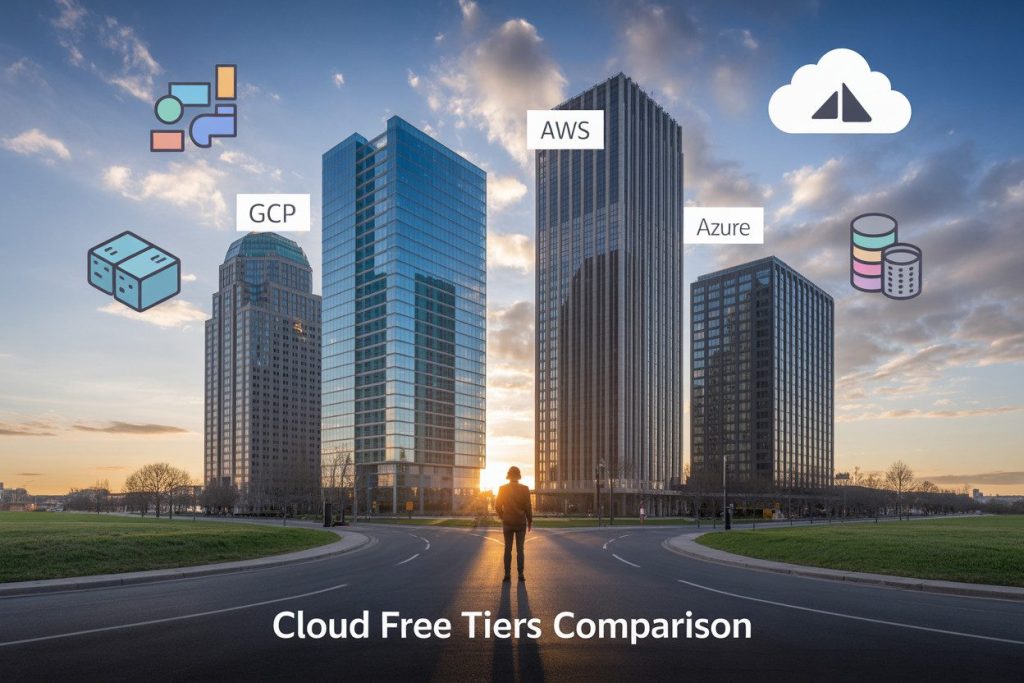
GCP Free Tier vs. AWS vs. Azure: Which Gives You More as a Beginner?
Starting your cloud journey but not sure which platform offers the best free resources?
You’re not alone.
This guide compares the free tiers of Google Cloud Platform (GCP), Amazon Web Services (AWS), and Microsoft Azure specifically for beginners and students looking to learn cloud computing without spending money.
I’ll break down what each cloud provider actually gives you for free, compare costs for typical beginner projects, and help you decide which platform offers the most value when you’re just starting out.
By the end, you’ll know exactly which free tier matches your learning needs.
Understanding Cloud Free Tiers
A. What are free tiers and why they matter for beginners
Cloud free tiers are the training wheels you need when starting your cloud journey.
They’re packages of cloud resources that providers offer at zero cost to let you test their services without opening your wallet.
Think of free tiers as your sandbox – a safe space to experiment, break things, and learn without the stress of unexpected bills.
As a beginner, they’re absolutely crucial because:
- You can build real projects without financial risk
- You’ll get comfortable with the provider’s interface and services
- You can validate your ideas before investing money
- They give you hands-on experience that tutorials simply can’t match
Free tiers turn cloud computing from a theoretical concept into something you can actually touch and play with. They’re the difference between reading about swimming and actually jumping in the pool.
B. How long free tiers last across platforms
Each cloud provider takes a different approach to how long they’ll let you play with their toys:
| Provider | Duration | Notable Aspects |
|---|---|---|
| GCP | 90 days + always-free resources | $300 credit expires after 3 months, but some services remain free forever |
| AWS | 12 months + always-free options | Many key services free for a year, then some remain free within limits |
| Azure | 12 months + $200 credit (30 days) + always-free | Hybrid approach with both time-limited and permanent free services |
The important thing?
Don’t waste those initial months.
GCP’s 90-day window flies by, while AWS gives you a full year to explore.
Azure’s credit expiration creates some early pressure, but their always-free services remain available like the other providers.
C. Key limitations to be aware of
Free doesn’t mean unlimited. You’ll hit walls that might surprise you:
- Usage caps: Every free resource has limits. Once you exceed them, you’ll start paying.
- Credit card requirement: All three providers require your card details upfront, even for free stuff.
- Performance constraints: Free tier resources are often less powerful and slower than paid options.
- Service restrictions: Not everything in the catalog is available on free tiers.
- Auto-renewal gotchas: Services might automatically convert to paid plans when your free period ends.
The most expensive cloud bill is the one you weren’t expecting.
Always set up billing alerts, regularly check your usage, and understand exactly what stays free and what doesn’t before building anything important.
GCP Free Tier Breakdown
A. Compute resources available at no cost
When you’re diving into Google Cloud Platform (GCP), you get some pretty sweet compute offerings without spending a dime.
The star of the show is the e2-micro VM instance that you can run continuously in US regions. That’s right – a virtual machine that’s yours to use 24/7 for free!
You also get 28 hours per day of f1-micro VM usage, which gives you flexibility to spin up multiple instances. Plus, GCP throws in 9 hours daily of e2-small VM instances.
These are perfect for your learning projects and small workloads.
The real gem is Cloud Run, where you get 2 million requests per month and 360,000 GB-seconds of compute time.
That’s enough to build and deploy containerized apps without worrying about costs.
Don’t overlook Cloud Functions either – 2 million invocations monthly means you can build serverless applications and automate tasks without hitting your wallet.
B. Storage options and limitations
Your free storage options on GCP are surprisingly generous.
You get 5GB of regional Cloud Storage, which is perfect for hosting static websites or storing application assets.
For your database needs, GCP gives you 1GB of Cloud Firestore storage – enough to build a fully functional app with real-time data capabilities.
The always-free tier also includes 30GB of HDD storage for your standard persistent disks, which pairs nicely with those free compute instances.
Here’s what your storage allowances look like:
| Storage Type | Free Allowance |
|---|---|
| Cloud Storage | 5GB (Regional) |
| Firestore | 1GB + 50,000 reads, 20,000 writes daily |
| Persistent Disk | 30GB (Standard HDD) |
| Cloud Logging | 50GB ingestion, 30-day retention |
C. Database services included
The database offerings in GCP’s free tier give you room to experiment with different database technologies.
You get a fully managed Cloud SQL instance (MySQL, PostgreSQL, or SQL Server) with a small database that includes 3GB of storage. This is limited to 12 months, but it’s enough time to build and test real applications.
For NoSQL enthusiasts, Firestore’s document database comes with 50,000 reads, 20,000 writes, and 20,000 deletes daily – forever free! This makes it possible to build small to medium apps without ever paying.
If you’re into caching or in-memory datastores, Memorystore for Redis gives you a shared instance with enough capacity for development and testing.
D. Networking allowances
Your free networking perks on GCP are substantial. You get 1GB of outbound data transfer across all services (except China and Australia) each month.
The networking benefits include:
- Standard static IP addresses at no cost
- 5 GB-scale load balancing
- 100 load balancer rules
- Free internal DNS usage
The free tier also covers Cloud VPN usage with up to 100 tunnels, which helps you securely connect your on-premises environment to your GCP resources.
E. Unique GCP offerings not found elsewhere
GCP stands out with several unique free offerings that AWS and Azure don’t match.
Google App Engine gives you 28 instance hours per day, which means you can run a small application continuously without ever paying.
The AI Platform provides you with enough free credits to experiment with machine learning models using TensorFlow without cost barriers.
Unlike competitors, GCP offers BigQuery with 1TB of querying and 10GB of storage monthly. This lets you analyze massive datasets using SQL without paying until you exceed these generous limits.
You also get access to Google’s powerful Vision API (1,000 units monthly) and Natural Language API (5,000 units monthly) to experiment with AI features in your applications – something the other cloud providers charge for from the start.
AWS Free Tier Offerings
A. EC2 and compute allowances
AWS hooks you up with a pretty sweet deal on computing resources in their free tier.
You get 750 hours per month of EC2 t2.micro or t3.micro instances (that’s enough to run a single instance 24/7).
Perfect when you’re building your first web app or testing out that brilliant startup idea.
What’s cool is that you can split these hours however you want – run multiple instances for shorter periods or keep one running all month.
The t2.micro comes with 1GB RAM and 1 vCPU, which is surprisingly capable for small projects and learning the ropes.
You also score 1 million free Lambda requests per month, which is a game-changer if you’re into serverless computing.
That’s thousands of function executions without spending a dime.
B. S3 and storage benefits
S3 is where AWS really shines for beginners.
You get 5GB of standard storage free for 12 months.
That might not sound like much, but it’s plenty for hosting a static website, storing app assets, or backing up important files.
The free tier also includes 20,000 GET requests and 2,000 PUT requests per month. Translation: you can build a decent website with moderate traffic without hitting your wallet.
The best part?
You’re learning one of the most widely-used storage services in the industry. The skills you pick up working with S3 will transfer directly to professional projects down the road.
C. Database options for beginners
Database options on AWS free tier are genuinely useful, not just demo-level stuff.
You get:
- 750 hours of Amazon RDS (MySQL, PostgreSQL, MariaDB) with 20GB of storage
- 25GB of DynamoDB storage with up to 25 units of read/write capacity
- ElastiCache with 750 hours of cache usage
This means you can build real applications with proper databases behind them.
Want to create a data-driven app?
The RDS allocation lets you run a small database instance all month long. Need NoSQL for your project? DynamoDB’s free tier has you covered.
D. Key AWS services with generous free limits
Beyond the basics, AWS throws in some impressive extras:
- CloudWatch: 10 custom metrics and 10 alarms
- SNS: 1 million publishes and 100,000 HTTP/HTTPS deliveries
- SES: 62,000 outbound messages per month
- CloudFront: 50GB data transfer out and 2 million HTTP/HTTPS requests
What makes these limits special is they’re actually usable for real projects. You can set up monitoring, notifications, and even a content delivery network without spending anything.
The 12-month free tier also includes AWS Cognito (50,000 MAUs) for authentication and AWS CodeBuild (100 build minutes) for continuous integration – both critical services when building modern applications.
Azure’s Free Tier Package
A. Compute resources for new users
Microsoft Azure offers you a generous set of compute resources to play around with when you’re just starting out.
You’ll get 750 hours of Linux or Windows virtual machines for 12 months, which essentially means you can run a B1S instance 24/7 for a year without paying a dime.
Additionally, you can explore Azure App Service with 10 web, mobile, or API apps free for 12 months.
This gives you a chance to build and deploy actual applications without worrying about costs while you’re learning.
What’s really cool is that Azure also throws in 250,000 Azure Functions executions per month, which lets you experiment with serverless computing right from day one.
B. Storage and database offerings
Azure doesn’t skimp on storage either. You get 5GB of Azure Blob Storage with 20,000 read and 10,000 write operations each month.
For databases, you can use Azure Cosmos DB with 400 RU/s provisioned throughput and 5GB of storage completely free.
SQL databases? Got you covered with Azure SQL Database (250GB) free for 12 months. This is plenty of space to build real database applications and learn how to manage data in the cloud.
C. AI and ML services included for free
The most exciting part of Azure’s free tier might be the AI and ML services. You get free access to Azure Cognitive Services with a generous allotment that includes:
- Computer Vision: 5,000 transactions per month
- Text Analytics: 5,000 transactions per month
- Face API: 30,000 transactions per month
You’ll also get 100 hours of Azure Machine Learning compute time, which means you can train models without paying anything.
The Azure OpenAI Service even includes a limited free tier so you can experiment with large language models.
For developers wanting to build AI-powered apps, these freebies are a massive advantage compared to other cloud providers.
Cost Comparison for Common Beginner Projects
A. Hosting a personal website
When you’re just starting out, a personal website is often your first cloud project. Here’s how the free tiers stack up:
| Provider | Free Offerings | Time Limit |
|---|---|---|
| GCP | App Engine: 28 instance hours/day, Cloud Storage: 5GB | No expiration |
| AWS | EC2: 750 hours/month (t2.micro), S3: 5GB | 12 months |
| Azure | App Service: 10 web, mobile, or API apps, 1GB storage | 12 months |
GCP gives you the most flexibility since their free tier doesn’t expire.
You can host a static site on Cloud Storage or a dynamic one on App Engine without worrying about future charges.
AWS offers plenty of compute time, but remember – after a year, you’ll pay full price. Azure’s 10 apps sound generous, but they’re limited in resources.
B. Running a small application
Got a small app you want to test or showcase?
Check out what you can get:
| Provider | Compute | Memory | Storage |
|---|---|---|---|
| GCP | Cloud Run: 2M requests/month, 360,000 GB-seconds | Standard memory tiers | Cloud Firestore: 1GB |
| AWS | Lambda: 1M free requests, EC2: 750 hours | t2.micro: 1GB RAM | DynamoDB: 25GB |
| Azure | Functions: 1M executions | 1.5GB memory | Cosmos DB: 5GB |
GCP’s Cloud Run is super flexible for containerized apps, while AWS Lambda works great for serverless functions.
Azure Functions offers similar capabilities, but GCP’s offerings don’t expire – a huge advantage for long-term learning.
C. Setting up a test database
Every app needs data storage. Here’s what you get for free:
| Provider | SQL Option | NoSQL Option | Limitations |
|---|---|---|---|
| GCP | Cloud SQL: None free | Firestore: 1GB storage, 50K reads, 20K writes daily | Always free but limited operations |
| AWS | RDS: 750 hours | DynamoDB: 25GB storage | 12-month expiration |
| Azure | SQL Database: 250GB | Cosmos DB: 5GB storage, 400 RU/s | 12-month expiration |
AWS surprisingly offers the most generous database options but remember they expire. GCP’s Firestore is permanently free but with stricter limits.
Azure’s Cosmos DB gives you decent throughput for experimenting.
D. Deploying machine learning models
Ready to try your hand at ML?
These free resources can help:
| Provider | ML Services | Training | Inference |
|---|---|---|---|
| GCP | AutoML: Limited preview credits, Vertex AI: None free | None free | Prediction: 1000 predictions/month |
| AWS | SageMaker: 250 hours | Limited free hours | Limited free inferences |
| Azure | ML Studio: Limited compute | Free tier instances | Limited predictions |
For ML beginners, AWS offers the most generous training resources with SageMaker’s free hours. GCP focuses more on prediction services rather than training.
Azure sits somewhere in the middle, offering a mix of training and prediction capabilities.
Getting the Most Value as a Beginner
A. Strategic approaches to maximize free resources
Want to squeeze every drop of value from cloud free tiers? Smart move. Start by mapping out exactly what you need before diving in.
Each provider shines in different areas – GCP offers generous compute hours, AWS excels in breadth of services, and Azure provides developer-friendly tools.
Don’t just create one account and call it a day.
Set up accounts on all three platforms and distribute your workloads strategically. Use GCP for compute-intensive tasks, AWS for storage and serverless functions, and Azure for development environments and AI experiments.
Set calendar reminders for when free tier periods expire. Many resources automatically convert to paid plans without warning.
Also, create automated monitoring for usage limits – a simple Lambda function or Cloud Function can alert you before you hit billable thresholds.
Rotate resources when possible. Some services reset usage quotas monthly, so you can delete and recreate resources to stay within free limits.
And don’t overlook educational resources – each provider offers free courses, labs, and certification preparation materials worth hundreds of dollars.
B. Services with the best free-to-paid transition
When your free ride eventually ends, some services offer smoother transitions to paid plans than others:
| Provider | Best Services for Transition | Why They Work |
|---|---|---|
| GCP | Cloud Run, BigQuery | Pay-per-use model with minimal starting costs |
| AWS | S3, Lambda | Gradual pricing tiers with minimal jumps |
| Azure | App Service, Cosmos DB | Free tier capabilities carry over to basic plans |
GCP’s Cloud Run stands out with its containerized approach and true pay-per-use billing – you’re not charged when your service isn’t being used.
AWS Lambda follows a similar model but with slightly more complex configuration.
For databases, BigQuery and DynamoDB let you start small and scale without architectural changes. Azure’s Cosmos DB offers a smooth path from free to paid with predictable pricing.
C. Hidden costs to watch for
Cloud providers are notorious for sneaky charges that can shock beginners. The biggest gotcha? Data transfer fees. Moving data between services or regions can quickly add up, even during your free period.
Storage costs often hide in plain sight too. While you might get free storage, operations like PUT, GET, or DELETE requests can incur charges.
This is especially true with AWS S3.
Orphaned resources are another budget-killer. That test virtual machine you spun up and forgot about? It’s still running and will start charging once your free credits expire.
Set up regular resource audits to catch these forgotten assets.
IP addresses, load balancers, and managed NAT gateways often come with hourly charges regardless of usage. And don’t forget about support costs – if you need help beyond community forums, you’ll likely pay for it.
Making Your Final Decision
Best for web development beginners
If you’re just starting your web development journey, Azure might be your best bet. Their App Service gives you 10 web, mobile, or API apps with shared compute resources – perfect for hosting your portfolio or practice projects.
Plus, with Visual Studio integration, you’ll feel right at home if you’re already using Microsoft’s development tools.
GCP comes in as a close second with its App Engine standard environment that gives you enough free resources to run a small website continuously.
Their Cloud Run service is also surprisingly beginner-friendly for deploying containerized apps.
AWS offers the least appealing option for web dev beginners. While Amplify is great, the 12-month limit on most services means you’ll need to migrate your projects once the free period ends.
Best for data science and ML projects
For data science and machine learning, GCP takes the crown. Their AI Platform notebooks, Colab Pro integration, and the generous allowance of TPU and GPU hours make this a no-brainer.
You can actually build and train meaningful ML models without paying a dime.
Azure comes second with its Machine Learning Studio and decent free compute hours, though the offering isn’t as comprehensive as GCP’s.
AWS SageMaker’s free tier is quite limited and primarily designed to let you test the service rather than build actual projects. Unless you’re specifically targeting AWS certification, start your ML journey elsewhere.
Best for microservices and containerization
If containers are your thing, GCP offers the most generous container-related services.
With Cloud Run’s 2 million free requests per month and Kubernetes Engine’s free control plane, you can actually deploy small-scale container-based applications completely free.
AWS provides a decent offering with ECR and ECS, but the 12-month limitation again hurts its long-term value for learning.
Azure’s container services in the free tier are the most restricted, making it harder to learn containerization without spending money.
Best for long-term learning and career growth
Looking at the bigger picture, AWS still dominates the job market. According to industry surveys, AWS skills appear in roughly 60% of cloud job listings, compared to Azure’s 40% and GCP’s 30%.
If pure employability is your goal, AWS is worth the investment even after the free tier expires.
Azure makes a strong case for those already working in Microsoft-centric organizations or developing with .NET technologies.
The integration with existing Microsoft tools is seamless, and many enterprises are heavily invested in the Microsoft ecosystem.
GCP, despite having the most generous free tier, still has the smallest market share.
However, it’s growing rapidly, especially in startups and organizations focusing on advanced data analytics and AI projects.
If these areas align with your interests, GCP skills could be highly valuable.
Navigating the Cloud Free Tier Landscape
The cloud provider you choose as a beginner can significantly impact your learning journey and wallet.
Google Cloud Platform offers an impressive combination of always-free resources with no time limits, monthly credits for new users, and free trials for premium services.
AWS provides a mix of 12-month free services and short-term trials, while Azure combines limited-time credits with permanently free services tailored to different development needs.
For beginners looking to maximize value, consider your specific project requirements and learning goals. GCP’s unlimited free tier provides exceptional long-term value for smaller projects and continuous learning.
Remember to set up billing alerts across any platform you choose, start with simple architectures, and leverage the educational resources each provider offers.
Whichever cloud provider you select, the free tier offerings present an excellent opportunity to build practical skills that are increasingly valuable in today’s technology landscape.
I’m Kafayat Faniran, and I’ve built a platform that shows you how you can build the right cloud skills to help businesses achieve their cloud security goals while you’re also building the career you love. Check it out here and start working on projects that get you hired.
The Author