What is a Virtual Private Cloud (VPC)? Simple Explanation
Trying to explain to your boss why your company’s cloud setup isn’t secure enough, only to watch their eyes glaze over at the word “infrastructure”?
I’ve been there. The cloud security conversation gets awkward fast when nobody understands what a Virtual Private Cloud actually is or why it matters.
In the next few minutes, you’ll get a no-fluff explanation of VPCs that you can actually use in conversations with both technical and non-technical colleagues.
A Virtual Private Cloud (VPC) creates your own isolated corner of the public cloud where your data and applications live safely behind virtual walls – think of it as having your own private neighborhood in a massive city.
But here’s what most explanations miss: the real power of VPCs isn’t just isolation – it’s what happens when you combine that isolation with the right access controls…
Understanding the Basics of Virtual Private Clouds
A. What Makes a VPC Different from Traditional Cloud Infrastructure
Think of traditional cloud infrastructure as renting space in a massive apartment building where everyone shares hallways, elevators, and other common areas. You get your own apartment, but you’re constantly bumping into other tenants.
A Virtual Private Cloud (VPC) is more like having your own private wing in that building. You still benefit from the building’s foundation, utilities, and maintenance staff, but you’ve got your own private entrance, hallway, and security system.
The key difference? Control and isolation. With a VPC, you create a logically isolated section of the public cloud that’s all yours. You decide who comes in, what resources connect to what, and how traffic flows. It’s your slice of the cloud, configured exactly how you want it.
Traditional cloud setups often put your resources on shared networks with limited configuration options. VPCs give you the power to design your network architecture, set up subnets, configure route tables, and establish security policies – just like you would in your on-premises data center.
B. Key Components of a VPC Explained Simply
Subnets
Think of subnets as rooms in your house. You might have a living room (public subnet) where guests are welcome and a bedroom (private subnet) where only you go. In your VPC, public subnets can talk to the internet, while private subnets can’t be directly accessed from outside.
Internet Gateway
This is your front door to the internet. Without it, nothing gets in or out of your VPC to the public internet.
Route Tables
These are like the signs in a building telling people which way to go. Route tables direct traffic between subnets and to destinations outside your VPC.
Network Access Control Lists (NACLs) and Security Groups
Consider these your security system. NACLs are like building security checking IDs at entry points, while security groups are like having a bouncer outside each individual apartment door.
Peering Connections
Need to connect multiple VPCs? Peering is like building a private walkway between two separate buildings.
C. How VPCs Create Isolation in Shared Cloud Environments
Cloud isolation isn’t just a nice feature; it’s essential. Your VPC creates a private, secure bubble within the massive public cloud.
When you set up a VPC, you’re essentially drawing boundaries that other cloud customers can’t cross. Your data and applications run in your own network space with your own IP address range. Nobody else can see or access your resources unless you explicitly allow it.
This isolation happens at multiple levels:
- Network isolation: Your traffic is separated from other customers using virtual networking technologies
- Resource isolation: Your compute, storage, and database instances belong only to you
- Access control: You define exactly who can access what with fine-grained permissions
The magic of VPCs is that they give you this level of isolation without sacrificing the benefits of cloud computing. You still get the scalability, flexibility, and cost savings—just with added security and control.
D. Why Organizations Are Increasingly Adopting VPCs
The rush to VPCs isn’t just a trend; it’s a strategic move that makes perfect sense once you understand the benefits.
First off, VPCs give you that perfect middle ground between traditional on-premises networks (which you control completely) and public cloud (which is super convenient but shared). You get the best of both worlds.
Security concerns are driving major VPC adoption. With cyber threats growing more sophisticated daily, having your own isolated cloud environment with custom security controls is incredibly appealing. You can implement defense-in-depth strategies with multiple security layers.
Compliance requirements are another huge factor. If you’re in healthcare, finance, or government, you know the regulatory headaches.
VPCs make it easier to demonstrate that your data is properly isolated and protected according to standards like HIPAA, PCI DSS, or GDPR.
Cost efficiency plays a role too. While traditional private networks require massive hardware investments, VPCs let you pay only for what you use while still maintaining control.
And don’t forget about hybrid cloud strategies. Many organizations aren’t ready to go all-in on public cloud. VPCs create the perfect bridge, allowing you to extend your on-premises network into the cloud securely through VPN connections or direct links.
Core Benefits of Implementing a VPC
Enhanced Security Through Network Isolation
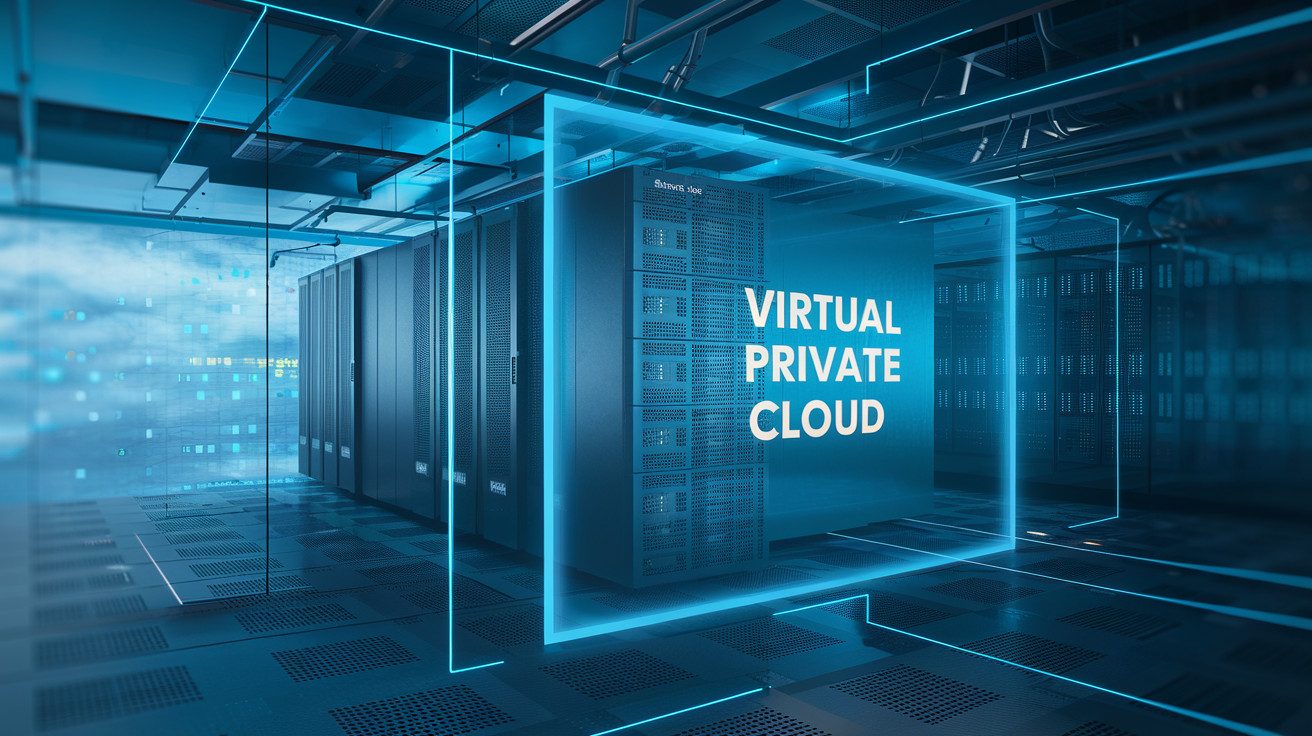
When you implement a VPC, you’re essentially creating your own private section of the cloud. Think of it as having your own fenced yard in a neighborhood – you get to decide who comes in and out. This isolation is your first line of defense against potential threats.
With a VPC, you can segment your network into subnets, keeping sensitive workloads completely separate from public-facing applications. You’re not sharing network space with other customers, which dramatically reduces your attack surface.
You also get to set up security groups and network ACLs that act like bouncers at the door – checking every packet of data that tries to enter or leave your environment.
Want to block all traffic except what’s coming from your corporate IP range? You can do that. Need to make sure only specific ports are open? No problem.
Greater Control Over Your Cloud Resources
A VPC puts you in the driver’s seat of your cloud infrastructure. You’re no longer just a passenger on someone else’s network – you make the rules now.
You decide exactly how traffic flows between your applications, who can access what, and under what circumstances. Need to connect your on-premises data center to cloud resources? You can set up a VPN or direct connect link and manage it all within your VPC.
This control extends to resource allocation too. You determine how IP addresses are assigned, which resources can communicate with each other, and how routing tables direct traffic. It’s like having admin privileges for your own slice of the internet.
Customizable Network Architecture
Your business isn’t like everyone else’s, so why should your network be? VPCs give you the flexibility to design a network architecture that fits your specific needs.
You can create complex multi-tier applications with different security zones. Maybe you want a public-facing web tier, an application tier that’s only accessible internally, and a database tier with the tightest security controls. With a VPC, you can build exactly that.
Want to implement hub-and-spoke networking across multiple regions? Or maybe you need to create isolated development, testing, and production environments? Your VPC can adapt to whatever design you need, scaling up or down as your requirements change.
Cost Optimization Opportunities
Smart VPC design can actually save you money. By carefully planning your network architecture, you can reduce data transfer costs and optimize resource usage.
For instance, when you keep related resources in the same availability zone within your VPC, you typically pay less (or nothing) for data transfer between them. You can also set up NAT gateways strategically to minimize outbound traffic costs.
VPCs also help you avoid overprovisioning. Instead of building for peak capacity everywhere, you can design different subnets with different capabilities, putting resources exactly where they’re needed. This targeted approach means you’re not paying for unused capacity.
Simplified Compliance Management
Meeting regulatory requirements gets a whole lot easier with a VPC. Whether you’re dealing with HIPAA, PCI DSS, GDPR, or industry-specific regulations, a properly configured VPC helps you tick those compliance boxes.
You can implement network-level controls that demonstrate clear separation of sensitive data. Your audit logs can show precisely what traffic was permitted and denied.
And when regulations change (as they inevitably do), you can adapt your network policies without massive infrastructure changes.
The ability to create standardized, compliant environments is a game-changer. You can template your secure VPC configurations and deploy consistent, compliant infrastructure across different regions or accounts, knowing that your security posture remains intact.
How a VPC Actually Works
The Architecture Behind Virtual Private Clouds
Think of a VPC as your own private section of the massive cloud. It’s like having your own floor in a skyscraper where only you have the key. When you create a VPC, you’re essentially carving out an isolated network space within a public cloud infrastructure.
Your VPC comes with its own IP address range, which you control completely. This means you can organize your resources exactly how you want them; just like arranging furniture in your home. The architecture typically includes:
- Virtual Network: Your own private network in the cloud
- Subnets: Smaller segments within your network
- Route Tables: Rules that determine where network traffic goes
- Gateways: Entry and exit points for traffic flowing in and out
What makes VPCs so powerful is that they combine the security benefits of a private network with the flexibility of cloud computing. You’re not sharing this space with other customers; it’s all yours.
Network Subnetting Made Simple
Feeling intimidated by subnetting? Don’t be. It’s actually pretty straightforward when you break it down.
Subnets are just smaller chunks of your VPC network that help you organize resources. Think of your VPC as a neighborhood and subnets as different streets within it.
Here’s how you can make sense of subnetting:
- Decide how many resources you need in each section of your network
- Choose which subnet sizes work best
- Assign IP address ranges that don’t overlap
For example, you might create:
- A public subnet for resources that need internet access
- A private subnet for your databases that shouldn’t be directly accessible
The beauty of this approach? You get to dictate which parts of your network can talk to each other and which parts can connect to the outside world. This gives you incredible control over your network security.
Understanding VPC Connectivity Options
When it comes to connecting your VPC to other networks, you’ve got several options at your fingertips.
Internet Gateway: This is your VPC’s doorway to the internet. It allows resources in your public subnets to connect to the internet, and vice versa. Without this, your VPC would be completely isolated from the online world.
VPN Connection: Need to connect your VPC to your on-premises network? A Virtual Private Network (VPN) creates an encrypted tunnel between the two, allowing secure communication.
Direct Connect: For a more stable and private connection than a VPN, this option provides a dedicated physical line between your data center and your VPC. It’s like having a private road instead of taking the public highway.
VPC Peering: Want to connect two VPCs? Peering allows resources in different VPCs to communicate as if they were on the same network. It’s particularly useful when you’re running multiple projects or teams.
Transit Gateway: Think of this as a network hub that connects all your VPCs, on-premises networks, and remote offices. It simplifies management when you have complex networking requirements.
Each option has its own strengths depending on your specific needs. The right choice comes down to factors like security requirements, bandwidth needs, and budget constraints.
Common VPC Use Cases
A. Securing Business-Critical Applications
Your business-critical applications deserve fortress-level protection, and that’s exactly what a VPC delivers. When you move your sensitive workloads into a VPC, you create a private, isolated environment that keeps prying eyes away from your valuable data.
Think about it – your customer databases, financial systems, and proprietary applications all need that extra layer of security. With a VPC, you control exactly who gets in and out through carefully configured security groups and network ACLs. You’re essentially building a digital moat around your crown jewels.
Many organizations use VPCs to segment their most sensitive applications from general-purpose workloads. This way, even if one part of your network experiences issues, your mission-critical apps remain protected and operational.
B. Creating Development and Testing Environments
Need to experiment without fear? VPCs are perfect for creating isolated development and testing playgrounds.
You can spin up exact replicas of your production environment without risking your live systems. This setup gives your developers the freedom to break things (we all know they will!) without causing real damage.
The beauty of using VPCs for dev/test environments is how quickly you can create and tear them down. On Monday, you might need to test a major database migration.
By Friday, you could be testing an entirely different architecture – all in isolated environments that mimic production.
Many teams also use VPC peering to allow limited, controlled communication between development and production environments when necessary, while maintaining strong separation for security.
C. Building Hybrid Cloud Solutions
Not ready to go all-in on cloud? No problem. VPCs excel at creating hybrid cloud solutions that bridge your on-premises infrastructure with cloud resources.
You might have legacy systems that need to stay in your data center, but want to leverage cloud benefits for new applications. A VPC lets you connect these worlds through secure VPN tunnels or dedicated connections.
Your users won’t even notice the difference – they’ll access applications seamlessly while you maintain control over where each workload runs. This approach gives you incredible flexibility to migrate at your own pace.
Many organizations use this hybrid approach during multi-year cloud migration journeys, gradually shifting workloads as they become ready for cloud deployment.
D. Supporting Multi-Tenant Applications
If you’re building SaaS solutions, VPCs provide the perfect foundation for multi-tenant architectures. You can isolate each customer’s data and workloads while still efficiently managing your infrastructure.
You have options here: create separate VPCs for each high-value customer, or use a single VPC with strict security controls to separate tenant resources. Either way, you’re ensuring that Customer A’s data never intermingles with Customer B’s.
The scalability of VPCs makes them ideal for growing SaaS businesses. As you add customers, you can expand your infrastructure without worrying about security compromises. Your networking team will thank you for the clean architecture and simplified troubleshooting.
Many successful SaaS providers leverage this approach to satisfy even the most demanding compliance requirements from enterprise customers, who often require proof of complete tenant isolation.
VPC Offerings Across Major Cloud Providers
AWS VPC Features and Capabilities
When you start exploring AWS VPC, you’ll quickly discover a robust set of features. You get complete control over your virtual networking environment, including IP address range selection, subnet creation, and routing table configuration.
Need to separate your public-facing applications from your backend systems? No problem. You can create multiple subnets within a VPC, each with different access controls. For extra security, you can place your resources in private subnets with no internet access.
Security is baked into the AWS VPC design. With security groups, you can control inbound and outbound traffic at the instance level. Network ACLs give you an additional layer of security at the subnet level.
One of the coolest features is VPC peering, which lets you connect VPCs together, even across different AWS accounts. And if you need to connect your VPC to your on-premises network, AWS offers VPN connections and Direct Connect for dedicated links.
Google Cloud VPC Simplified
Google takes a slightly different approach with their VPC offering. The first thing you’ll notice is that Google Cloud VPCs are global resources, spanning all regions worldwide.
This means your resources in different regions can communicate using internal IP addresses; super convenient if you’re running a globally distributed application.
You can create subnets in different regions within the same VPC network, which makes managing multi-region deployments much simpler. Need to expand later? No worries; you can add more IP address ranges to your subnets without any downtime.
Google Cloud VPC includes built-in distributed firewall rules that control access to instances, offering protection at the network level. Their Cloud NAT service lets your instances in private subnets access the internet without public IP addresses.
The shared VPC feature is particularly useful for larger organizations, allowing you to share a VPC network across multiple projects while maintaining centralized control over network resources.
Microsoft Azure Virtual Networks
When working with Azure, you’ll be dealing with Virtual Networks (VNets) instead of “VPCs,” but the concept is similar. Azure VNets allow you to create your own private network in the cloud.
One standout feature in Azure is the ability to implement service endpoints, which extend your VNet’s private address space to Azure services like Storage and SQL. This means your data never traverses the public internet.
Azure also offers Network Security Groups (NSGs) for filtering traffic to and from resources, similar to security groups in AWS. For more advanced security, you can deploy Azure Firewall or use third-party network virtual appliances.
Need to connect to on-premises? Azure gives you options like Site-to-Site VPN, Point-to-Site VPN, and ExpressRoute for dedicated private connections.
The VNet peering feature allows you to connect VNets within the same region or across regions, enabling resources to communicate using private IP addresses.
How Cloud Providers Differ in Their VPC Implementations
Each cloud provider puts their own spin on VPC implementations, and understanding these differences helps you choose the right one for your needs.
| Feature | AWS | Google Cloud | Azure |
|---|---|---|---|
| Scope | Regional | Global | Regional |
| Default Network | No default VPC in new accounts | Default VPC created automatically | Default VNet in each region |
| IP Addressing | RFC 1918 private addresses | RFC 1918 and public IP ranges | RFC 1918 private addresses |
| Connectivity | VPC Peering, Transit Gateway | VPC Network Peering, Cloud VPN | VNet Peering, Virtual WAN |
| Security | Security Groups, NACLs | Firewall Rules, Cloud Armor | NSGs, Azure Firewall |
The most fundamental difference is in network scope. AWS VPCs are regional, Google’s are global, and Azure VNets are regional. This impacts how you design multi-region applications.
Pricing structures also vary significantly. AWS charges for NAT gateways and data transfer between availability zones. Google charges for network usage based on traffic destination, while Azure has a more complex model based on resource types and data processing.
When picking your cloud provider, consider your specific networking requirements. If you need global networks with simple region-to-region connectivity, Google Cloud might be your best bet.
For deep integration with Microsoft products, Azure makes sense. And if you need the most mature and feature-rich networking capabilities, AWS is hard to beat.
Setting Up Your First VPC
A. Essential Planning Considerations
Before diving into your first VPC setup, you need to nail down a few critical planning elements. Start by defining your IP address space needs. How many subnets will you require?
What’s your expected growth? This isn’t just a technical checkbox; it’s the foundation of your entire cloud network.
Map out your security requirements early. Which resources need to talk to each other? Which ones should remain isolated? Sketching this communication flow on paper saves you hours of troubleshooting later.
Don’t forget about connectivity options. Will you need a VPN connection back to your office? Direct connection to other cloud services? Plan these pathways from the beginning, as retrofitting them can be a headache.
B. Basic Configuration Steps
Getting your first VPC up and running isn’t rocket science. Here’s how you break it down:
- Create your VPC and define the CIDR block (like 10.0.0.0/16)
- Set up subnets across different availability zones for redundancy
- Configure your route tables to control traffic flow
- Add an internet gateway if you need public-facing resources
- Set up security groups and network ACLs to lock down access
Think of subnets as neighborhoods in your virtual city. Public subnets are like commercial districts with storefronts facing the street, while private subnets are gated communities with restricted access.
C. Common Pitfalls to Avoid
The most frequent mistake? Painting yourself into a corner with too-small IP ranges. Once you’ve deployed resources, changing your VPC’s addressing scheme is painful. Always allocate more space than you think you’ll need.
Another classic blunder is creating overly permissive security groups. Sure, allowing all traffic makes testing easier, but it’s like leaving your front door wide open. Start with minimal access and open up only what’s necessary.
Many newcomers also struggle with understanding the difference between security groups (stateful) and network ACLs (stateless). This distinction matters tremendously for troubleshooting connection issues.
D. Best Practices for VPC Design
Design your VPC with segregation in mind. Separate your resources by function:
| Tier | Purpose | Example |
|---|---|---|
| Public | Internet-facing | Load balancers, bastion hosts |
| Application | Business logic | Web servers, app servers |
| Data | Information storage | Databases, caches |
Implement a consistent tagging strategy from day one. When your infrastructure grows, you’ll thank yourself for being able to quickly identify resources by environment, project, or team.
Use flow logs to monitor traffic patterns. They’re like security cameras for your network, giving you visibility into what’s happening under the hood.
Finally, document everything. Your future self (or colleague) will need to understand why you made specific design choices. This isn’t just busywork; it’s essential knowledge preservation that pays dividends when troubleshooting or expanding your VPC.
A Virtual Private Cloud represents a significant step forward in how you manage your cloud infrastructure securely. As we’ve explored, VPCs offer you the perfect balance between the scalability of public cloud resources and the security of private networks.
By implementing a VPC, you gain enhanced control over network architecture, improved security through isolation, and the flexibility to scale your resources according to your specific business needs.
Whether you’re running sensitive applications, managing multiple environments, or simply seeking better organization of your cloud resources, a VPC provides the foundation you need.
As you consider setting up your first VPC with providers like AWS, Azure, or Google Cloud, remember that the initial configuration may require some learning, but the long-term benefits to your organization’s security posture and operational efficiency make it well worth the investment
Take that first step toward cloud infrastructure modernization today by exploring the VPC offerings that best align with your business requirements.
I’ve also built a platform that shows you how to build the right hands-on cybersecurity skills to help businesses achieve their cloud security goals while you build the career you love for a better, higher-paying reward. Check it out here and start working on projects that will help you get hired.
The Author