GCP Security Command Center: Finding Vulnerabilities Before Hackers Do
You know that sinking feeling when a security breach hits the news and you wonder, “Could that happen to us next?” For cloud security teams, it’s not just paranoia—it’s a legitimate daily concern.
GCP Security Command Center isn’t just another tool in your security stack. It’s your early warning system, continuously scanning your Google Cloud environment for vulnerabilities before malicious actors can exploit them.
What most teams get wrong about cloud security is waiting for problems to appear. By then, it’s already too late. The real power lies in proactive threat hunting across your entire GCP infrastructure.
But here’s what keeps security professionals up at night: how do you know which vulnerabilities actually matter among the thousands of alerts?
Understanding GCP Security Command Center
What is Security Command Center and its core functions
Think of GCP Security Command Center as your security command post that gives you a bird’s-eye view of your entire Google Cloud environment. It’s a central dashboard where you can spot vulnerabilities, detect threats, and manage risk across all your GCP resources.
At its core, Security Command Center constantly scans your cloud environment for security issues. It identifies misconfigurations, vulnerabilities in your virtual machines, open firewall rules, and exposed storage buckets that could lead to data breaches. You’ll get real-time alerts when something suspicious happens, allowing you to respond before hackers can exploit weaknesses.
How it integrates with other GCP services
Security Command Center isn’t a standalone tool – it plays nice with your entire GCP ecosystem. It connects directly with services like Cloud Storage, Compute Engine, and Kubernetes Engine to monitor security across all your resources.
When you use Container Registry, Security Command Center scans your container images for vulnerabilities. If you’re running Cloud Functions, it analyzes your code for security issues. The tool even integrates with Cloud Logging and Cloud Monitoring to give you comprehensive security visibility.
Best of all, you can push findings to SIEM tools or ticketing systems through Cloud Pub/Sub, making it fit into your existing security workflows without breaking a sweat.
Key benefits for enterprise security teams
Security Command Center dramatically shrinks your attack surface by helping you spot and fix vulnerabilities before attackers find them. You’ll cut discovery time from weeks to minutes with continuous scanning.
The tool also helps you meet compliance requirements by tracking your security posture against frameworks like CIS, PCI DSS, and NIST. You can generate compliance reports with a few clicks, saving countless hours of manual work.
Your security team will love the built-in threat detection powered by Google’s threat intelligence. The system flags suspicious activities – like unusual API calls or potential data exfiltration – that might indicate a breach in progress.
Comparison with other cloud security solutions
| Feature | GCP Security Command Center | AWS Security Hub | Azure Security Center |
|---|---|---|---|
| Vulnerability scanning | Built-in with Container Registry integration | Requires third-party tools | Built-in for VMs and containers |
| Threat detection | Advanced ML-based detection | Basic rule-based detection | Advanced ML-based detection |
| Compliance monitoring | Multiple frameworks (CIS, PCI, etc.) | Multiple frameworks | Multiple frameworks |
| Pricing model | Tiered based on assets monitored | Pay per finding ingested | Basic tier + premium features |
| Integration with services | Deep integration with GCP | Native AWS service integration | Native Azure integration |
Unlike competitors, Security Command Center gives you Google’s world-class threat intelligence baked right in. You get the same security technology that protects Google’s own infrastructure, which is pretty hard to beat.
Proactive Vulnerability Detection Features
Continuous scanning capabilities
You’re only as secure as your most recent scan. With GCP Security Command Center, you get always-on scanning that constantly monitors your cloud environment. Unlike traditional vulnerability management that runs weekly or monthly, this continuous approach means you’ll spot weaknesses minutes after they appear.
The system works silently in the background, scanning your infrastructure, applications, and configurations without slowing down your operations. Ever had that sinking feeling after deploying code, wondering if you’ve accidentally exposed something? Now you’ll know almost immediately.
Real-time threat intelligence integration
The security landscape changes by the hour. What’s safe this morning might be vulnerable by lunch. Security Command Center plugs directly into Google’s massive threat intelligence network, giving you instant updates on emerging threats.
When a new vulnerability hits the news, you don’t need to manually check if you’re affected. The system automatically cross-references your resources against fresh threat data. You’ll receive alerts specifically tailored to your environment – no more sifting through generic advisories trying to figure out if they apply to you.
Machine learning-powered anomaly detection
Not all threats follow known patterns. The most dangerous attacks often look like normal activity at first glance. That’s where the ML capabilities come in.
The system learns your normal patterns and flags anything unusual. Maybe someone’s accessing resources at odd hours, or data is moving in unexpected ways. You’ll spot potential breaches before traditional security tools even recognize the pattern.
Configuration risk identification
Misconfiguration is the silent killer of cloud security. A single open port or overly permissive IAM role can expose your entire environment.
Security Command Center continuously analyzes your configurations against best practices. You’ll see exactly which settings need attention, with clear remediation steps. The visual risk scoring helps prioritize fixes – tackle the critical issues first, then work down the list.
Compliance monitoring tools
Staying compliant with regulations like GDPR, HIPAA, or PCI DSS used to mean endless spreadsheets and manual checks. Now you can see your compliance status at a glance.
The built-in compliance monitoring tools map your security controls to specific regulatory requirements. You’ll get automatic notifications when configurations drift out of compliance, and detailed reports ready for auditors. This transforms compliance from a quarterly scramble to a continuous, manageable process.
Setting Up Your Security Command Center
Implementation prerequisites
Before diving into Security Command Center, make sure you’ve got these basics covered:
- A Google Cloud account with admin privileges
- Billing enabled on your project
- IAM roles assigned for Security Command Center access
- Cloud Asset Inventory API enabled
- Security Command Center API activated
You’ll need organization-level access to get the most value. Without it, you’re limited to project-level insights, which means you’ll miss the big picture of your security posture.
Step-by-step configuration process
- Go to your Google Cloud Console
- Search for “Security Command Center” in the search bar
- Click “Enable API” if prompted
- Select your service tier (Standard or Premium)
- Choose which built-in services to activate:
- Vulnerability scanning
- Web Security Scanner
- Container Threat Detection
- Event Threat Detection
The Premium tier gives you more advanced threat detection capabilities, but Standard works well for smaller organizations or those just getting started.
Customizing security settings for your environment
Once set up, tailor Security Command Center to your needs:
- Configure notification channels (email, Pub/Sub, webhooks)
- Set up custom findings filters based on severity levels
- Define asset discovery frequency (daily is recommended)
- Create custom security sources for your unique requirements
- Adjust sensitivity settings for alerts to reduce noise
Your specific industry might have different priorities. Healthcare organizations should focus on data exfiltration alerts, while financial services might prioritize anomalous admin activity.
Integration with existing security workflows
Security Command Center works best when connected to your existing tools:
- Set up SIEM integration via Pub/Sub or Chronicle
- Create automated response playbooks with Cloud Functions
- Connect to ticketing systems like Jira or ServiceNow
- Establish dashboards in Looker or Data Studio
- Configure regular exports to your data warehouse
This integration transforms Security Command Center from a standalone tool into a central hub for your entire security operation. Most teams find that automating the response to common findings saves 15-20 hours of analyst time per week.
Advanced Threat Hunting Techniques
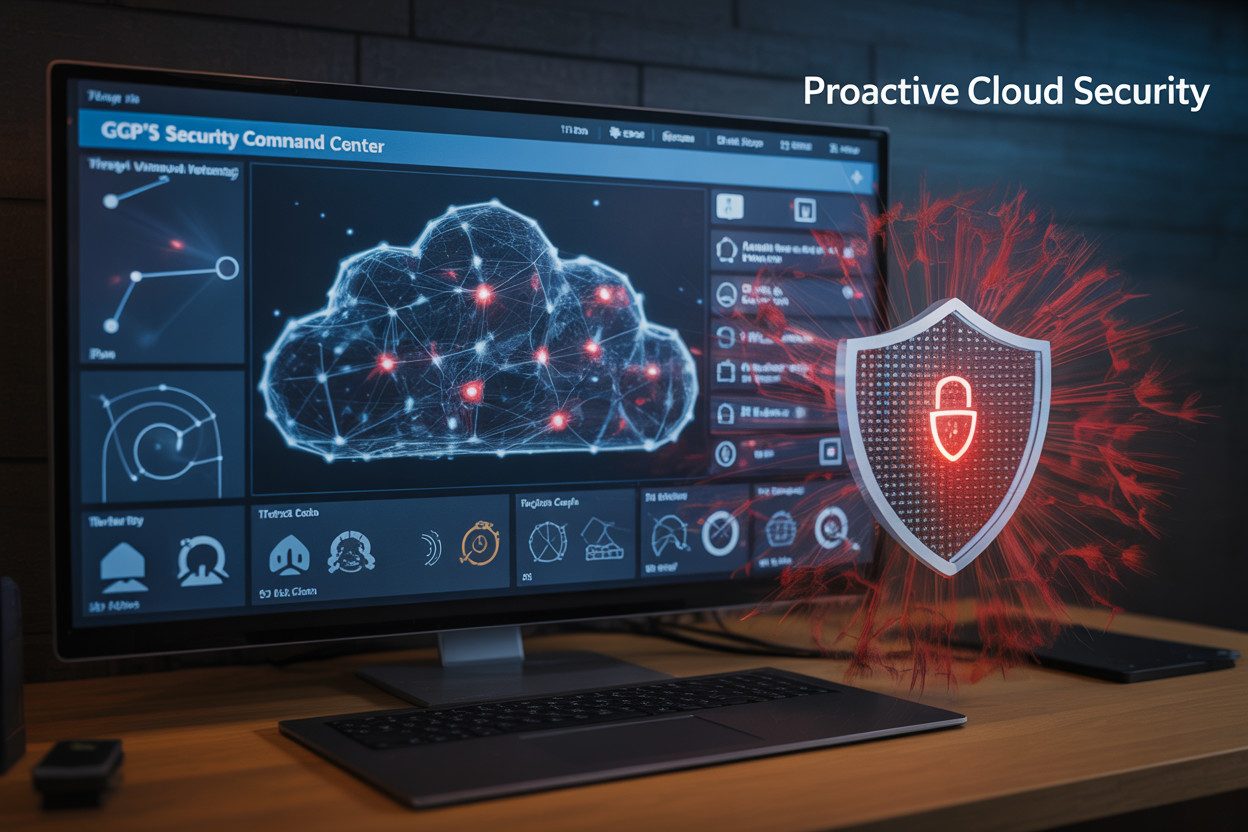
Using Security Command Center for active threat hunting
Gone are the days when you could set up security tools and just wait for alerts. In today’s cloud environments, you need to actively hunt for threats before they find you. Security Command Center is your best ally in this proactive approach.
To start hunting effectively, navigate to the Security Command Center dashboard and look for the “Investigation” tab. This is where your detective work begins. You’ll find powerful filtering options that help you zero in on suspicious activities across your GCP environment.
Try these practical hunting techniques:
- Search for unusual API calls, especially those occurring outside business hours
- Look for authentication attempts from unexpected geographic locations
- Track resource creation patterns that deviate from your normal operations
The Event Threat Detection feature automatically correlates events to spot patterns that individual alerts might miss. When you combine this with the Security Health Analytics findings, you get a comprehensive view of your security posture.
Creating custom security rules
Security Command Center is powerful out of the box, but its true potential emerges when you customize it to your specific environment.
To create custom rules:
- Navigate to the “Settings” section
- Select “Custom Modules”
- Click “Create Rule”
You’ll want to focus on rules that address your specific business risks. For example, if you’re handling sensitive financial data, create rules that flag any unusual data export operations from your finance-related projects.
Custom rules work best when they’re:
- Specific to your threat model
- Aligned with your compliance requirements
- Tuned to minimize false positives
Don’t just set and forget your rules. Review them regularly as your cloud environment evolves. What worked for your infrastructure last quarter might need adjustment as your applications and services change.
Developing effective detection strategies
The difference between good and great security teams lies in their detection strategy. Develop yours by thinking like an attacker while leveraging Security Command Center’s capabilities.
Start by mapping your most critical assets. Which services contain sensitive data? Which applications are customer-facing? These become your protection priorities.
Create a tiered approach to detection:
- Basic hygiene (misconfigurations, excessive permissions)
- Known threat patterns (using threat intelligence feeds)
- Anomaly detection (behavior that deviates from baselines)
- Advanced persistent threats (subtle, long-term suspicious activities)
Security Command Center integrates perfectly with your existing security workflows through its API. Automate responses to common findings while reserving human analysis for complex scenarios.
Test your detection strategy regularly with simulated attacks. Can your rules catch lateral movement attempts? Do they detect data exfiltration? Regular testing helps you refine your approach and close gaps before attackers find them.
Responding to Security Findings
Prioritizing vulnerabilities based on risk scores
Finding tons of security issues isn’t helpful if you don’t know which ones to tackle first. That’s where Security Command Center’s risk scoring comes in clutch. You’ll see each vulnerability assigned a score based on:
- Potential impact on your systems
- How easy it is to exploit
- Whether public exploits exist
- Your custom asset values
You can quickly filter findings by severity (Critical, High, Medium, Low) and focus your team’s energy where it matters most. Don’t waste time on low-risk items when critical vulnerabilities need your attention.
Automated remediation options
Nobody wants to manually fix every security issue. Good news – you don’t have to! Set up automated remediation to:
- Auto-close public access to storage buckets
- Fix dangerous firewall rules
- Remove excessive IAM permissions
- Deploy missing patches
You can connect Security Command Center to Cloud Functions or your CI/CD pipeline for custom remediations. Just build your automation once, then watch it handle repeat issues automatically.
Incident response workflow integration
When serious threats emerge, speed matters. Connect Security Command Center to your existing incident response tools to:
- Push critical findings to Jira, ServiceNow, or PagerDuty
- Trigger automated playbooks in SOAR platforms
- Update your security dashboard in real-time
- Maintain a full audit trail for compliance
This integration cuts your mean time to respond from hours to minutes.
Case management best practices
Track your security findings effectively by:
- Assigning clear ownership for each finding
- Setting realistic SLAs based on risk level
- Documenting remediation steps for common issues
- Creating regular reports for leadership
The best approach? Group related findings into cases rather than drowning in individual alerts. This helps you identify patterns and fix root causes instead of just symptoms.
Maximizing ROI with Security Command Center
A. Cost-benefit analysis of proactive security
When you invest in Security Command Center, you’re essentially buying insurance against future disasters. But unlike typical insurance, this investment actively prevents problems. The math is simple: spending on proactive security now costs dramatically less than dealing with breaches later.
You’ll find that for every dollar spent on Security Command Center, you save approximately $3-5 in potential breach costs. This calculation factors in:
- Detection of vulnerabilities before they’re exploited
- Reduction in security incident response time
- Prevention of data loss and associated penalties
- Protection of your brand reputation
B. Reducing security breach expenses
The financial impact of security breaches goes beyond the obvious. When you implement Security Command Center, you slash these costs dramatically.
A typical data breach in cloud environments costs organizations $4.35 million on average. Your investment in Security Command Center helps avoid:
- Regulatory fines and penalties (which can reach up to 4% of global revenue under GDPR)
- Legal expenses from customer lawsuits
- Customer compensation and credit monitoring services
- Emergency incident response contractor fees
C. Optimizing security team efficiency
Your security team is likely stretched thin already. Security Command Center acts as a force multiplier for your existing personnel.
Without Command Center, your team might spend 70% of their time manually hunting for threats. With it, you flip that equation completely:
- Automated scanning replaces manual vulnerability assessments
- AI-powered threat detection prioritizes real risks
- Unified dashboard eliminates console-hopping
- Built-in remediation suggestions speed up response
This means your team focuses on strategic security improvements rather than endless threat hunting.
D. Measurable security improvements
You need concrete metrics to justify security investments. Security Command Center delivers these in spades:
- Reduced mean time to detect (MTTD) threats by up to 80%
- Decreased vulnerability remediation times by 60%
- Improved compliance posture with continuous monitoring
- Enhanced visibility across multi-cloud environments
You’ll see these improvements reflected in your security KPIs within the first quarter of implementation, providing clear evidence for continued investment.
Real-World Success Stories
A. Enterprise case studies
You’ll find that major enterprises across industries have transformed their security posture with GCP Security Command Center. Take Spotify, for example.
After migrating to Google Cloud, they implemented Security Command Center Premium to monitor their environment containing sensitive user data and intellectual property. Within the first month, they identified and remediated 12 critical vulnerabilities that had gone undetected by their previous tools.
Airbnb leveraged Security Command Center to gain visibility across their complex multi-cloud infrastructure. Their security team now receives prioritized alerts instead of drowning in thousands of notifications. The result? A 72% reduction in false positives and 45% faster threat identification.
B. Security incidents prevented
Ever wonder what attacks you’re not seeing? For a major financial services company, Security Command Center detected unusual API calls originating from a compromised developer account. The automated response suspended the account before attackers could access customer financial data, preventing what could have been a multi-million dollar breach.
Another success story comes from a healthcare provider who spotted a cryptomining attempt in real-time. Security Command Center identified suspicious compute resource usage patterns and automatically isolated the affected workloads before attackers could establish persistence.
C. Compliance challenges solved
Regulatory compliance used to be your biggest headache, right? A multinational retailer faced the challenge of demonstrating PCI-DSS compliance across hundreds of microservices. By implementing Security Command Center, they automated 85% of their compliance documentation process, cutting audit preparation time from weeks to days.
You might relate to a SaaS provider who struggled with GDPR requirements. They configured Security Command Center to continuously monitor for unencrypted personal data or improper access controls. This proactive approach reduced their compliance violations by 94% in six months and helped them avoid potential fines.
D. Time-to-remediation improvements
Remember those security tickets that used to sit in your queue for weeks? After implementing Security Command Center, a gaming company reduced their average vulnerability remediation time from 45 days to just 6 days. The key was the platform’s ability to provide contextual information and suggested fixes directly to developers.
You’ll appreciate how a manufacturing firm integrated Security Command Center with their CI/CD pipeline. Now, security issues are identified and fixed before code even reaches production. Their security team saw a 78% reduction in production vulnerabilities and developers spend 30% less time on security fixes, focusing instead on building new features.

Staying ahead of cyber threats requires powerful tools and proactive strategies. GCP Security Command Center offers comprehensive visibility into your cloud environment, helping you detect vulnerabilities before malicious actors can exploit them.
From initial setup to advanced threat hunting capabilities, this platform empowers security teams to identify risks, respond effectively to findings, and continuously strengthen their security posture.
The value of Security Command Center extends beyond technical protection, delivering measurable ROI through reduced incident response times and minimized breach impacts.
As demonstrated by numerous organizations across industries, implementing this solution transforms security operations from reactive to proactive. Take the first step today by exploring how GCP Security Command Center can become your frontline defense against evolving cyber threats.
I’ve built a platform that shows you how you can build the right cybersecurity skills to help businesses achieve their cloud security goals while you’re also building the career you love. Check it out here and start working on projects that get you hired.
The Author