IaaS Explained: When Should You Use Infrastructure as a Service?
Have you found yourself staring at your cloud options and thinking, “Do I really need to own all this digital plumbing?” You’re not alone. Tech leaders everywhere are questioning whether they should be in the infrastructure business at all.
Here’s the deal: Infrastructure as a Service (IaaS) could be your escape hatch from hardware headaches, or an unnecessary layer of complexity.
By the end of this post, you’ll know exactly when IaaS makes sense for your business and when it’s just expensive overkill.
Think about it: Why maintain server rooms when someone else can handle the hardware while you focus on what actually makes you money? But hold up; there’s a twist to this seemingly perfect setup that most vendors conveniently forget to mention.
What is IaaS: Understanding the Basics
A. Definition and Key Components of IaaS
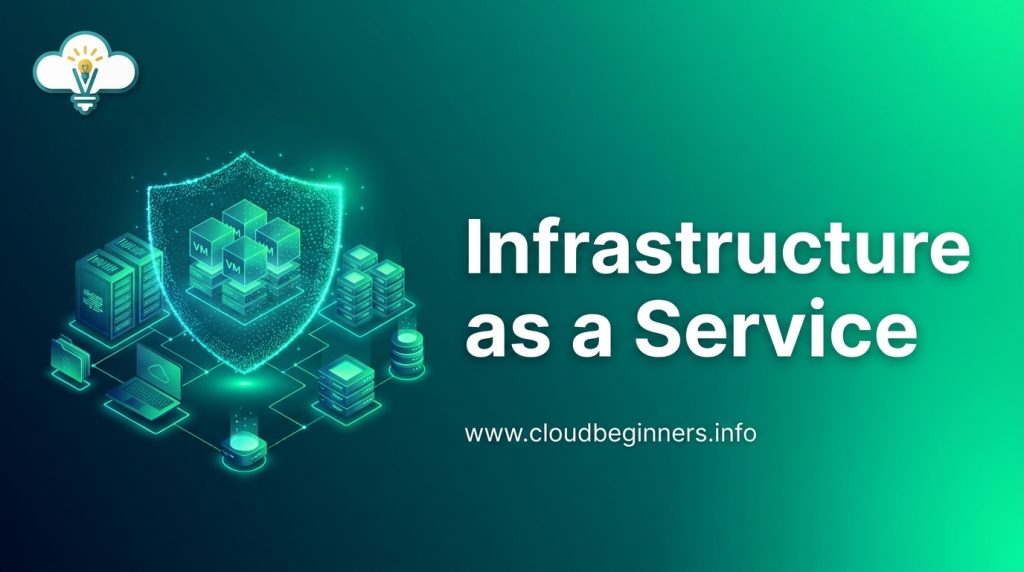
Infrastructure as a Service (IaaS) is your foundation layer in cloud computing. Think of it as renting the digital equivalent of a physical data center. You get access to virtual machines, storage, networks, and other fundamental computing resources without having to buy and maintain the physical hardware yourself.
The key components you’ll typically get with IaaS include:
- Computing resources: Virtual machines with configurable CPU and RAM
- Storage solutions: Block, file, and object storage options
- Networking infrastructure: Virtual networks, load balancers, and firewalls
- Data centers and physical security: Managed by the provider
- Virtualization layer: The technology that separates resources from physical hardware
When you use IaaS, you’re responsible for managing operating systems, middleware, applications, and data, while your provider handles the physical infrastructure.
B. How IaaS Differs from PaaS and SaaS
You might be wondering how IaaS compares to other cloud service models. Here’s a quick breakdown:
| Aspect | IaaS | PaaS | SaaS |
|---|---|---|---|
| Control | High (you manage OS and up) | Medium (you manage applications) | Low (you just use the software) |
| Responsibility | You handle OS, middleware, apps | You handle just the apps | Provider handles everything |
| Flexibility | Most flexible – build from ground up | Somewhat flexible – use existing frameworks | Least flexible – use as provided |
| Technical expertise | High level needed | Moderate level needed | Minimal technical knowledge required |
| Examples | AWS EC2, Google Compute Engine | Heroku, Google App Engine | Gmail, Salesforce |
C. The Evolution of Infrastructure as a Service
IaaS hasn’t always been what it is today. You’ve witnessed a remarkable transformation in how businesses approach infrastructure.
In the early days, you had to buy your own servers and house them on-site. This meant huge upfront costs and the headache of maintenance. Then came virtualization in the early 2000s, which let you run multiple virtual servers on one physical machine.
Around 2006, Amazon changed the game with AWS EC2, offering virtual servers on demand. Suddenly, you could pay only for what you used. This sparked the IaaS revolution, with competitors like Microsoft Azure and Google Cloud entering the market.
Today, you can provision resources in seconds with a few clicks or API calls. The latest evolution brings serverless computing, containerization, and hybrid cloud options that give you unprecedented flexibility.
Core Benefits of IaaS for Businesses
Cost Efficiency and Pay-as-you-go Model
Gone are the days of massive upfront investments in hardware. With IaaS, you only pay for what you use. Think about it – no more spending thousands on servers that might sit idle half the time. Your finance team will love how IaaS transforms those hefty capital expenses into predictable operational costs.
The numbers speak for themselves. Companies typically save 30-50% when switching from traditional on-premises infrastructure to IaaS. Your IT budget suddenly becomes more flexible, allowing you to direct resources where they’re needed most.
Scalability and Flexibility Advantages
Need to scale up for holiday shopping season? No problem. Need to scale down afterward? Just as easy. IaaS gives you the power to adjust your computing resources on demand.
You’re not locked into anything. If your business suddenly takes off, your infrastructure can grow right alongside it without missing a beat. This eliminates the headache of capacity planning and the fear of outgrowing your tech setup.
Reduced Time-to-Market for Products
Speed matters in today’s business world. With IaaS, you can spin up development environments in minutes instead of weeks. Your developers will thank you when they can instantly provision the resources they need rather than waiting for new hardware to arrive and be configured.
This acceleration means your products reach customers faster. You’ll gain a competitive edge when you can quickly test ideas, fail fast, and pivot when necessary – all without infrastructure holding you back.
Access to Enterprise-Grade Infrastructure
Small or medium-sized business? IaaS levels the playing field. You get access to the same high-performance infrastructure that enterprise giants use, complete with redundant systems, cutting-edge security, and 99.99% uptime guarantees.
Your customers won’t know (or care) that you’re not running your own data center – they’ll just experience the reliability and performance that keeps them coming back.
Geographic Expansion Opportunities
Going global? IaaS makes it simple. Instead of building data centers across continents, you can deploy your applications in strategic locations worldwide with just a few clicks.
This means your European customers get the same snappy experience as those in North America. You’ll reduce latency, comply with regional data regulations, and create better user experiences without the massive investment in international infrastructure.
Ideal Use Cases for IaaS
A. Startups with Limited Capital
If you’re running a startup, you know cash is king. IaaS is your best friend when every dollar counts. Instead of dropping thousands on servers, networking equipment, and data center space, you can get exactly what you need from the cloud and pay monthly.
Think about it – no upfront hardware costs means you can redirect that capital to product development, marketing, or hiring talent. You’ll scale your infrastructure as you grow, without the financial burden of purchasing equipment that might sit idle during slow periods.
Plus, you won’t need to hire a full IT team to manage physical infrastructure. Your small team can focus on building your product while the IaaS provider handles the complex infrastructure maintenance.
B. Companies Experiencing Rapid Growth
Growing faster than expected? That’s a good problem to have, but it can be a nightmare if your infrastructure can’t keep up.
With IaaS, you can add computing resources in minutes, not months. No more waiting for hardware deliveries or installation times. When you land that big client or your marketing campaign goes viral, you can instantly scale up to meet demand.
The beauty is you can scale back down just as easily if things slow down. This elasticity makes IaaS perfect for businesses with unpredictable growth patterns or seasonal fluctuations.
C. Test and Development Environments
Need to test new applications without messing with your production environment? IaaS lets you spin up isolated environments in minutes.
Your developers will love how quickly they can create environments that perfectly match production settings. They can experiment freely, knowing they won’t impact live systems.
When the testing is complete, simply tear down the environment and stop paying for it. No more dedicated test servers collecting dust between projects.
D. Big Data Analytics Projects
Big data projects require serious computing power, but only when you’re actually processing data.
With IaaS, you can access massive computational resources for your data-intensive workloads without the permanent investment. Run your analytics jobs, get your insights, then scale back down.
This flexibility is perfect for periodic analytics projects that would otherwise require expensive dedicated hardware that sits idle most of the time.
When IaaS Makes Financial Sense
Breaking Down TCO vs. On-Premises Infrastructure
When you’re weighing IaaS against traditional infrastructure, the total cost of ownership (TCO) tells the real story. With on-premises setups, you’re not just paying for servers; you’re on the hook for power, cooling, physical space, IT staff, and those inevitable middle-of-the-night emergencies.
Consider this comparison:
| Cost Factor | On-Premises | IaaS |
|---|---|---|
| Hardware | Upfront purchase | None (provider-owned) |
| Maintenance | Your responsibility | Provider-managed |
| Power & Cooling | 100% on you | Included in service fee |
| IT Staffing | Full team needed | Reduced requirements |
| Scaling | Buy new hardware | Pay-as-you-grow |
Running your own data center typically costs 2-3x more than equivalent IaaS solutions once you account for all these hidden expenses.
Avoiding Hardware Depreciation Costs
Your shiny new server starts losing value the moment it’s installed. Most enterprise hardware depreciates completely within 3-5 years, leaving you with outdated tech that costs more to maintain than it’s worth.
With IaaS, that depreciation headache belongs to someone else. Your provider continually refreshes their hardware, so you’re always running on current-generation equipment without the replacement costs. You dodge the technology obsolescence bullet entirely.
This matters especially in fast-moving industries where yesterday’s infrastructure can’t handle tomorrow’s workloads.
Converting CapEx to OpEx
The capital expenditure model forces you to predict your needs years in advance; a nearly impossible task in today’s business environment. Those massive upfront investments can strain your cash flow and limit your flexibility.
IaaS flips this model completely. Your infrastructure becomes an operational expense: predictable monthly payments that scale with your actual usage. This shift offers real benefits:
- Free up capital for core business investments
- Accurately budget IT costs month-to-month
- Respond quickly to changing business conditions
- Easily test new markets without major infrastructure commitments
This financial flexibility gives your business room to breathe and adapt, turning infrastructure from a rigid constraint into a dynamic resource.
Implementation Challenges and Solutions
A. Security Considerations in IaaS Environments
When you move your infrastructure to the cloud, you’re facing a shared responsibility model. Your IaaS provider handles physical security and infrastructure, while you’re on the hook for data security, access management, and application protection.
Start by encrypting your data both in transit and at rest. Don’t make the rookie mistake of leaving your S3 buckets or Azure Blobs publicly accessible (it happens more than you’d think).
Set up multi-factor authentication for all your cloud accounts – seriously, this is non-negotiable. And remember to regularly rotate access keys and review permissions. Too many organizations give everyone admin access and call it a day.
Network security in IaaS requires special attention. Use security groups, virtual private clouds, and network ACLs to create defense in depth. And don’t forget to monitor your environment continuously – threats evolve faster than you can imagine.
B. Compliance and Governance Issues
Cloud compliance isn’t just a checkbox exercise – it’s about protecting your business and customers. Different industries have different requirements: HIPAA for healthcare, PCI DSS for payments, GDPR for European data.
You need clear policies for data classification, retention, and sovereignty. Where is your data physically stored? Some regulations strictly prohibit data leaving certain geographical boundaries.
Implement strong governance with:
- Clear ownership of cloud resources
- Standardized tagging for cost allocation and auditing
- Regular compliance scans and remediations
- Automated policy enforcement where possible
Cloud environments change rapidly, so your compliance strategy must be dynamic. Static annual audits won’t cut it anymore.
C. Skills Gap and Training Requirements
The skills gap hits hard when adopting IaaS. Your team needs to evolve from hardware experts to cloud architects overnight. This transition is tough – don’t underestimate it.
Your options:
- Train existing staff (most cost-effective long-term)
- Hire cloud-native talent (expensive but immediate results)
- Partner with managed service providers (good middle ground)
- Use a mix of all three (typically most successful)
Focus training on both technical skills and cloud financial management. The bill shock from unoptimized cloud spending can be brutal. Encourage certifications from your cloud provider – they’re worth the investment.
Consider creating a Cloud Center of Excellence (CCoE) within your organization to share knowledge and establish best practices.
D. Migration Strategies for Existing Workloads
Moving existing applications to IaaS isn’t a simple lift-and-shift operation. You’ve got options:
- Rehost (lift-and-shift): Move as-is to the cloud. Quick but misses optimization opportunities.
- Replatform: Make cloud-friendly adjustments without rewriting.
- Refactor: Redesign applications to be cloud-native. More work but better results.
- Retire: Sometimes the best migration is no migration at all.
- Repurchase: Replace with SaaS alternatives when it makes sense.
Start with non-critical workloads to learn the ropes. Build a detailed migration plan with dependencies mapped out. You’ll need to decide on cutover strategies – big bang or phased migration?
Don’t forget about your data. Large datasets require careful planning – sometimes physical data transfer is faster than network uploads. Tools like AWS DataSync, Azure Migrate, or Google Transfer Service can save you countless headaches.
Top IaaS Providers Comparison
A. AWS Infrastructure Services
Amazon Web Services dominates the IaaS market with good reason. You’ll find over 200 services across computing, storage, databases, and networking. Their EC2 instances give you virtual servers with incredible flexibility – choose the exact CPU, memory, and storage you need.
For storage, S3 buckets handle your objects while EBS provides block storage that sticks around even when instances are shut down.
AWS’s global reach is hard to beat with 26 regions and 84 availability zones. This means you can deploy workloads closer to your users, reducing latency dramatically. Their pricing model works on a pay-as-you-go basis, but you can save up to 72% with reserved instances if you commit to longer terms.
B. Microsoft Azure IaaS Offerings
Azure excels if you’re already invested in Microsoft’s ecosystem. Their Virtual Machines service mirrors AWS’s EC2, but you’ll notice tighter integration with Windows Server, SQL Server, and Active Directory.
Azure’s storage options include Blob storage (similar to S3), File storage, and managed disks for VMs. Their networking capabilities stand out with Virtual Network service and ExpressRoute for dedicated private connections.
Azure spans 60+ regions – more than any other provider. Their hybrid cloud approach through Azure Arc lets you manage on-premises servers alongside cloud resources, giving you a unified view across environments.
C. Google Cloud Platform Infrastructure
GCP’s Compute Engine offers high-performance VMs with custom machine types and discounts for sustained use – no upfront commitment required. You’ll save automatically the longer your instances run.
Where Google really shines is networking performance. Their global private network connects all data centers, reducing latency when moving data between regions. Their live migration technology means your VMs stay running even during host system maintenance.
Google’s storage options include Cloud Storage (object), Persistent Disk (block), and Filestore (file). Their big data and AI capabilities are top-notch if your infrastructure needs to support analytics workloads.
D. IBM Cloud Infrastructure
IBM targets enterprise customers with their “bare metal” servers that deliver raw computing power without virtualization overhead. You’ll appreciate their hardware customization options and hybrid cloud focus.
IBM Cloud offers a three-tier network architecture that separates public, private, and management traffic, enhancing your security posture. Their storage portfolio includes block, file, and object options with encryption at rest.
What sets IBM apart is their consulting expertise. You get access to migration specialists who can help plan your move to the cloud – valuable if you’re transitioning complex legacy workloads.
E. Oracle Cloud Infrastructure
Oracle rebuilt their cloud infrastructure from scratch to create what they call “Generation 2” cloud. You’ll notice significantly better performance isolation compared to other providers – your workloads won’t be affected by noisy neighbors.
Their “Bare Metal” compute instances give you dedicated physical servers with no virtualization overhead. Oracle’s Autonomous Database is their standout feature if you run database-heavy workloads.
Oracle offers a unique pricing model with consistent pricing across regions and predictable billing. Their SLAs are among the strongest in the industry, guaranteeing 99.95% availability for compute and 99.99% for storage services.
Future-Proofing with IaaS
Hybrid and Multi-Cloud Strategies
Gone are the days when you’d commit to a single cloud provider and call it a day. Smart businesses now spread their resources across multiple platforms, and IaaS makes this incredibly simple.
With a hybrid approach, you can keep sensitive data on your private servers while running compute-heavy tasks in the public cloud. The beauty? You don’t need to rebuild your applications or completely overhaul your infrastructure.
Think about it – if AWS experiences an outage, your Google Cloud components can keep things running. You’re essentially creating a safety net for your digital operations.
Many organizations start with something like:
- Mission-critical apps on private cloud
- Development environments on public cloud
- Overflow capacity handled by a third provider
This flexibility means you’re never backed into a corner with vendor lock-in. Your negotiating power stays strong, and you can pivot quickly when better options emerge.
Edge Computing Integration
The cloud is moving closer to your users. Edge computing brings processing power to where data is created, and IaaS providers are all over this trend.
When you integrate edge computing with your IaaS strategy, you’re able to:
- Process data locally for near-zero latency
- Reduce bandwidth costs by filtering what gets sent to central servers
- Keep operations running even during internet outages
- Deliver faster experiences to users regardless of their location
Retail companies are using edge computing within their IaaS framework to enable real-time inventory management. Manufacturing firms deploy edge nodes on factory floors to analyze equipment performance without connectivity delays.
The real game-changer? You can deploy standardized edge environments across hundreds of locations while managing them centrally through your IaaS dashboard.
AI and Machine Learning Infrastructure Needs
AI workloads aren’t like typical applications. They’re resource-hungry beasts that need specialized infrastructure, which is exactly what modern IaaS platforms offer.
When building your AI capabilities, you need flexibility to scale up during training phases and scale down during quiet periods. Traditional on-premises setups make this nearly impossible without massive overprovisioning.
Your AI journey typically requires:
| Phase | IaaS Resources Needed |
|---|---|
| Experimentation | On-demand GPU instances with minimal commitment |
| Training | High-performance clusters with specialized hardware |
| Deployment | Globally distributed inference endpoints |
| Monitoring | Analytics and observability tools |
The most compelling reason to use IaaS for AI? You can access pre-configured environments with the latest ML frameworks already installed. This cuts your setup time from weeks to minutes.
With pay-as-you-go pricing models, you can test ambitious AI projects without breaking the bank. If they succeed, scaling up is just a matter of adjusting your resource allocation.
Infrastructure as a Service provides businesses with exceptional flexibility, scalability, and cost-efficiency that traditional infrastructure simply can’t match.
From startups looking to minimize capital expenses to enterprises requiring rapid deployment capabilities, IaaS delivers value across diverse use cases while enabling organizations to only pay for the resources they actually consume.
Before implementing an IaaS solution, carefully evaluate your specific business needs, security requirements, and potential provider partners.
Whether you choose AWS, Azure, Google Cloud, or another provider, the right IaaS implementation can transform your organization’s IT capabilities and position you for continued growth and innovation in an increasingly digital business landscape.
I’ve also built a platform that shows you how to build the right hands-on cybersecurity skills to help businesses achieve their cloud security goals while you build the career you love for a better, higher-paying reward. Check it out here and start working on projects that will help you get hired.
The Author