SaaS vs. On-Prem Software: Which is Cheaper Long-Term?
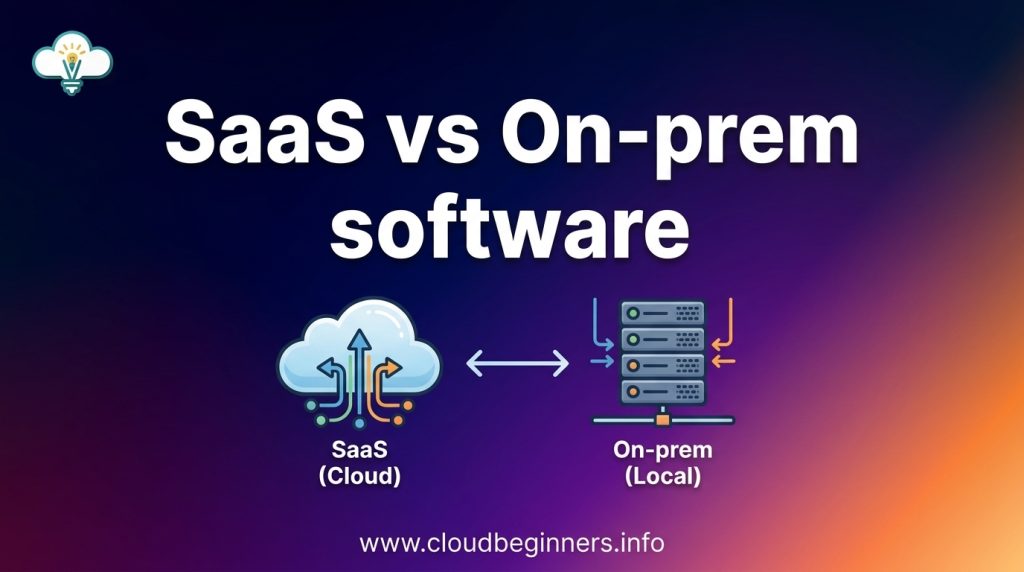
You’re staring at two price tags. One says $8K/year for SaaS. The other says $30K upfront for on-premises software.
The SaaS looks cheaper, right? But what if I told you that after four years, you might have spent more on that “affordable” subscription than the expensive on-prem solution?
When comparing SaaS vs. on-premises software costs, most businesses focus on the immediate price shock instead of the long-term financial picture. This isn’t just about license fees – it’s about hidden costs lurking beneath the surface of both options.
By the end of this article, you’ll know exactly which deployment model actually saves money for your specific situation. And fair warning: the answer might not be what conventional wisdom suggests.
Understanding the Total Cost of Ownership (TCO)
Breaking down initial vs. ongoing costs
When comparing SaaS and on-premises solutions, you need to look beyond the sticker price. For on-prem software, your initial costs include licenses, hardware, and implementation services. These upfront expenses can be substantial – often 5-10x more than your first-year SaaS subscription.
But that’s just the beginning. With on-prem systems, you’re also signing up for ongoing costs like:
- Server maintenance and upgrades
- IT staff salaries
- Security implementations
- Power and cooling expenses
- Regular software updates
SaaS flips this model on its head. Your initial costs are dramatically lower – typically just implementation and training. Instead, you pay a predictable subscription fee that bundles everything together.
Hidden expenses in software investments
The real budget-busters are often the costs you didn’t plan for. With on-prem systems, surprise expenses lurk everywhere:
- System downtime (averaging $5,600 per minute for enterprises)
- Emergency maintenance calls
- Unexpected hardware failures
- Security breach remediation
- Integration complications
SaaS isn’t immune to hidden costs either. Watch out for:
- Data overage charges
- Premium support tiers
- API call limits
- Custom integration development
- User license tiers that force upgrades
The importance of ROI timeline in decision-making
Your time horizon changes everything. If you’re planning for 2-3 years, SaaS often wins on cost. The low entry point and predictable payments align perfectly with short-term budgeting.
But stretch your timeline to 7+ years, and on-prem might pull ahead financially. After the hefty initial investment, your year-over-year costs typically decrease while you continue extracting value.
Consider these ROI inflection points:
- 0-3 years: SaaS advantage (low upfront costs)
- 3-7 years: Breakeven zone (depends on your specific case)
- 7+ years: Potential on-prem advantage (if hardware refresh isn’t needed)
How to create a comprehensive cost comparison model
Building an accurate comparison requires homework. Start by mapping every expense category:
- Capital Expenses
- Hardware costs (servers, networking)
- Perpetual license fees
- Implementation services
- Operational Expenses
- Subscription fees
- Maintenance contracts
- IT personnel costs
- Training and support
- Upgrade costs
- Downtime costs
Don’t forget to factor in your growth projections. How will costs scale as you add users? What happens when you need more storage or processing power?
The best approach is building a 5-year model with realistic assumptions about your organization’s growth rate, IT capabilities, and industry requirements. Run multiple scenarios with different assumptions to stress-test your decision.
SaaS Cost Structure Examined
A. Subscription pricing models and their long-term implications
When you’re evaluating SaaS solutions, you’ll notice various subscription models that directly impact your bottom line. Monthly plans give you flexibility but often cost more in the long run. Annual commitments typically offer 10-20% discounts that add up significantly over time.
Per-user pricing can be a double-edged sword – great when you’re small, potentially expensive as you grow. Some vendors offer tiered pricing based on features, letting you pay only for what you need.
The beauty of these models? Predictable expenses. You won’t face surprise costs that blow up your budget. Unlike traditional software purchases where you shell out a massive upfront payment, SaaS spreads costs over time, improving your cash flow and financial planning.
B. Scalability benefits and their financial impact
Scaling your business shouldn’t mean scaling your headaches. With SaaS, you can adjust your service level instantly as your needs change. Growing rapidly? Simply upgrade your subscription. Downsizing? Reduce your plan and save money immediately.
This elasticity prevents the all-too-common scenario of purchasing excess capacity “just in case” – a major waste of resources with on-premises solutions. Think about it: with traditional software, you’d buy licenses and infrastructure for your peak needs, even if those peaks only happen occasionally.
The financial impact is substantial. You’re effectively matching expenses to revenue in real-time, maintaining optimal operational efficiency whether you’re experiencing growth spurts or seasonal fluctuations.
C. Reduced IT infrastructure investments
The hardware savings alone might convince you to go SaaS. No more servers to buy, maintain, and eventually replace. No need for specialized cooling systems, backup power supplies, or dedicated server rooms.
Consider the math: A modest on-prem deployment might require $20,000+ in initial hardware, plus replacement every 3-5 years. Add electricity costs (servers are power-hungry), physical security, and space requirements – it adds up fast.
With SaaS, those infrastructure costs simply disappear from your balance sheet. Your provider handles everything in their data centers, which operate at a scale and efficiency your company likely can’t match.
This shifts your spending from capital expenditures (CapEx) to operational expenditures (OpEx), often providing tax advantages and improving financial ratios.
D. Automatic updates and maintenance savings
Forget weekend upgrades and maintenance windows. SaaS providers handle all updates, patches, and improvements automatically, often during off-hours to minimize disruption.
This eliminates several hidden costs you might not have considered:
- IT staff time spent planning and executing updates
- Downtime during upgrade processes
- Testing and troubleshooting after each update
- Training costs for maintaining specialized expertise
Your IT team can finally focus on strategic initiatives rather than keeping the lights on. Most businesses report productivity gains of 15-30% after migrating to SaaS solutions, simply from reduced maintenance burdens.
E. Potential subscription price increases over time
The elephant in the room: SaaS providers can (and often do) raise prices. You’ve probably experienced this already with personal subscriptions like Netflix or Spotify.
Enterprise SaaS vendors typically increase prices 3-7% annually, though some go higher. These hikes compound over time and can significantly impact your long-term costs. Some vendors might offer initial discounts that expire after the first contract term, resulting in dramatic price jumps.
You can protect yourself by negotiating multi-year contracts with price caps, but remain vigilant about potential increases at renewal time. Smart businesses regularly benchmark their SaaS spending against market rates and competitors’ offerings.
Remember that switching costs exist too – data migration, retraining, and workflow disruptions aren’t free. Factor these into your decision-making when evaluating whether to accept price increases or shop for alternatives.
On-Premises Software Financial Analysis
A. Upfront licensing costs vs. perpetual ownership
When you buy on-premises software, you’re paying a large chunk of cash upfront. Sure, you “own” the software perpetually, but what does that actually mean for your wallet?
Think about dropping $50,000-$200,000 right now for an enterprise solution. Ouch. Your CFO might be sweating bullets. That capital expenditure hits your balance sheet immediately, though you can depreciate it over time.
But here’s the kicker – perpetual ownership isn’t as “forever” as it sounds. Most vendors still require:
- Annual maintenance fees (typically 18-22% of initial license cost)
- Mandatory upgrades every 4-5 years (often at 50-70% of the original price)
So your “one-time” purchase? Not so one-time after all.
B. Hardware requirements and refresh cycles
Running your own software means buying your own hardware. And this isn’t just a server or two.
You need:
- Application servers
- Database servers
- Backup systems
- Redundant power supplies
- Networking equipment
- Security hardware
A decent setup will run you $10,000-$100,000 depending on your company size. Plus, hardware has a 3-5 year lifecycle before it becomes outdated or unreliable.
Don’t forget space costs! Your server room needs proper cooling, security, and fire suppression. Those monthly expenses add up fast.
C. IT staffing requirements and specialized skills
Your software won’t manage itself. On-prem solutions demand dedicated IT personnel with specialized knowledge.
For a mid-sized implementation, you’ll need:
| Role | Annual Cost | Purpose |
|---|---|---|
| Systems Administrator | $85,000-$120,000 | Server management and maintenance |
| Database Administrator | $95,000-$130,000 | Database optimization and backups |
| Security Specialist | $90,000-$140,000 | Vulnerability management |
| Application Support | $75,000-$110,000 | Day-to-day troubleshooting |
These aren’t just salaries – add another 30% for benefits. And good luck finding these specialists in today’s tight tech labor market!
D. Maintenance and support expenses
The quiet budget-killer of on-premises software? Ongoing maintenance.
Your annual costs typically include:
- Vendor support contracts (18-25% of license costs)
- Regular patching and updates (IT staff time)
- Downtime during upgrades (lost productivity)
- Integration fixes when other systems change
- Bug fixes and troubleshooting
When something breaks at 2AM, your team is solving it – not the vendor’s. That late-night support comes from your payroll, not theirs.
And don’t forget training costs when staff turnover happens. Your new hires need to learn your specific configuration, adding more expenses to your bottom line.
Business Size and Growth Considerations
A. Startup and SMB cost advantages with SaaS
When you’re running a startup or small business, cash flow is king. SaaS solutions give you a major advantage here – you’re paying monthly or annually instead of dropping a huge chunk of capital upfront. Think about it: $50-500 per month versus $10,000+ for on-premises licenses and hardware.
SaaS also scales perfectly with your team size. Only have 5 employees? You’ll pay for just 5 seats. Hired 2 more? Just add them to your subscription. No wasted licenses sitting around.
The best part? You don’t need an IT department. The SaaS provider handles maintenance, security patches, and upgrades – saving you from hiring specialized staff that small businesses simply can’t afford.
B. Enterprise-scale economics for on-premises solutions
The math changes dramatically at enterprise scale. When you have thousands of users, those per-seat SaaS costs add up fast. On-premises solutions start making financial sense because you’re spreading that initial investment across a massive user base.
Your enterprise likely already has the IT infrastructure and staff to maintain on-premises systems. You’re essentially using resources you’re already paying for anyway.
Many enterprises also benefit from volume licensing discounts that aren’t available to smaller companies. These agreements can slash your per-user cost to a fraction of list price, making on-premises solutions surprisingly competitive against SaaS in the long run.
C. How growth rate affects long-term costs
Your company’s growth trajectory directly impacts which model makes more financial sense. Fast-growing businesses face a tough situation with on-premises solutions – you’ll likely overprovision to accommodate future growth, leaving expensive capacity unused. Alternatively, you might need costly upgrades sooner than expected.
SaaS simply grows with you, but that convenience comes at a price. The faster you grow, the quicker those subscription costs compound. A SaaS bill that seemed reasonable at 20 employees looks very different at 200.
Consider your 3-5 year growth projections when deciding. Steady, predictable growth tends to favor on-premises. Rapid or unpredictable growth usually makes SaaS more economical.
D. Breaking points where one model becomes more cost-effective
Every business has a financial tipping point where one model overtakes the other in cost-efficiency. Your tipping point depends on several factors:
| Factor | SaaS Advantage | On-Premises Advantage |
|---|---|---|
| User count | <100 users | >250 users |
| Growth rate | Unpredictable/rapid | Steady/slow |
| IT resources | Limited/none | Established team |
| Cash position | Limited capital | Strong capital reserves |
| Time horizon | <3 years | >5 years |
The typical crossover point happens around year 3-4 for most mid-sized businesses. That’s when cumulative SaaS subscription payments often exceed what you would have spent on an on-premises solution plus maintenance.
Remember to factor in soft costs too. The time your team spends managing on-premises systems has a real dollar value that’s often overlooked in these calculations.
Industry-Specific Cost Factors
A. Regulatory compliance expenses in regulated industries
When you’re in a highly regulated industry like healthcare, finance, or government, your software costs can skyrocket due to compliance requirements. SaaS providers often build compliance into their pricing, spreading these costs across all customers. With on-premises solutions, you shoulder these expenses alone.
For example, if you’re running a healthcare organization, HIPAA compliance isn’t optional. A SaaS provider might charge you an extra $500 per month for HIPAA-compliant features, while implementing these same protections in-house could cost you $50,000+ in initial setup and ongoing maintenance.
B. Data sovereignty requirements and associated costs
Data sovereignty laws dictate where your data can physically reside. If you’re operating across multiple countries, this gets complicated fast.
With on-prem, you’ll need separate physical infrastructure in each jurisdiction requiring local data storage. That means duplicate hardware, support staff, and maintenance costs.
SaaS providers with global data centers can often accommodate these requirements more efficiently. However, you might pay premium rates for region-specific hosting – typically 15-30% more than standard pricing.
C. Integration with legacy systems
Still running that 15-year-old ERP system? Integration costs can make or break your budget.
On-premises software often requires custom integration work that can cost 2-3 times the initial software license. You’ll need developers who understand both your legacy systems and the new software.
SaaS solutions increasingly offer pre-built connectors to common legacy systems, potentially saving you tens of thousands in integration costs. But if your systems are highly customized or truly ancient, you might still face significant integration expenses regardless of deployment model.
D. Industry-specific customization needs
Your industry has unique workflows that off-the-shelf software can’t always handle.
For manufacturing, you might need specialized inventory tracking. In construction, you require specific project management features. These customizations add costs to both deployment models, but the long-term implications differ dramatically.
With on-premises software, you pay heavily upfront for customizations (often 50-100% of the initial license cost), but you own them forever. With SaaS, customizations typically incur both implementation fees and ongoing monthly premiums – which means potentially higher long-term costs if your customizations are extensive.
Strategic Value Beyond Direct Costs
A. Business agility and opportunity costs
When you’re weighing SaaS against on-premises software, look beyond the price tag. Your ability to pivot quickly is worth real money. With SaaS, you can scale up or down almost instantly as your business needs change. Need to add 50 users for a new project? Done in minutes.
With on-prem systems, you’re stuck waiting weeks or months for hardware procurement, installation, and configuration. During that lag time, you might miss market opportunities or lose deals to more nimble competitors. That’s not a direct cost on your balance sheet, but these opportunity costs add up fast.
B. Cash flow management advantages
SaaS subscription models give you predictable monthly or annual expenses instead of massive upfront investments. This frees up your capital for other strategic initiatives that might deliver higher returns.
Think about it this way: instead of dropping $250,000 on servers and software licenses, you could invest that money in marketing campaigns, product development, or hiring talent that drives revenue growth.
Plus, SaaS expenses typically fall under OpEx rather than CapEx, which many finance teams prefer for tax advantages and budgeting flexibility.
C. Risk mitigation and disaster recovery economics
The math on disaster recovery is simple but often overlooked. With on-premises systems, you’re essentially building everything twice if you want proper backup systems. That means double the hardware, double the maintenance, and double the headaches.
SaaS providers build redundancy into their solutions, with costs spread across thousands of customers. You’re essentially getting enterprise-grade disaster recovery at a fraction of what it would cost to build yourself.
When downtime can cost thousands per minute, having reliable failover systems isn’t just nice—it’s essential protection against potentially business-ending events.
D. Innovation pace and competitive advantage
SaaS vendors typically push updates every few weeks or months, giving you constant access to new features and improvements. With on-prem software, you might wait years between major releases, and each upgrade becomes its own mini-project.
This innovation gap directly impacts your competitive positioning. While you’re waiting for your IT team to implement that critical new feature in your on-prem system, your competitors using SaaS already have it and are using it to win customers.
The value of staying on the cutting edge is hard to quantify but impossible to ignore in fast-moving markets.
E. Employee productivity and adoption costs
People often underestimate the productivity boost from modern, user-friendly SaaS tools. When software is intuitive and accessible from anywhere, your team spends less time fighting with clunky interfaces and more time doing meaningful work.
SaaS solutions typically feature mobile apps, better user interfaces, and integrations with other tools your team already uses. This leads to faster adoption and higher productivity compared to many traditional on-prem systems.
Plus, with automatic updates, your team always has the latest version without the disruption of major upgrade projects. That consistent experience translates to fewer support tickets, less training time, and more focused work—all of which impact your bottom line.
The decision between SaaS and on-premises solutions isn’t simply about upfront costs it’s about understanding the complete financial picture over time.
While SaaS offers predictable subscription fees with minimal initial investment, on-premises solutions may prove more economical for larger organizations with slower growth trajectories and specialized needs. Business size, industry regulations, and scaling requirements all play crucial roles in determining which option delivers better long-term value.
Ultimately, the “cheaper” option depends on your unique organizational context. Beyond direct costs, consider how each deployment model aligns with your strategic goals, IT capabilities, and business processes.
Take time to conduct a thorough TCO analysis specific to your situation, factoring in both quantifiable expenses and qualitative benefits. The right choice will balance financial considerations with the flexibility, control, and competitive advantage your business needs to thrive.
I’ve also built a platform that shows you how to build the right hands-on cybersecurity skills to help businesses achieve their cloud security goals while you build the career you love for a better, higher-paying reward. Check it out here and start working on projects that will help you get hired.
The Author