Cloud vs. On-Prem Networking: 5 Critical Differences
You’re staring at your network infrastructure budget, and the numbers make your stomach sink. How did we get here?
Your networking costs have ballooned to nearly unmanageable levels, and now you’re stuck between cloud migration and on-premises upgrades.
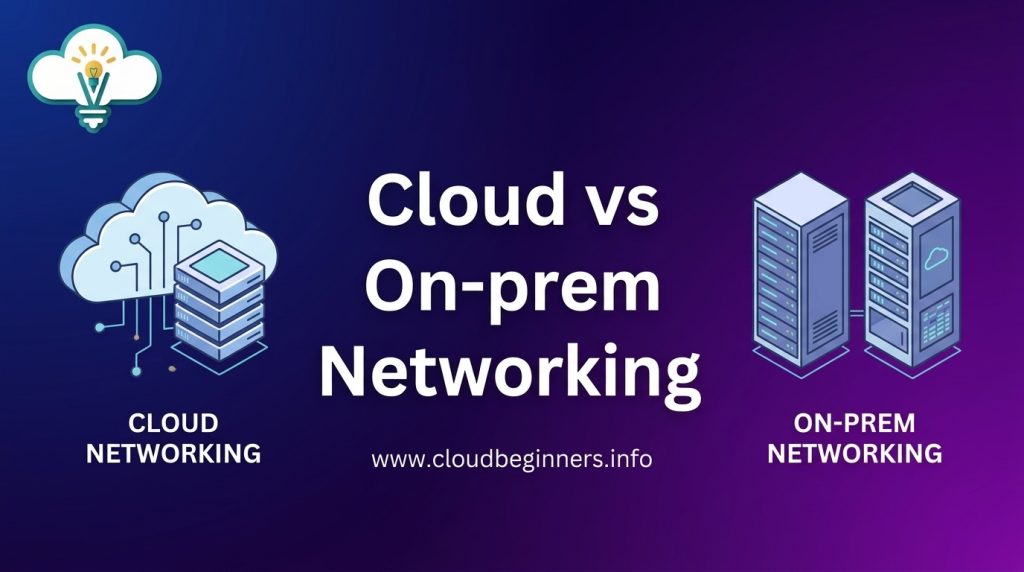
Let’s cut through the noise and finally give you clarity on the cloud vs. on-prem networking debate that’s probably causing friction in your IT department right now.
The truth? Most companies make networking decisions based on outdated assumptions that cost them thousands- sometimes millions- each year.
What worked in 2020 for enterprise network infrastructure isn’t necessarily what will serve you best today.
By the end of this post, you’ll understand the five fundamental differences that actually matter to your bottom line and operational efficiency. But first, let’s address the elephant in the server room…
Architecture and Control: Understanding the Fundamental Difference
Who Manages the Infrastructure: Control Distribution Explained
Picture this: you’re setting up your company’s network. With on-premises networking, you call all the shots. You decide on hardware, you configure the switches, you troubleshoot that weird connectivity issue at 2 AM. It’s your show to run.
Switch to cloud networking, and suddenly you’re sharing the steering wheel. Your provider handles the physical infrastructure while you manage virtual networks and configurations.
Think of it like renting an apartment versus owning a house – in one scenario, you can knock down walls; in the other, you need permission to paint.
This control distribution affects everything from implementation timelines to troubleshooting protocols:
| Aspect | On-Premises | Cloud |
|---|---|---|
| Hardware decisions | Completely yours | Provider-determined |
| Maintenance responsibility | Your team’s burden | Provider-handled |
| Upgrade scheduling | Your timeline | Often provider-dictated |
| Configuration depth | Unlimited access | API/console limitations |
Visibility and Access: Key Management Considerations
Ever tried finding your keys in a dark room? That’s what managing a network with limited visibility feels like.
On-premises networks give you flashlight-in-hand access. You can physically touch your equipment, directly access every device, and see exactly how traffic flows. Nothing’s hidden because you own the entire stack.
Cloud environments trade this direct access for convenience. Your visibility now depends on what your provider offers through management consoles and APIs. Some parts remain behind the curtain – you can see what’s happening but not always why.
This visibility gap becomes crucial when:
- Troubleshooting complex issues
- Performing security audits
- Meeting compliance requirements
- Optimizing performance
Many organizations solve this by implementing robust monitoring solutions that bridge the visibility gap, giving you insights across both environments.
Hybrid Solutions: When Both Approaches Work Together
You don’t have to choose between chocolate and vanilla when you can have swirl. Hybrid networking works the same way.
By combining cloud and on-premises networking, you get to cherry-pick the best aspects of each approach.
Keep sensitive data on local servers while running compute-intensive applications in the cloud. Or maintain legacy systems on-premises while developing new applications in cloud environments.
Making hybrid work requires thinking about:
- Network fabric – How traffic flows between environments
- Identity management – Ensuring consistent authentication
- Security boundaries – Maintaining protection across domains
- Operational tools – Managing both worlds effectively
The most successful hybrid implementations create a seamless experience where users can’t tell (and don’t care) where resources physically reside.
Scaling Capabilities: Handling Growth Differently
Growth hits different in cloud versus on-premises environments.
With on-premises networks, scaling means planning ahead, ordering hardware, waiting for delivery, and installation. Need more capacity?
Start the process months in advance. It’s like building an addition to your house – time-consuming, expensive, but completely customized.
Cloud networking flips the script. Need more capacity? Click a button. Expecting traffic spikes? Set up auto-scaling. The infrastructure expands and contracts with your needs, often automatically.
This fundamental difference shapes how you approach:
- Capacity planning
- Budget allocation
- Resource utilization
- Disaster recovery
The cloud’s elasticity means you don’t pay for idle capacity, but it can lead to surprise bills if usage unexpectedly spikes. On-premises gives you predictable costs but often means maintaining excess capacity “just in case.”
Your ideal scaling approach depends on how predictable your growth patterns are and how quickly you need to respond to changing demands.
Cost Structures that Impact Your Bottom Line
A. Initial Investment vs. Subscription Model
Looking at cloud vs. on-prem networking from a financial angle? The difference is night and day.
With on-premises networking, you’re facing a hefty upfront investment. We’re talking servers, networking hardware, cooling systems, and physical space.
Your CFO might need to sit down when they see those initial quotes; often running into six or seven figures for medium-sized businesses.
Cloud networking flips this model completely. You’ll pay little to nothing upfront. Instead, you’re looking at a monthly or annual subscription based on your actual usage and needs.
Think of it as renting vs. buying a house. One requires a massive down payment; the other lets you spread costs over time.
| On-Premises | Cloud |
|-------------|-------|
| High capital expenditure (CapEx) | Low/no CapEx |
| Lower operational expenditure (OpEx) | Higher OpEx |
| Asset depreciation benefits | Subscription tax benefits |
| Hardware refresh cycles (3-5 years) | Continuous updates included |
B. Hidden Expenses in Both Models
Don’t be fooled by the sticker price; both options come with sneaky costs that aren’t obvious at first glance.
For on-premises setups, you’re on the hook for:
- Electricity and cooling (20-40% of IT budget in some cases)
- Physical security measures
- IT staff with specialized hardware knowledge
- Maintenance contracts and emergency support
- Software licensing and updates
- Unexpected hardware failures
With cloud networking, watch out for:
- Data transfer fees (especially egress charges)
- API call costs
- Storage fees that grow as your data does
- Premium support packages
- Configuration management tools
- Training for cloud-specific skills
The real kicker? Those cloud costs can balloon if you don’t actively monitor usage. Many businesses find their cloud bills mysteriously growing by 20-30% year over year without equivalent business growth.
C. ROI Timelines: When Each Option Pays Off
Timing is everything when evaluating your networking ROI.
On-premises infrastructure typically follows a J-curve pattern. You’ll see negative returns initially due to the massive upfront investment, then gradually build value as you fully utilize that hardware over 3-5 years.
The sweet spot? Years 4-5, when your hardware is fully depreciated but still running well.
Cloud networking offers faster time-to-value. You’ll likely break even earlier since you’re matching expenses to actual usage. The ROI curve looks more linear, without the dramatic dips of on-prem.
For rapidly growing businesses, cloud almost always wins the ROI race. For stable enterprises with predictable workloads? On-prem might actually deliver better long-term ROI if you can maintain high utilization rates.
Remember: your business cycle matters here. Seasonal businesses will love cloud’s flexibility to scale down during slow periods; something that’s impossible with owned hardware collecting dust.
D. Cost Predictability Factors
Budgeting nightmares keep many IT leaders up at night. Here’s how to sleep better:
With on-premises networks, you’ll enjoy relatively stable monthly costs after that initial investment. Your budget line doesn’t fluctuate wildly month-to-month.
However, you’ll face periodic spikes every 3-5 years for hardware refreshes and unexpected repair costs that can blindside your annual budget.
Cloud networking offers a different kind of predictability challenge. Your monthly bill varies based on usage, which means costs scale with your business, both up and down.
Some providers offer reserved instances or committed use discounts that can save 20-60% if you’re willing to commit to longer terms.
Key predictability factors to consider:
- Growth rate of your business
- Seasonality of your operations
- Disaster recovery requirements
- Compliance and security standards
- Data retention policies
The most unpredictable factor? Shadow IT. When departments deploy their own cloud solutions without central oversight, your carefully planned budget goes out the window.
E. Budgeting Strategies for Different Business Sizes
Your company size fundamentally changes how you should approach networking costs.
Small Businesses (1-50 employees)
Cloud networking is often your best bet. You’ll avoid capital expenses you can’t afford and get enterprise-grade capabilities without the enterprise-grade IT team.
Budget for 5-15% growth in monthly cloud costs as your usage naturally increases. Consider prepaying for a year to lock in discounts; many providers offer 10-20% savings.
Mid-Market Companies (51-500 employees)
You’re in the sweet spot for hybrid approaches. Consider keeping steady-state workloads on-premises while using cloud for variable workloads and disaster recovery.
Set aside 15-20% of your IT budget for networking infrastructure. Implement chargebacks to departments based on their cloud usage to prevent surprise overruns.
Enterprise Organizations (500+ employees)
Your scale enables negotiating power. Leverage it for custom pricing agreements with cloud providers; often 30-40% below list prices. For on-premises equipment, explore leasing options that convert CapEx to OpEx while maintaining control.
Implement rigorous governance with automated cost monitoring tools to catch budget variances before they become problems.
Whatever your size, remember this: the cheapest option on day one rarely remains cheapest in year three. Think long-term and build flexibility into your budget planning.
Security Considerations for Modern Networks
A. Threat Landscape Differences
Think your network threats are the same whether you’re in the cloud or on-prem? Think again.
When you operate on-premises networks, you’re dealing with a concentrated attack surface – physical access concerns, traditional perimeter defenses, and internal threats from your own staff. Your security team needs to patrol every inch of that infrastructure.
Cloud environments flip the script completely. You’re facing distributed threats across shared infrastructure where noisy neighbor problems might impact your operations.
Multi-tenancy creates unique vulnerabilities you’d never encounter in your own data center. Plus, API-based attacks have become the new frontier for hackers targeting cloud deployments.
Compare these threat profiles:
| Threat Type | On-Premises | Cloud |
|---|---|---|
| Physical access | Your responsibility | Provider managed |
| DDoS attacks | Your infrastructure absorbs impact | Provider often mitigates |
| API vulnerabilities | Limited exposure | Critical attack vector |
| Insider threats | Direct physical access possible | Usually limited to console access |
B. Responsibility Models: Who Secures What
Wondering who’s on the hook when something goes wrong? It gets complicated fast.
In your on-premises world, the buck stops with you. Every aspect of security – from physical racks to application code – falls squarely on your shoulders. This gives you complete control but also complete responsibility.
With cloud networking, you’re entering a shared responsibility model. Your cloud provider handles some layers while you manage others. But the line gets blurry, and that’s where breaches often happen.
AWS, Azure, and GCP all operate slightly different models:
| Security Layer | On-Premises | IaaS | PaaS | SaaS |
|---|---|---|---|---|
| Physical security | You | Provider | Provider | Provider |
| Network infrastructure | You | Provider | Provider | Provider |
| Network configuration | You | You | Shared | Provider |
| Access management | You | You | Shared | Shared |
| Data security | You | You | You | Shared |
The higher you go in the stack, the more responsibility shifts to your provider. But never assume they’re handling something critical without verification.
C. Compliance Implications for Regulated Industries
Working in healthcare, finance, or government? Your compliance headaches differ dramatically between deployment models.
On-premises networks give you granular control needed for strict compliance regimes like HIPAA, PCI-DSS, or FedRAMP. You can physically isolate systems, implement custom security controls, and demonstrate direct oversight during audits.
Cloud environments introduce new compliance complexities. You’re relying on provider certifications and shared responsibility. This isn’t necessarily worse – sometimes it’s better – but it’s definitely different.
Ask yourself these questions:
- Can you get the audit logs you need from your cloud provider?
- Will regulators accept the provider’s compliance certifications?
- Does your compliance require physical inspection of infrastructure?
- How will you handle cross-border data transfers?
Many cloud providers now offer compliance-specific configurations, but you still need to verify these match your specific regulatory requirements. Don’t just assume a “HIPAA-compliant” instance actually covers all your obligations.
D. Data Sovereignty and Regional Considerations
Ever wondered where your data physically lives? With on-prem networks, that’s easy – it’s in your building. In the cloud? That gets tricky.
Data sovereignty laws are reshaping how you architect cloud networks. Countries increasingly demand that their citizens’ data stays within national borders.
The EU’s GDPR, China’s PIPL, and Russia’s data localization laws all create networking challenges you never faced with on-premises deployments.
Your cloud networking strategy must now account for:
- Regional data center selection based on legal requirements
- Data transfer mechanisms between regions
- Backup and disaster recovery across jurisdictions
- Potential access by foreign governments
This often means designing region-specific network architectures rather than a one-size-fits-all approach. You might need to implement network segmentation that maps to legal boundaries, not just technical ones.
Data residency requirements can also impact your latency and performance, forcing compromises between legal compliance and user experience. Sometimes you’ll need to maintain hybrid infrastructure just to satisfy competing regulatory demands.
Performance and Reliability Tradeoffs
A. Latency Realities: The Truth About Speed
Here’s something you might not want to hear: cloud networking isn’t always faster than on-premises solutions. In fact, when your data center is physically closer to your users than the nearest cloud region, your on-prem setup might deliver lower latency.
The real question isn’t which is faster overall, but which is faster for your specific use case. If you’re running latency-sensitive applications like trading platforms or real-time analytics, those extra milliseconds matter tremendously. On-prem can give you that edge when physical proximity matters.
Meanwhile, cloud providers offer edge computing services that bring resources closer to your users, but at a cost. You’re essentially paying premium rates to solve a problem that might not exist with a well-placed on-prem solution.
Bottom line? Don’t believe the hype that either option is universally faster. Test your actual workloads in both environments before making decisions.
B. Bandwidth Management Approaches
With on-prem networking, you have complete control over your bandwidth allocation. Need to prioritize your VoIP traffic over email? You can do that without asking anyone’s permission.
Cloud networking flips this model on its head. You’re sharing infrastructure with other customers, and while providers offer impressive bandwidth, they also implement fair usage policies and throttling mechanisms that might kick in at the worst possible moment.
Your bandwidth management options look quite different:
| Aspect | On-Premises | Cloud |
|---|---|---|
| Control | Full control over QoS policies | Limited to provider’s offerings |
| Scaling | Requires hardware purchases | Pay-as-you-go flexibility |
| Predictability | Consistent but limited | Variable but potentially unlimited |
| Cost model | Capital expense with maintenance | Operational expense with potential surprises |
The cloud gives you impressive elasticity, but you’ll sacrifice some control. Is that trade-off worth it for your business? Only you can decide.
C. Redundancy Options and Disaster Recovery
In the redundancy game, cloud has a natural advantage. Most cloud providers build multiple layers of redundancy into their infrastructure by default.
With on-prem networking, you’re building redundancy yourself. That means purchasing duplicate equipment, managing failover systems, and maintaining separate physical facilities if you want true disaster protection. It’s expensive and complex, but you’ll know exactly how your redundancy works.
Cloud disaster recovery can be activated with a few clicks rather than days of physical work. Your recovery time objectives (RTOs) might shrink from days to hours or even minutes.
But here’s the catch – when cloud outages happen, they can affect entire regions. You’re at the mercy of your provider’s recovery capabilities. With on-prem, at least you’re in control of your own destiny when things go wrong.
The smarter approach? Many businesses are now implementing hybrid disaster recovery, keeping critical workloads ready to fail over in both environments.
D. SLA Differences and What They Mean for Business Operations
Cloud providers love to tout their impressive uptime guarantees – 99.9% or even 99.99% availability. But dig into the fine print of those SLAs, and you’ll find they’re narrower than they first appear.
Your on-prem network doesn’t come with SLAs unless you purchase separate support contracts. The upside? When problems occur, you’re not waiting in a support queue behind other customers.
What really matters is translating these SLAs into actual business impact:
| SLA Type | What It Means For You | Typical Compensation |
|---|---|---|
| Cloud 99.9% | ~8.7 hours downtime/year | 10-30% service credit |
| Cloud 99.99% | ~52 minutes downtime/year | 10-100% service credit |
| On-Prem (with support) | Variable, based on contract | Replacement parts & labor |
| On-Prem (self-managed) | No guarantees | You absorb all costs |
Remember that service credits don’t cover your business losses – they just discount future bills. With on-prem, you might experience longer outages, but you’re in control of the recovery process and timeline.
Smart companies don’t just look at the SLA percentages; they calculate the actual business impact of potential downtime scenarios in both models.
Future-Proofing Your Network Infrastructure
A. Technology Refresh Cycles Compared
Think about how often you need to replace your network hardware when running on-premises systems. It’s a huge headache, right? With traditional on-prem infrastructure, you’re typically looking at a 3-5 year refresh cycle that demands significant capital expenditure and downtime for implementation.
Cloud networking flips this model on its head. Your cloud provider handles all hardware updates behind the scenes, so you’re always running on current-generation infrastructure without the painful migration projects. You simply pay your subscription and automatically benefit from hardware improvements as they roll out.
Here’s how the refresh cycles stack up:
| Aspect | On-Premises | Cloud |
|---|---|---|
| Refresh Frequency | Every 3-5 years | Continuous |
| Implementation Effort | High (your team) | None (provider managed) |
| Cost Model | Large capital expense | Included in subscription |
| Downtime | Planned outages required | Minimal to none |
| Planning Burden | Long procurement cycles | On-demand scaling |
B. Emerging Technology Integration Capabilities
When a new networking technology hits the market, how quickly can you adopt it? With on-premises setups, you’re often stuck waiting until your next refresh cycle or scrambling to find budget for unplanned upgrades.
Cloud environments give you a serious edge here. Want to experiment with the latest in software-defined networking? Need advanced DDoS protection?
Looking to implement zero-trust security models? Cloud providers typically roll out cutting-edge features months or even years before they’re accessible to most on-prem environments.
You also gain immediate access to emerging AI-powered network management tools, advanced analytics, and automation capabilities that would require substantial investment to implement in-house. This means your team can focus on innovation rather than just keeping the lights on.
C. Workforce Skills Requirements
The skills your team needs are dramatically different between these two models. For on-premises networking, you need deep hardware expertise – people who understand physical routers, switches, cabling, and rack-level architecture.
With cloud networking, your team needs to shift toward software-defined everything. Configuration becomes code, and your most valuable team members are those who can script, automate, and integrate rather than those who can troubleshoot hardware failures.
This shift creates both challenges and opportunities for your workforce:
- Your existing network engineers need training in cloud-native networking concepts
- Security approaches must evolve from perimeter-focused to identity-based
- DevOps principles become essential for network operations
- Programming skills (Python, etc.) become as important as traditional networking certifications
The good news? Cloud skills are highly transferable across platforms and generally command higher market salaries than traditional networking roles.
D. Transition Strategies: Moving Between Models
Thinking about making a move? Transitioning between networking models isn’t an all-or-nothing proposition. Most organizations find success with these approaches:
- Start with non-critical workloads: Move your dev/test environments first, then gradually migrate production services.
- Adopt hybrid temporarily: Run some workloads in the cloud while maintaining others on-premises, connected via direct links or VPN tunnels.
- Use cloud-consistent platforms: Technologies like Azure Stack or AWS Outposts give you cloud-like management for on-premises hardware.
- Implement in waves: Group applications with similar dependencies and migrate them together to minimize integration challenges.
The most successful transitions happen when you thoroughly assess your current state, define clear objectives for your target architecture, and develop a realistic timeline that accounts for application dependencies and staff training needs.
E. Environmental Impact and Sustainability Considerations
The carbon footprint of your network infrastructure might not be top of mind, but it’s becoming increasingly important. Cloud providers operate at a scale that enables significant efficiency improvements compared to typical enterprise data centers.
Major cloud providers have made substantial commitments to renewable energy, with many aiming for carbon-negative operations within the decade. Your on-premises data center would need substantial investment to match these sustainability credentials.
When evaluating environmental impact, consider:
- Power Usage Effectiveness (PUE) – cloud data centers typically achieve much better ratings than enterprise facilities
- Hardware utilization rates – shared cloud infrastructure maximizes usage of physical components
- Equipment lifecycle management – cloud providers have sophisticated recycling programs
- Cooling efficiency – purpose-built cloud facilities optimize cooling at scale
By moving to cloud networking, you’re essentially outsourcing your infrastructure’s environmental impact to organizations that have both the incentive and capacity to minimize it. This might be a surprising benefit, but it’s one that’s increasingly valued by customers, employees, and stakeholders.
Cloud vs. On-Prem Networking: The Path Forward
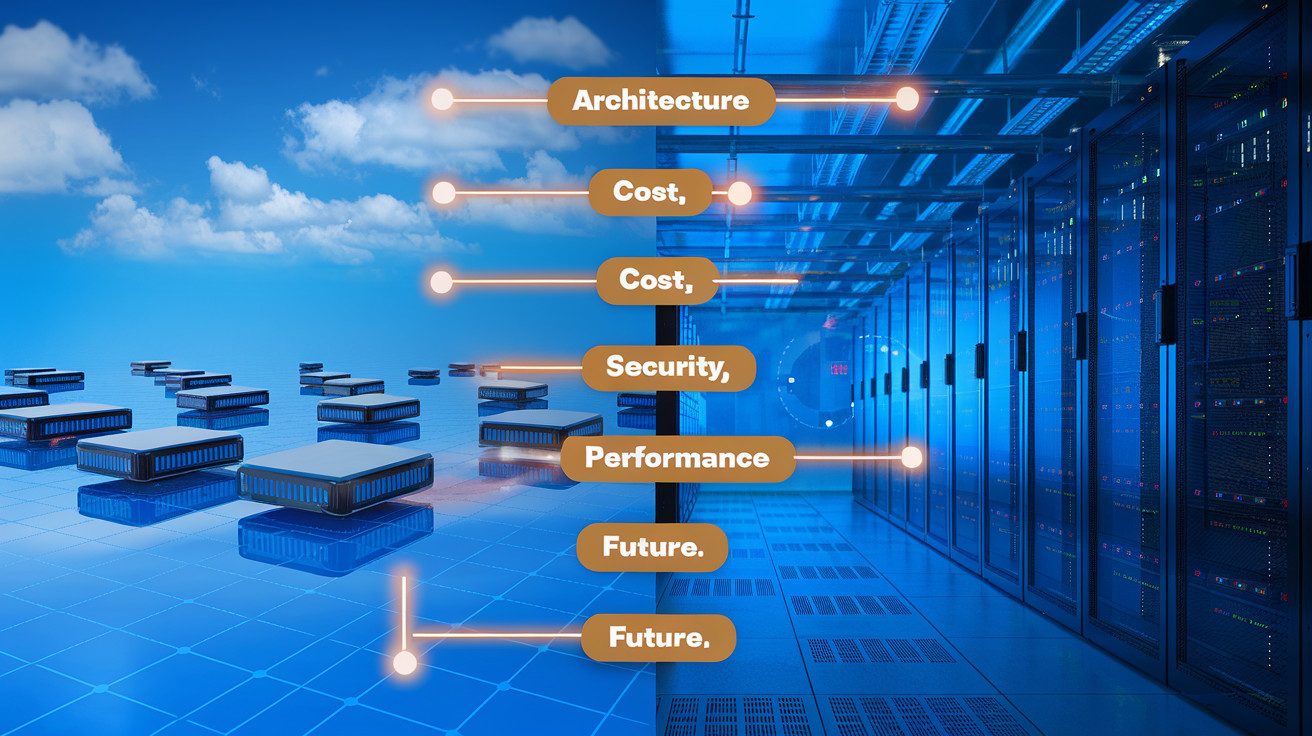
Choosing between cloud and on-premises networking fundamentally shapes your organization’s digital infrastructure. The architectural differences impact not just control but your entire operational approach.
While on-prem solutions typically require larger upfront investments, cloud networking shifts your costs to a predictable operational model. Security considerations differ dramatically between these models, with each offering unique advantages depending on your compliance requirements and risk tolerance.
The performance and reliability tradeoffs represent another crucial decision point that directly affects your users’ experience and business continuity strategy.
As you evaluate your networking needs, remember that future-proofing your infrastructure is perhaps the most critical consideration. The technology landscape continues to evolve rapidly, and your choice today will impact your ability to adapt tomorrow.
Whether you opt for cloud flexibility, on-premises control, or a hybrid approach, align your networking strategy with both your immediate requirements and long-term business objectives.
Take time to thoroughly assess your specific needs across these five critical dimensions before making this significant investment in your organization’s digital foundation.
I’ve also built a platform that shows you how to build the right hands-on cybersecurity skills to help businesses achieve their cloud security goals while you build the career you love for a better, higher-paying reward. Check it out here and start working on projects that will help you get hired.
The Author