Cloud Security for Remote Teams: Best Practices to Adopt
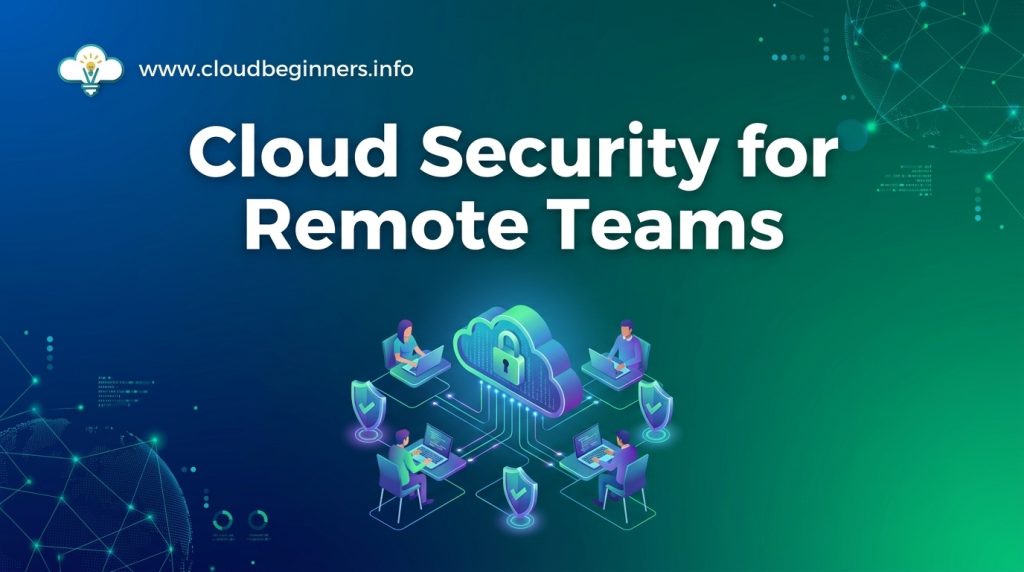
Picture this: Your team is scattered across the globe, collaborating seamlessly through the cloud. But lurking in the shadows are cybercriminals, ready to exploit any vulnerability in your remote setup.
Are you confident that your cloud security measures can withstand their attacks?
In today’s digital landscape, remote work has become the new norm, and cloud technologies have made it possible.
However, this shift has also opened up a Pandora’s box of security challenges. From data breaches to unauthorized access, the threats are real and ever-evolving. But don’t panic just yet!
There’s a silver lining to this cloud security conundrum.
In this blog post, we’ll look deep into the world of cloud security for remote teams. You’ll discover the best practices that will fortify your defenses and keep your data safe.
From implementing robust authentication measures to training your team on security protocols, I’ve got you covered.
So, buckle up as we design a blueprint to transform your remote workforce into a cybersecurity powerhouse!
Understanding Cloud Security Challenges for Remote Teams
Identifying unique risks in remote work environments
When you’re managing a remote team, you face distinct security challenges that traditional office setups don’t encounter. Remote work environments introduce new vulnerabilities that you need to be aware of:
- Unsecured home networks
- Personal device usage for work
- Lack of physical security measures
- Increased phishing and social engineering attempts
To better understand these risks, consider the following comparison:
| Risk Factor | Office Environment | Remote Environment |
|---|---|---|
| Network Security | Controlled, monitored | Varied, often unsecured |
| Device Management | Company-issued, standardized | Mix of personal and work devices |
| Physical Security | Access controls, surveillance | Limited or non-existent |
| Social Engineering | Easier to verify in-person | Increased vulnerability |
Assessing vulnerabilities in cloud-based systems
Cloud-based systems offer flexibility but come with their own set of vulnerabilities. You need to scrutinize:
- Access control mechanisms
- Data encryption practices
- Third-party integrations
- Compliance with data protection regulations
Recognizing common security threats for distributed teams
As you manage a distributed team, be vigilant about these prevalent security threats:
- Man-in-the-middle attacks on unsecured Wi-Fi
- Shadow IT and unauthorized app usage
- Data leakage through improper file sharing
- Insider threats due to reduced oversight
By understanding these challenges, you’re better equipped to implement effective security measures. Next, we’ll explore how to strengthen your authentication processes to mitigate these risks.
Implementing Strong Authentication Measures
Enforcing multi-factor authentication
Multi-factor authentication (MFA) is a crucial security measure for remote teams using cloud services. By requiring two or more forms of identification, you significantly reduce the risk of unauthorized access.
Here’s why and how you should implement MFA:
- Adds an extra layer of security beyond passwords
- Protects against credential theft and brute force attacks
- Reduces the risk of account takeovers
To effectively enforce MFA:
- Choose a combination of authentication factors:
- Something you know (password)
- Something you have (mobile device, security token)
- Something you are (biometric data)
- Implement MFA across all cloud services and applications
- Educate your team on the importance of MFA and how to use it
| Authentication Factor | Examples | Pros | Cons |
|---|---|---|---|
| Knowledge | Passwords, PINs | Familiar, easy to implement | Can be forgotten or guessed |
| Possession | SMS codes, authenticator apps | Adds physical layer of security | Can be lost or stolen |
| Inherence | Fingerprints, facial recognition | Highly secure, difficult to replicate | Requires specific hardware |
Utilizing single sign-on (SSO) solutions
Single sign-on (SSO) streamlines authentication for remote teams while maintaining security. By implementing SSO, you can:
- Reduce password fatigue and improve user experience
- Centralize access control and user management
- Enhance security by reducing the number of attack vectors
When implementing SSO:
- Choose a reputable SSO provider that integrates with your existing cloud services
- Configure SSO to work with your MFA solution for added security
- Regularly audit and review SSO access logs to detect any unusual activity
Managing secure password policies
Even with MFA and SSO, strong passwords remain essential. Implement these best practices:
- Enforce minimum password length (at least 12 characters)
- Require a mix of uppercase, lowercase, numbers, and special characters
- Implement password expiration and history policies
- Prohibit common or easily guessable passwords
Implementing biometric authentication options
Biometric authentication adds an extra layer of security for remote teams. Consider these options:
- Fingerprint scanning
- Facial recognition
- Voice recognition
- Retinal scanning
When implementing biometric authentication:
- Ensure compatibility with your team’s devices
- Address privacy concerns and data storage regulations
- Use biometrics in combination with other authentication factors for maximum security
By implementing these strong authentication measures, you’ll significantly enhance your cloud security posture for remote teams.
Next, we’ll explore how to secure remote access and communication channels to further protect your organization’s data and resources.
Securing Remote Access and Communication
Setting up virtual private networks (VPNs)
When securing remote access for your team, setting up a VPN is crucial. VPNs create encrypted tunnels between remote devices and your organization’s network, ensuring data privacy and security.
Here’s a quick comparison of VPN types:
| VPN Type | Pros | Cons |
|---|---|---|
| Site-to-Site | Connects entire networks | Less flexible for individual users |
| Remote Access | Ideal for individual users | Requires client software installation |
| SSL VPN | Works through web browsers | May have limited functionality |
To implement a VPN effectively:
- Choose a reliable VPN provider or set up your own
- Configure strong encryption protocols (e.g., OpenVPN, IKEv2)
- Implement multi-factor authentication for VPN access
- Regularly update VPN software and configurations
Encrypting data in transit and at rest
Encryption is your first line of defense against data breaches. Ensure all data is encrypted both in transit and at rest to protect sensitive information from unauthorized access.
For data in transit:
- Use HTTPS for all web communications
- Implement TLS/SSL for email and other network protocols
- Enable end-to-end encryption for messaging apps
For data at rest:
- Use full-disk encryption on all devices
- Encrypt cloud storage and databases
- Implement file-level encryption for sensitive documents
Implementing secure file sharing protocols
Secure file sharing is essential for remote teams. Choose protocols and tools that prioritize security while maintaining ease of use.
Some recommended secure file sharing methods include:
- SFTP (SSH File Transfer Protocol)
- FTPS (FTP over SSL/TLS)
- WebDAV with HTTPS
- Cloud-based file sharing services with end-to-end encryption
Utilizing secure collaboration tools
Select collaboration tools that offer robust security features to protect your team’s communications and shared data.
Look for tools that provide:
- End-to-end encryption for messages and calls
- Multi-factor authentication
- Role-based access controls
- Data loss prevention features
Remember to regularly review and update your security measures as new threats emerge and technology evolves.
By implementing these practices, you’ll significantly enhance the security of your remote team’s access and communication.
Establishing Data Protection Strategies
Classifying and categorizing sensitive data
To effectively protect your data in the cloud, you need to start by understanding what you’re protecting. Begin by classifying your data into categories based on sensitivity and importance.
This will help you prioritize your security efforts and allocate resources efficiently.
| Data Classification | Description | Examples |
|---|---|---|
| Public | Non-sensitive information | Marketing materials, public reports |
| Internal | For internal use only | Employee directories, internal memos |
| Confidential | Sensitive data | Customer information, financial records |
| Restricted | Highly sensitive data | Trade secrets, legal documents |
Implementing data loss prevention (DLP) tools
Once you’ve classified your data, implement DLP tools to protect it. These tools help you:
- Monitor data movement across your cloud environment
- Prevent unauthorized access or sharing of sensitive information
- Automatically encrypt sensitive data in transit and at rest
Enforcing regular data backups and recovery procedures
Protect your data from loss or corruption by:
- Scheduling automatic backups of critical data
- Storing backups in geographically diverse locations
- Regularly testing your recovery procedures to ensure they work
Ensuring compliance with data protection regulations
Stay compliant with relevant data protection laws by:
- Identifying which regulations apply to your organization (e.g., GDPR, CCPA)
- Implementing necessary security controls and processes
- Regularly auditing your data protection measures
With these strategies in place, you’ll have a solid foundation for protecting your remote team’s data in the cloud.
Next, we’ll look at how to enhance your cloud infrastructure security to further safeguard your organization’s assets.
Enhancing Cloud Infrastructure Security
Configuring firewalls and intrusion detection systems
To enhance your cloud infrastructure security, start by setting up robust firewalls and intrusion detection systems (IDS). These act as your first line of defense against potential threats.
Here’s a quick comparison of firewall types:
| Firewall Type | Pros | Cons |
|---|---|---|
| Network-based | Protects entire network | Less granular control |
| Host-based | Specific to each device | Requires individual management |
| Cloud-native | Integrated with cloud services | May have limited customization |
Implement a combination of these for comprehensive protection. Configure your firewalls to:
- Block unnecessary ports and protocols
- Set up application-level filtering
- Enable logging for all denied traffic
For IDS, consider both network-based and host-based solutions. These systems will alert you to potential security breaches, allowing for quick response.
Implementing network segmentation
Network segmentation is crucial for limiting the potential spread of security incidents. Divide your cloud infrastructure into separate segments based on function, data sensitivity, or access requirements.
Key steps for effective network segmentation:
- Identify and classify your assets
- Define clear segmentation policies
- Use virtual networks (VNets) or subnets to create boundaries
- Implement access controls between segments
- Monitor traffic between segments
Regularly updating and patching cloud systems
Keeping your cloud systems up-to-date is essential for maintaining security. Develop a systematic approach to updates and patches:
- Create an inventory of all cloud systems and components
- Set up automated patch management tools
- Establish a regular schedule for updates
- Test patches in a non-production environment before deployment
- Monitor for any post-update issues
Monitoring cloud resource usage and access
Continuous monitoring of your cloud infrastructure is vital for detecting and responding to security threats. Implement a comprehensive monitoring strategy that includes:
- Real-time alerting for suspicious activities
- Regular audits of user access and permissions
- Monitoring of resource utilization to detect anomalies
- Log analysis for security events and compliance purposes
Use cloud-native monitoring tools provided by your cloud service provider, and consider third-party solutions for additional insights and cross-cloud visibility.
By implementing these measures, you’ll significantly enhance your cloud infrastructure security, providing a safer environment for your remote teams to operate in.
Let’s work on how you can effectively train your remote teams on these security best practices to ensure they understand and follow these crucial protocols.
Training Remote Teams on Security Best Practices
Conducting regular security awareness sessions
To keep your remote team vigilant about security threats, conducting regular security awareness sessions is crucial.
These sessions should be engaging and informative, covering the latest cloud security trends and best practices.
Here’s a breakdown of effective security awareness sessions:
| Session Type | Frequency | Focus Areas |
|---|---|---|
| Webinars | Monthly | Cloud security updates, new threats |
| Quizzes | Quarterly | Knowledge retention, identifying gaps |
| Simulations | Bi-annual | Practical application of security measures |
Providing guidance on safe remote work habits
Encourage your remote team to adopt these safe work habits:
- Use secure Wi-Fi networks or VPNs
- Keep software and operating systems updated
- Implement strong password policies
- Enable two-factor authentication on all accounts
- Secure physical workspaces to prevent unauthorized access
Educating employees on phishing and social engineering threats
Phishing and social engineering attacks are prevalent in remote work environments. Educate your team to:
- Scrutinize email senders and URLs
- Be cautious of unexpected attachments
- Verify requests for sensitive information through alternative channels
- Recognize common social engineering tactics
Establishing clear incident reporting procedures
Create a streamlined process for reporting security incidents:
- Designate a point of contact for security concerns
- Provide multiple reporting channels (email, phone, messaging app)
- Develop a simple incident report template
- Ensure employees understand the importance of prompt reporting
By implementing these training strategies, you’ll significantly enhance your remote team’s security awareness and readiness to tackle cloud security challenges.
Implementing Endpoint Security Measures
Deploying endpoint detection and response (EDR) solutions
To protect your remote team’s devices from cyber threats, implementing EDR solutions is crucial. These tools offer real-time monitoring, threat detection, and automated response capabilities.
Key benefits of EDR solutions:
- Continuous monitoring of endpoint activities
- Rapid threat detection and containment
- Forensic analysis for incident investigation
- Automated response to known threats
| EDR Feature | Benefit for Remote Teams |
|---|---|
| Real-time monitoring | Instant visibility into endpoint activities |
| Threat intelligence | Up-to-date protection against emerging threats |
| Automated response | Quick containment of potential security breaches |
| Cloud-based management | Centralized control for distributed teams |
Enforcing device encryption policies
Protect sensitive data on remote devices by implementing strong encryption policies. This ensures that even if a device is lost or stolen, your company’s information remains secure.
Steps to enforce device encryption:
- Implement full-disk encryption on all remote devices
- Use strong encryption algorithms (e.g., AES-256)
- Enforce regular key rotation and secure key management
- Enable automatic encryption for external storage devices
Managing mobile device security
With remote teams often using smartphones and tablets for work, mobile device security is paramount. Implement a comprehensive mobile device management (MDM) strategy to protect these endpoints.
Key MDM features:
- Remote device wiping capabilities
- App whitelisting and blacklisting
- Secure container for work-related data
- Regular security updates and patch management
Implementing bring your own device (BYOD) policies
As remote work blurs the lines between personal and professional devices, a well-defined BYOD policy is essential. This helps maintain security while allowing employees to use their preferred devices.
BYOD policy components:
- Clear guidelines on acceptable device usage
- Mandatory security software installation
- Regular security audits and compliance checks
- Data segregation between personal and work information
By implementing these endpoint security measures, you’ll significantly enhance your remote team’s security posture and protect your organization’s valuable data assets.
Monitoring and Responding to Security Incidents
Implementing real-time threat detection systems
Real-time threat detection is crucial for protecting your remote team’s cloud infrastructure. By implementing advanced systems, you can identify and respond to potential security breaches quickly. Here are some key components to consider:
- Network traffic analysis
- User behavior analytics
- Anomaly detection algorithms
- Automated alert systems
To maximize the effectiveness of your threat detection system, consider the following best practices:
- Configure alerts for specific threat indicators
- Regularly update detection rules and signatures
- Integrate with other security tools for comprehensive coverage
- Implement machine learning capabilities for improved accuracy
Establishing an incident response plan
A well-defined incident response plan is essential for minimizing the impact of security breaches. Your plan should outline clear steps for:
- Incident identification
- Containment procedures
- Eradication of threats
- System recovery
- Post-incident analysis
| Phase | Key Actions |
|---|---|
| Preparation | Define roles, create communication channels, document procedures |
| Detection | Monitor alerts, analyze logs, identify anomalies |
| Containment | Isolate affected systems, preserve evidence, limit damage |
| Eradication | Remove malware, patch vulnerabilities, reset compromised credentials |
| Recovery | Restore systems, verify integrity, monitor for recurrence |
| Lessons Learned | Conduct post-mortem analysis, update procedures, improve defenses |
Conducting regular security audits and assessments
To maintain a strong security posture, you should perform regular audits and assessments of your cloud infrastructure.
This proactive approach helps identify vulnerabilities before they can be exploited. Key areas to focus on include:
- Access controls and user permissions
- Network segmentation and firewall rules
- Encryption implementation
- Patch management and software updates
- Compliance with industry standards and regulations
Leveraging security information and event management (SIEM) tools
SIEM tools are invaluable for monitoring and responding to security incidents in your cloud environment.
These platforms aggregate and analyze data from various sources, providing you with actionable insights. Key benefits of SIEM tools include:
- Centralized log management
- Real-time threat detection and alerting
- Automated incident response workflows
- Compliance reporting and auditing support
By implementing these monitoring and response strategies, you’ll be better equipped to protect your remote team’s cloud infrastructure from evolving security threats. Remember to regularly review and update your security measures to stay ahead of potential risks.
As you navigate the complexities of cloud security for your remote teams, remember that a multi-layered approach is crucial.
By implementing strong authentication measures, securing remote access, and establishing robust data protection strategies, you can significantly enhance your organization’s security posture.
Don’t overlook the importance of training your remote teams and implementing endpoint security measures to create a human firewall against potential threats.
Stay vigilant in monitoring and responding to security incidents, and continuously adapt your cloud infrastructure security to meet evolving challenges.
By following these best practices, you’ll not only protect your valuable data and assets but also empower your remote teams to work confidently and securely in the cloud environment. Take action today to strengthen your cloud security and ensure the long-term success of your remote work strategy.
I’ve built a platform that shows you how to develop the right skills to help businesses achieve their cloud security goals while you build the career you love. Check it out here and start working on projects that get you hired.
The Author