AWS IAM Roles vs. Users: When to Use Which (And Why It Matters)
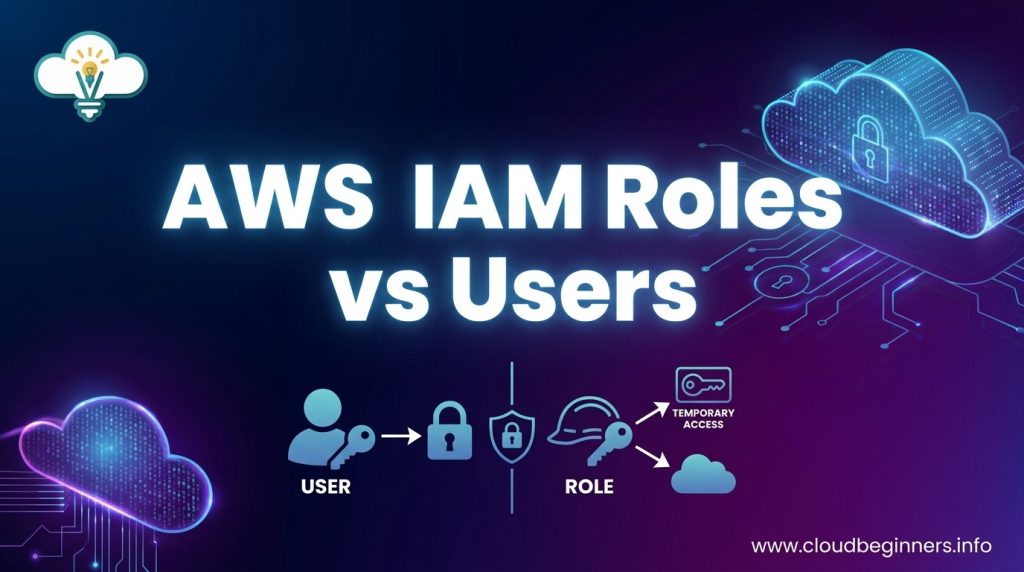
Confused about whether to set up IAM users or roles in your AWS environment? You’re not alone. For DevOps engineers, cloud architects, and AWS administrators, making the right access management choices directly impacts your cloud security and operational efficiency.
In this guide, we’ll break down the key differences between IAM roles and users, explain when each option makes the most sense, and show you practical implementation strategies for different scenarios. You’ll learn how temporary credentials with roles can enhance security, and why user-based access might be better for specific team members.
Understanding AWS IAM Fundamentals
A. The Role of Identity and Access Management in AWS
When you’re building on AWS, Identity and Access Management (IAM) is your security foundation. Think of IAM as your cloud’s bouncer – it decides who gets in and what they can touch once inside. You’ll use IAM to control which team members can access specific AWS services and what actions they can perform.
At its core, IAM answers two critical questions: “Who are you?” and “What are you allowed to do?” This seemingly simple concept becomes your first line of defense against unauthorized access and potential breaches.
B. Key Security Principles Every AWS User Should Know
You need to embrace these fundamentals to keep your AWS environment secure:
- Least privilege: Only give people access to what they absolutely need – nothing more
- Separation of duties: Split critical tasks between different people to prevent misuse
- Defense in depth: Layer your security controls rather than relying on a single barrier
- Regular auditing: Check your permissions frequently because what you don’t monitor, you can’t secure
A permission setup that’s too loose is like leaving your house keys under the doormat – convenient but dangerous.
C. How IAM Affects Your AWS Infrastructure Costs
Your IAM choices directly impact your wallet. When you set up granular permissions, you gain better visibility into who’s using what resources. This clarity helps you spot unnecessary services and control spending.
By using IAM roles for your applications instead of embedded credentials, you’ll avoid the overhead of credential management and rotation. Plus, roles enable automatic temporary credential management, reducing your operational costs.
The cost benefit is rarely direct (IAM itself is free), but the downstream savings are significant when you prevent unauthorized resource provisioning.
D. Real-World Impact of IAM Configuration Decisions
The choices you make with IAM ripple throughout your entire AWS ecosystem. Poor IAM hygiene leads to real consequences:
A financial services company once faced a data breach because they used long-term access keys instead of temporary credentials. Their mistake cost them millions in compliance penalties.
On the flip side, a streaming service streamlined their deployment process by implementing IAM roles for their EC2 instances. This eliminated credential management headaches and improved their security posture.
Your IAM decisions shape both your security strength and operational efficiency. Get them right, and you’ll build on a solid foundation. Get them wrong, and you’re building on sand.
Deep Dive into IAM Users
When IAM Users Are the Right Choice
IAM Users shine in specific scenarios that you’ll encounter while building on AWS. You should opt for IAM Users when:
- You need long-term, persistent access to your AWS resources
- You’re setting up programmatic access for applications running outside of AWS
- You require named identities for auditing and compliance purposes
- You’re supporting third-party integrations that don’t support role-based authentication
- You’re managing a small team with limited AWS resource needs
IAM Users make perfect sense for your development team members who need consistent access to the AWS Console. They’re also ideal for those legacy applications running in your data center that need to call AWS APIs.
Setting Up and Managing IAM Users Effectively
Getting your IAM Users right isn’t complicated, but it does require attention to detail:
- Create meaningful usernames – Use a consistent naming convention that identifies both the person and their function
- Apply the principle of least privilege – Start with zero permissions and add only what’s needed
- Use groups to manage permissions – Place users with similar needs in groups rather than assigning individual policies
- Enforce strong password policies – Require complexity and regular rotation
- Enable MFA – Always require multi-factor authentication for all users
Consider this approach to group organization:
| Group Name | Purpose | Example Permissions |
|---|---|---|
| Developers | Day-to-day development work | EC2, S3, DynamoDB read/write |
| DBAdmins | Database management | RDS full access, Redshift |
| SecurityTeam | Security monitoring | CloudTrail, GuardDuty, Config |
Common IAM User Security Pitfalls to Avoid
You might be making these dangerous mistakes without realizing it:
- Creating too many admin users – Every admin account increases your attack surface
- Sharing credentials between team members (absolutely never do this!)
- Embedding access keys directly in application code
- Neglecting to rotate access keys regularly
- Failing to remove departed employees promptly
The access key problem deserves special attention. Those long-lived credentials are particularly vulnerable – especially when developers hardcode them into applications or accidentally commit them to public repositories.
User-Based Authentication Best Practices
Make your IAM User implementation bulletproof by following these practices:
- Implement a credential rotation schedule and stick to it
- Use AWS Secrets Manager for applications that require IAM User credentials
- Configure CloudTrail to monitor for suspicious IAM activities
- Set up alerts for unusual login patterns or failed authentication attempts
- Review access logs regularly to spot potential security issues
- Consider AWS SSO for federated access when appropriate
These measures create defense in depth for your AWS environment.
Scaling Challenges with IAM Users
As your organization grows, managing IAM Users becomes increasingly difficult:
- Identity sprawl – Tracking hundreds of individual users becomes unwieldy
- Permission consistency – Maintaining standardized access patterns grows complex
- Onboarding/offboarding burden – Manual user management becomes time-consuming
- Compliance documentation – Reporting on who has what access becomes challenging
- Password reset overhead – Support tickets for credential issues multiply
When you reach about 50-100 users, you’ll start feeling these pain points acutely. This is typically when organizations begin considering identity federation and role-based access patterns as alternatives to direct IAM User management.
Mastering IAM Roles
The Technical Advantages of Role-Based Access
When you’re managing AWS permissions, roles give you several game-changing advantages. First off, you don’t have to manage long-term credentials. Unlike IAM users with access keys that hang around forever, roles automatically rotate credentials, dramatically reducing your security risks.
Roles also make scaling easy. Need to grant the same permissions to 50 EC2 instances? With roles, you simply attach one role to all instances. If you need to update permissions later, you change the role once—not 50 times across different user accounts.
Your audit trail becomes cleaner too. When services assume roles, AWS logs exactly who’s doing what, making compliance reporting straightforward.
How IAM Roles Enable Secure Service-to-Service Communication
Picture this: your Lambda function needs to access data in S3. You could hardcode access keys (terrible idea!), or you could use roles for frictionless, secure communication.
By attaching a role to your Lambda function, you’re telling AWS: “Let this function access these specific S3 buckets.” Behind the scenes, AWS handles the authentication without exposing credentials in your code.
This pattern works across the AWS ecosystem. Your EC2 instances can talk to DynamoDB, your ECS containers can publish to SNS topics, and your Step Functions can invoke Lambda; all without juggling access keys.
Temporary Credentials and Why They Matter
The magic of IAM roles lies in temporary credentials. When a service or user assumes a role, AWS Security Token Service (STS) generates short-lived credentials that typically expire within hours.
Why is this better than permanent credentials?
- If compromised, temporary credentials become useless after they expire
- You avoid the headache of credential rotation
- AWS automatically refreshes credentials for your applications
- You get detailed logs showing exactly when credentials were used
This approach follows security best practices by limiting the blast radius of potential breaches.
Role Assumption Workflows Explained
Getting your head around role assumption might seem tricky at first, but the workflow is straightforward:
- You define who can assume the role (the “trust policy”)
- You define what the role can do (the “permissions policy”)
- The trusted entity makes an AssumeRole API call
- AWS returns temporary credentials
- The entity uses those credentials to make AWS requests
For your everyday work, this happens automatically. When you switch roles in the AWS console, the process looks like:
You → AssumeRole request → STS → temporary credentials → access to resources
For cross-account access, this model shines. You can grant partners or other teams access to specific resources without creating IAM users in your account—just let them assume a precisely scoped role instead.
IAM Roles vs. Users: Decision Framework
A. Authentication Scenarios: Making the Right Choice
When deciding between IAM roles and users, consider your authentication scenario first. If you’re dealing with a developer who needs ongoing AWS console access, an IAM user makes sense. But for your EC2 instances needing S3 access? Roles are your best bet.
Here’s a quick breakdown to help you decide:
| Scenario | Best Choice | Why |
|---|---|---|
| Human accessing AWS Console | IAM User | Supports password, MFA, and persistent access |
| Application on EC2 needing AWS services | IAM Role | No stored credentials, automatic rotation |
| Cross-account access | IAM Role | Temporary access without credential sharing |
| Mobile app users | IAM Role + Cognito | Scales to millions of users with minimal management |
| CI/CD pipeline | IAM Role | Secure, temporary permissions for builds and deployments |
B. Human Access vs. Service Access Requirements
You’ll want to approach human and service access completely differently. Humans need persistent credentials they can remember and manage, while services need secure, rotating credentials without human intervention.
For your DevOps team, create IAM users with strong passwords and enforce MFA. But for your Lambda functions? Attach IAM roles instead – they’ll automatically get temporary credentials without any hardcoding.
The rule of thumb: if it breathes and has fingers to type, it probably needs an IAM user. If it’s code running on a service, give it an IAM role.
C. Compliance and Audit Considerations
Your compliance team will thank you for using roles appropriately. With IAM roles, you’ll gain better audit trails since AWS CloudTrail logs show exactly which service assumed which role and when.
For regulated environments, roles provide stronger security controls:
- No long-term credentials stored in code or config files
- Automatic credential rotation (typically every hour)
- More granular permissions through session policies
- Clearer attribution in logs for auditing
Remember that many compliance frameworks (like PCI DSS) specifically warn against hardcoded credentials. Using roles keeps you on the right side of your next audit.
D. Long-Term Maintenance Implications
Think about the maintenance headache you’re signing up for with your IAM choice. With IAM users, you’ll need to manage:
- Regular password rotations
- Access key rotations and potential leaks
- Individual permission updates
- Offboarding procedures
With roles, most of this goes away. When an employee leaves, you don’t need to hunt down and revoke service credentials. When you need to update permissions for a service, you modify one role instead of multiple user credentials.
Roles also scale better. Imagine adding 100 new EC2 instances – with roles, they all automatically get the right permissions without any credential distribution.
Implementation Strategies for Enterprise AWS Environments
A. Transitioning from Users to Roles: Migration Patterns
Moving from IAM Users to Roles doesn’t have to be painful. Start by mapping your current user permissions to equivalent role-based structures. The most successful migration pattern follows these steps:
- Inventory current access needs – Document who needs access to what
- Create role templates – Design standardized roles based on job functions
- Implement roles alongside users – Run both systems in parallel
- Gradually transition workloads – Move one application or team at a time
- Decommission users – Once roles are proven effective
You’ll find the “lift and shift” approach rarely works well. Instead, use this transition as an opportunity to clean up excessive permissions. Many organizations discover they can reduce their permission sets by 30-40% during this process.
B. Hybrid Approaches That Leverage Both Users and Roles
Sometimes you need both IAM Users and Roles in your AWS environment. Smart hybrid approaches include:
Emergency access accounts: Maintain a small number of break-glass IAM Users with administrative permissions for emergencies when your identity provider might be unavailable.
CI/CD systems: Your automation pipelines might use IAM Users to assume roles across multiple accounts.
Legacy integrations: Some older third-party tools may not support role assumption, requiring dedicated IAM Users.
A practical hybrid structure looks like this:
Account Structure:
- Management account: Contains IAM Users for emergency access
- Workload accounts: Use only roles for human and service access
- Development accounts: Temporary IAM Users for testing, roles for standard access
C. Integration with Corporate Identity Providers
Stop managing separate AWS credentials! Connect your corporate identity provider to AWS and you’ll drastically simplify user management.
With federation, your team logs in through your existing identity system (like Okta, Azure AD, or Google Workspace) and gets mapped to appropriate AWS roles. This approach gives you:
- Single sign-on experience for users
- Centralized access control policies
- Automatic deprovisioning when employees leave
- Consistent MFA enforcement
Setting this up requires configuring SAML 2.0 or OpenID Connect between your IdP and AWS. Your identity provider creates assertions that AWS uses to map users to specific roles based on their group memberships or attributes.
Don’t overlook attribute mapping – it’s where the magic happens. You can dynamically assign roles based on department, cost center, or project affiliations in your corporate directory.
D. Monitoring and Auditing Your IAM Configuration
Your IAM setup is only as good as your ability to monitor it. Set up these essential checks to keep your environment secure:
- Enable AWS CloudTrail in all accounts to track who’s doing what
- Use IAM Access Analyzer to identify resources shared outside your organization
- Implement automated compliance checks using AWS Config Rules
- Set up alerts for suspicious activities like privilege escalation attempts
Tools like AWS Security Hub can aggregate findings across accounts, giving you a centralized view of potential issues.
Don’t just collect this data – act on it. Regular access reviews should be part of your security routine. Schedule quarterly reviews where resource owners validate that access remains appropriate. This process catches “permission creep” before it becomes a security problem.
The Right IAM Choice for Your AWS Security Strategy
AWS IAM Roles and Users each serve distinct purposes in your cloud security architecture. Roles excel in temporary access scenarios, cross-account permissions, and service-to-service communications, while Users remain valuable for persistent human access needs.
The decision framework presented provides clear guidance on selecting the appropriate IAM mechanism based on your specific use case, security requirements, and operational context.
As you implement your IAM strategy across enterprise AWS environments, remember that thoughtful identity management forms the foundation of your cloud security posture.
By applying the principles and best practices outlined in this guide, you’ll establish more secure, manageable, and compliant AWS environments that scale with your organization’s needs.
Take time to evaluate your current IAM configuration and consider where strategic adjustments might strengthen your overall security position.
I’ve built a platform that shows you how you can build the right cybersecurity skills to help businesses achieve their cloud security goals while you’re also building the career you love. Check it out here and start working on projects that get you hired.
The Author