How to Implement End-to-End Encryption in Your Cloud Workloads
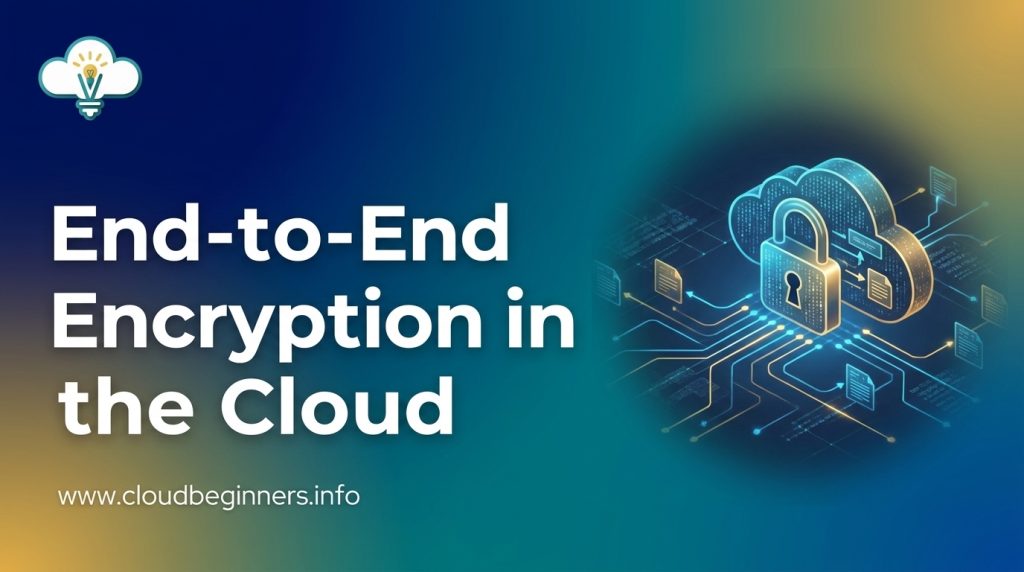
Ever wonder what happens to your data when it’s stored in the cloud? Here’s a sobering thought: without proper encryption, it’s essentially a treasure chest waiting for the right hacker to crack it open.
Cloud workloads contain our most sensitive information; financial records, customer data, proprietary algorithms. Yet many organizations still treat end-to-end encryption as optional rather than essential.
I’ve spent years helping companies implement robust encryption for their cloud workloads, and I’ve seen firsthand how the right approach can make the difference between security and a data breach nightmare.
In this guide, I’ll walk you through practical steps to implement end-to-end encryption that actually works, without crippling your system’s performance or creating operational headaches.
But first, let’s talk about the encryption mistake that even security professionals make…
Understanding End-to-End Encryption Fundamentals
A. What makes E2EE different from other encryption methods
When you’re using traditional encryption methods, your data typically gets encrypted at rest (in storage) and in transit (moving across networks), but becomes vulnerable at processing points. E2EE changes this dynamic completely by ensuring your data remains encrypted from the moment it leaves your device until it reaches its intended recipient.
Unlike standard TLS/SSL, which only protects data in transit, or server-side encryption that still exposes your data to service providers, E2EE gives you total control. Your encryption keys stay with you and your recipients—not with your cloud provider, not with intermediaries, nowhere else.
Think of it this way: standard encryption is like sending a locked box through a shipping company that holds a copy of the key. E2EE is like sending that box where only you and the recipient have keys.
B. Key benefits for cloud security
E2EE offers game-changing advantages for your cloud security strategy:
- Zero trust by design: Your cloud provider can’t access your unencrypted data, even if they wanted to.
- Breach protection: Even if attackers compromise your cloud environment, they only get encrypted gibberish.
- Regulatory compliance: You’re better positioned to meet GDPR, HIPAA, and other privacy regulations.
- Reduced liability: Your organization can’t leak what it can’t access.
By implementing E2EE, you effectively transfer much of the security burden from your cloud infrastructure to the encryption itself. This means fewer sleepless nights worrying about the security practices of your cloud vendor.
C. Common misconceptions about E2EE
Don’t fall for these common E2EE myths:
- “E2EE makes data completely unusable” – Not true. Modern E2EE solutions offer searchable encryption and homomorphic techniques that allow certain operations on encrypted data.
- “It’s too complex to implement” – While E2EE does require careful planning, numerous frameworks and libraries now make implementation straightforward.
- “E2EE creates performance nightmares” – Modern algorithms and hardware acceleration have dramatically reduced performance impacts.
- “If I lose my keys, I lose everything” – Proper key management includes recovery mechanisms without compromising security principles.
D. When to implement E2EE in cloud environments
E2EE makes the most sense in these scenarios:
- You’re handling sensitive customer data (PII, health records, financial info)
- Your organization operates under strict regulatory requirements
- You’re working in multi-tenant cloud environments
- You need to mitigate insider threats
- Your data must remain protected even if cloud provider access controls fail
E2EE isn’t always the right choice for every workload. If your application requires extensive server-side processing or third-party access to unencrypted data, you’ll need to carefully design your architecture to maintain E2EE benefits while supporting these requirements.
Assessing Your Cloud Workload Security Needs
A. Identifying sensitive data requiring protection
Before implementing encryption, you need to know exactly what data needs protection. Start by cataloging all data types in your cloud workloads:
- Customer PII: Names, addresses, phone numbers, emails
- Financial data: Credit card numbers, bank accounts, transaction histories
- Healthcare information: Medical records, prescription data, insurance details
- Intellectual property: Source code, design documents, research data
- Authentication credentials: Passwords, API keys, certificates
Remember, not all data is created equal. That customer database? Critical. Your public marketing materials? Not so much. Prioritize based on sensitivity and potential damage if exposed.
B. Mapping data flows across your cloud architecture
You can’t protect what you don’t understand. Grab a whiteboard and map how data moves through your systems:
- Where does data enter your cloud environment?
- Which services process this data?
- Where is data stored (databases, object storage, caches)?
- What leaves your environment and goes to third parties?
- Are there any cross-region or cross-cloud transfers?
This exercise often reveals surprising paths and storage locations you didn’t realize existed. Each data transfer point is a potential encryption opportunity (or vulnerability).
C. Evaluating compliance requirements (GDPR, HIPAA, etc.)
Regulations don’t just suggest encryption – they demand it. Check which apply to you:
| Regulation | Key Encryption Requirements |
|---|---|
| GDPR | Personal data protection, right to be forgotten |
| HIPAA | PHI protection in transit and at rest |
| PCI DSS | Card data encryption, key management |
| CCPA | Consumer data protection and disclosure |
Don’t forget industry-specific requirements that might apply to your business. These regulations often dictate minimum encryption standards and key management practices.
D. Determining acceptable performance trade-offs
Encryption isn’t free – it costs compute cycles and adds latency. You need to decide what’s acceptable:
- Can you tolerate 5-10% higher CPU usage?
- Is an extra 50ms of latency acceptable for your API calls?
- Will your database queries slow down too much with encrypted fields?
- Are your users willing to wait longer for enhanced security?
The strongest encryption might not be right for every workload. High-throughput data processing might need different solutions than your authentication service.
E. Building your security requirements checklist
Pull everything together into a practical checklist:
- Data classifications and protection levels defined
- Encryption coverage (what percentage of data will be encrypted)
- Key management strategy (where keys are stored, rotation policy)
- Performance benchmarks and acceptable thresholds
- Monitoring and alerting requirements
- Recovery procedures for key loss scenarios
- User experience impacts and mitigations
This checklist becomes your roadmap for implementation and helps you communicate requirements to your team. It also serves as documentation for auditors who want proof of your security planning process.
Selecting the Right E2EE Tools and Frameworks
A. Open-source vs. commercial encryption solutions
When implementing E2EE in your cloud workloads, you’ll need to decide between open-source and commercial solutions. Each has distinct advantages:
Open-source options give you transparency and flexibility. You can inspect the code, customize it to your needs, and benefit from community-driven security audits. Popular choices include Signal Protocol, OpenPGP, and Libsodium. These solutions won’t cost you a dime, but remember – you’re responsible for proper implementation and maintenance.
Commercial solutions offer robust support, regular updates, and compliance certifications out of the box. Vendors like Virtru, PreVeil, and Tresorit provide turn-key encryption with SLAs that guarantee availability. Yes, you’ll pay subscription fees, but you’re also buying peace of mind and saving implementation time.
B. Cloud provider native encryption capabilities
Each major cloud provider offers native E2EE tools:
| Provider | Key Capabilities | Best For |
|---|---|---|
| AWS | KMS, CloudHSM, Certificate Manager | Enterprise workloads with complex compliance needs |
| Azure | Key Vault, Information Protection | Microsoft-centric environments |
| Google Cloud | Cloud KMS, Secret Manager, Cloud HSM | Organizations leveraging Google’s security ecosystem |
These native tools integrate seamlessly with their respective platforms, reducing friction in your development pipeline. The catch? You might face vendor lock-in if you rely heavily on provider-specific encryption features.
C. Key management systems comparison
Your encryption is only as strong as your key management:
Hardware Security Modules (HSMs) provide the highest security level for storing cryptographic keys. They’re physical devices that protect your keys from extraction, but they’re expensive and complex to manage.
Software-based key management solutions offer greater flexibility and lower costs. AWS KMS, HashiCorp Vault, and Google Cloud KMS all provide programmable APIs for key lifecycle management.
Hybrid approaches combine cloud KMS with customer-managed keys, giving you both control and convenience. This “bring your own key” (BYOK) model lets you maintain ownership while leveraging cloud infrastructure.
D. Integration considerations for your tech stack
Making E2EE work with your existing systems requires careful planning:
First, assess your data flows. Where does sensitive information enter your systems? Where is it stored and processed? Map these touchpoints to identify encryption requirements.
API compatibility matters tremendously. Your E2EE solution must play nice with your development frameworks. Look for SDKs and libraries that support your programming languages.
Performance impact can’t be ignored. Encryption adds computational overhead, so benchmark your options. Some solutions offer hardware acceleration or optimized algorithms that minimize latency.
Finally, think about your deployment model. Container-based workloads might benefit from sidecar encryption proxies, while serverless functions might need language-specific encryption libraries.
Implementing E2EE in Your Cloud Architecture
A. Designing secure key exchange mechanisms
Ready to level up your cloud security? Start with rock-solid key exchange. You’ll want to implement asymmetric cryptography using protocols like Diffie-Hellman or RSA to securely share encryption keys between parties.
Set up a dedicated key management service (KMS) like AWS KMS, Azure Key Vault, or Google Cloud KMS. These services handle the heavy lifting of generating, storing, and rotating your encryption keys.
Don’t skip perfect forward secrecy – it’s a game-changer. If one of your session keys gets compromised, your past communications stay protected. Pretty neat, right?
kms create-key --description "E2EE master key" --key-usage ENCRYPT_DECRYPT
B. Setting up certificate management
Your certificate game needs to be strong. Implement a robust certificate authority (CA) system or use a managed service like AWS Certificate Manager or Let’s Encrypt.
Automate your certificate lifecycle – from issuance to renewal and revocation. Nobody wants to deal with midnight alerts about expired certs.
Set up proper validation checks:
- Certificate chain verification
- Revocation status checking (OCSP/CRL)
- Hostname validation
- Expiration monitoring
Schedule quarterly certificate audits to catch any issues before they become problems.
C. Configuring encryption for data at rest
Your stored data needs serious protection. Encrypt everything at the storage layer using AES-256 encryption. Many cloud providers offer this as a default setting – turn it on!
aws s3 cp myfile.txt s3://mybucket/myfile.txt --sse aws:kms --sse-kms-key-id your-key-id
For your databases, enable Transparent Data Encryption (TDE) where available. For object storage like S3, enable server-side encryption with customer-managed keys.
Don’t forget about your backups – they need encryption too. An unencrypted backup can undo all your security work in a heartbeat.
D. Establishing secure channels for data in transit
TLS 1.3 is your best friend for data in transit. Configure your services to reject older, vulnerable protocols and use strong cipher suites.
server {
listen 443 ssl;
ssl_protocols TLSv1.2 TLSv1.3;
ssl_ciphers 'ECDHE-ECDSA-AES128-GCM-SHA256:ECDHE-RSA-AES128-GCM-SHA256';
ssl_prefer_server_ciphers on;
}
Implement mutual TLS (mTLS) for service-to-service communication. This ensures both parties verify each other’s identity, not just the server.
Use VPNs or private connectivity options like AWS PrivateLink or Azure Private Link to keep traffic off the public internet altogether.
E. Implementing client-side encryption processes
Put encryption control in your users’ hands with client-side encryption. This means data gets encrypted before it ever leaves their device.
Create easy-to-implement SDKs for your developers that handle the encryption/decryption processes transparently. Nobody should need a PhD in cryptography to use your system.
Consider envelope encryption – encrypt your data with a data key, then encrypt that data key with a master key. This approach gives you flexibility in key management and rotation.
Monitor your encryption processes with logging and alerting. If something breaks, you need to know ASAP.
Remember to test your client-side encryption with different devices and connection speeds – nothing kills user adoption faster than slow performance.
Testing and Verifying Your E2EE Implementation
Security Penetration Testing Strategies
You can’t just set up encryption and hope for the best. Think about hackers; they’re actively looking for weaknesses in your system right now. To stay ahead, run regular penetration tests specifically targeting your encryption implementation.
Start with automated scanning tools like Nessus or Burp Suite to identify obvious vulnerabilities. Then bring in ethical hackers for manual testing; they’ll try everything from intercepting encrypted traffic to attacking your key management infrastructure.
Don’t forget to test these specific scenarios:
- Man-in-the-middle attacks during data transmission
- Side-channel attacks on your encryption algorithms
- Attempts to access unencrypted data in memory
- Social engineering attacks targeting key holders
Performance Impact Assessment
Encryption always comes with performance costs, but you need to know exactly how much. Measure these metrics before and after implementing E2EE:
| Metric | What to Measure |
|---|---|
| Latency | Response time for encrypted vs. unencrypted operations |
| Throughput | Number of transactions processed per second |
| CPU usage | Processing overhead during encryption/decryption |
| Memory consumption | Additional RAM requirements |
Run these tests under various load conditions to understand how your system performs during peak usage. If you discover unacceptable slowdowns, consider using hardware acceleration or optimizing your encryption algorithms.
Validating Encryption Across Cloud Boundaries
The trickiest part of cloud E2EE is ensuring data remains encrypted when moving between environments. Create test cases that track data as it flows between:
- Different cloud providers (AWS to Azure, etc.)
- Public and private clouds
- Cloud and on-premises systems
- Various microservices within your architecture
Use logging and monitoring tools to verify encryption status at each boundary crossing. Check that metadata remains protected and that encryption headers aren’t stripped during transfers.
Ensuring Proper Key Rotation and Management
Your encryption is only as strong as your key management. Test your key rotation process thoroughly by:
- Simulating emergency key revocations
- Validating that old data remains accessible after rotation
- Verifying new data is inaccessible with revoked keys
- Testing your disaster recovery procedures for key loss
Set up automated monitoring to alert you about keys approaching expiration. Document every step of your key lifecycle, from generation to destruction, and verify each procedure works as expected.
Operational Considerations for E2EE Cloud Workloads
A. Managing developer access to encrypted systems
You’ll face a unique challenge when your developers need access to encrypted systems. Traditional access patterns don’t always work with E2EE workloads. Set up a robust identity and access management (IAM) system that supports just-in-time access requests. This gives your team the permissions they need only when they need them.
Consider implementing a bastion host or jump server that serves as the single entry point to your encrypted environments. This creates a clean audit trail and gives you more control over who’s accessing what.
Don’t forget about access scoping. Your database admin doesn’t need access to your encryption key management system. Your security team doesn’t need to deploy code. Segment access based on actual job requirements and nothing more.
B. Monitoring encryption health and performance
Encryption doesn’t run on autopilot. You need visibility into how your encryption systems are performing. Set up dashboards that track:
- Encryption/decryption latency
- Key usage statistics
- Failed encryption attempts
- Certificate validation errors
Performance hits are inevitable with encryption. Keep tabs on your application response times before and after implementing E2EE. Many teams are surprised by the overhead, especially for database operations or API calls.
Use tools like Prometheus for metrics collection and Grafana for visualization. Create alerts for suspicious patterns – multiple decryption failures might indicate an attack attempt or misconfigured system.
C. Handling key rotation and certificate expiration
Key rotation isn’t optional – it’s essential security hygiene. Create a documented schedule for rotating encryption keys. Most organizations opt for quarterly or bi-annual rotation for data encryption keys, while root keys might rotate annually.
Automate certificate renewal processes to avoid the dreaded middle-of-the-night expiration. Nothing brings down a system faster than an expired TLS certificate. Tools like cert-manager for Kubernetes can handle this automatically.
When rotating keys, you’ll need a strategy for handling data encrypted with old keys. Options include:
- Re-encrypting all data with new keys (resource-intensive but clean)
- Supporting multiple key versions (simpler but requires good key management)
- Gradual migration during normal data access (lowest impact but longest timeline)
D. Disaster recovery planning for encrypted workloads
Your disaster recovery strategy needs special consideration with E2EE workloads. If you lose your encryption keys, you’ve effectively lost all your data – backups included.
Create a key escrow system with proper separation of duties. Store backup keys in air-gapped systems or use a cloud key management service with geographic redundancy.
Test your disaster recovery process regularly. Many organizations discover they can’t actually recover encrypted data during a real emergency. Run simulated key loss scenarios and time how long recovery takes.
Document your recovery process meticulously. During a crisis, you won’t have time to figure things out on the fly. Your documentation should be clear enough that someone unfamiliar with your system could follow the recovery steps.
E. Troubleshooting common E2EE issues
When encryption breaks, it breaks hard. You’ll likely encounter these common issues:
Key synchronization problems often occur in distributed systems. If your application servers can’t reach your key management service, everything stops. Implement circuit breakers and graceful degradation where possible.
Performance bottlenecks are another headache. Identify where encryption/decryption happens in your request flow and consider caching strategies for frequently accessed encrypted data.
Certificate issues plague even experienced teams. Set up monitoring specifically for certificate validity periods and implement automated testing that validates your certificate chain.
When debugging encryption problems, you’ll need specialized tools. Traditional logging often redacts the very information you need. Create secure debug modes that temporarily increase logging verbosity without exposing actual encrypted data.
Securing your cloud workloads with end-to-end encryption isn’t just a technical requirement—it’s a fundamental business necessity in today’s data-driven world.
By understanding E2EE fundamentals, properly assessing your security needs, and carefully selecting appropriate tools, you can build a robust security framework that protects your sensitive data throughout its lifecycle.
Remember that implementation is only the beginning. Regular testing, verification, and ongoing operational maintenance are crucial for long-term security success.
As cloud technologies continue to evolve, stay informed about emerging encryption standards and best practices to ensure your workloads remain protected against new threats.
Take action today to implement these E2EE strategies and demonstrate your commitment to safeguarding your organization’s most valuable digital assets.
I’ve built a platform that shows you how you can build the right cybersecurity skills to help businesses achieve their cloud security goals while you’re also building the career you love. Check it out here and start working on projects that get you hired.
The Author