AWS Artifact vs. Azure Compliance Manager vs. GCP Assured Workloads
AWS Artifact vs. Azure Compliance Manager vs. GCP Assured Workloads
Cloud security professionals and compliance officers need reliable tools to meet regulatory requirements across major cloud platforms.
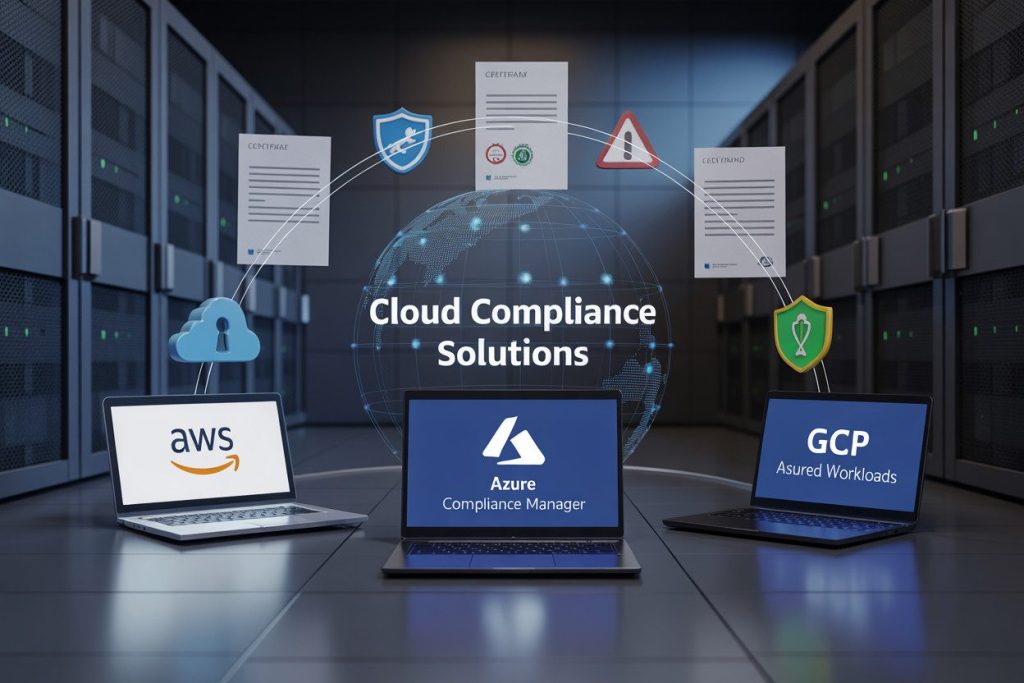
This comparison breaks down how AWS Artifact, Azure Compliance Manager, and GCP Assured Workloads help organizations maintain compliance in different cloud environments.
We’ll examine each platform’s core capabilities, compare their key features, and provide guidance on selecting the right tool based on your specific compliance needs.
Understanding Cloud Compliance Tools
The critical role of compliance in cloud computing
Running your business in the cloud is amazing until regulators come knocking. Compliance isn’t just some boring checkbox – it’s what keeps your company out of the headlines (the bad kind) and shields you from massive fines.
When you’re operating across different regions, you’re juggling multiple compliance frameworks simultaneously – GDPR, HIPAA, PCI DSS, SOC 2, and a dozen others depending on your industry. Each has its own maze of requirements that you need to navigate while still, you know, actually running your business.
The stakes? Higher than ever. A single compliance slip-up can cost you millions in fines, destroy customer trust, and, in regulated industries, might even get your operations suspended.
How compliance tools streamline regulatory adherence
Think about tracking hundreds of compliance requirements manually across thousands of cloud resources. Nightmare, right?
Cloud compliance tools rescue you from spreadsheet hell. They automatically monitor your cloud environments, flag potential issues before they become problems, and give you the evidence you need when auditors come calling.
These tools transform compliance from a quarterly panic into a continuous, manageable process. They can:
- Scan your environments against compliance frameworks in real-time
- Alert you to drift from compliance standards
- Generate audit-ready reports with a few clicks
- Track remediation efforts across your organization
Key features that differentiate top cloud compliance solutions
Not all compliance tools are created equal. The best ones offer:
- Comprehensive framework coverage – Does it support all the regulations relevant to your business?
- Automation capabilities – The more automated, the less manual work for your team
- Evidence collection – Strong tools gather and organize evidence automatically
- Customization options – Your compliance needs are unique to your business
- Integration with DevSecOps – Compliance should fit into your existing workflows, not disrupt them
The right tool matches your specific cloud environment, industry requirements, and security maturity. Some excel at documentation, others at continuous monitoring, and some at simplifying the audit process.
AWS Artifact: Comprehensive Compliance Documentation
A. On-demand access to AWS security and compliance reports
Tired of hunting down compliance documentation every time an auditor comes knocking? AWS Artifact puts all the reports you need right at your fingertips.
You can instantly access AWS’s extensive library of compliance reports, including SOC 1, SOC 2, PCI DSS, ISO certifications, and many more.
The best part? You don’t need to email anyone or submit request forms. Just log into your AWS Management Console, navigate to AWS Artifact, and download what you need when you need it. This self-service approach saves you countless hours during audit preparations.
B. Self-service agreements for regulated workloads
Running workloads in highly regulated industries? You can review, accept, and manage agreements with AWS directly through the Artifact console. This includes the Business Associate Addendum (BAA) for HIPAA compliance and the GDPR Data Processing Addendum.
Once you accept these agreements, they automatically apply to all accounts in your organization. No more managing paperwork across multiple teams or worrying about compliance gaps between accounts.
C. Integration with AWS services ecosystem
AWS Artifact doesn’t exist in isolation. It seamlessly connects with AWS Config, CloudTrail, and Security Hub to give you a comprehensive view of your compliance posture.
For example, you can use AWS Config rules to continuously evaluate your resources against best practices defined in the compliance reports available in Artifact. When something falls out of compliance, you’ll know immediately, not during your next audit.
D. Real-world success stories with AWS Artifact
Healthcare organizations like Moderna have leveraged AWS Artifact to speed up their compliance processes while developing COVID-19 vaccines.
By having immediate access to AWS’s HIPAA BAA and compliance reports, they focused on innovation rather than paperwork.
Financial institutions report cutting audit preparation time by up to 50% using AWS Artifact. Instead of gathering evidence from multiple sources, they simply download the relevant reports and share them with auditors.
Even government contractors use AWS Artifact to demonstrate FedRAMP compliance, making it easier to win and maintain federal contracts without maintaining separate documentation systems.
Azure Compliance Manager: Simplified Compliance Assessment
A. Centralized dashboard for compliance posture
Imagine having all your compliance information in one place. That’s exactly what Azure Compliance Manager delivers with its centralized dashboard.
You’ll get a bird’s-eye view of your organization’s compliance standing across multiple regulatory standards without jumping between different tools or interfaces.
The dashboard shows you exactly where you stand with color-coded indicators that instantly communicate your compliance status.
You can quickly spot areas needing attention and track improvements over time. Your compliance journey becomes visual and intuitive rather than buried in spreadsheets or scattered reports.
B. Built-in regulatory templates and workflows
Why reinvent the wheel when Azure has done the heavy lifting for you? Azure Compliance Manager comes packed with pre-built templates covering major regulations like GDPR, HIPAA, ISO 27001, and more.
These templates save you countless hours of manual setup. You simply select the regulations that matter to your business, and the platform automatically maps the requirements to your Azure environment.
The built-in workflows guide you through the assessment process step by step, making compliance manageable even if you’re not a regulatory expert.
C. Continuous assessment capabilities
Compliance isn’t a one-and-done deal. Azure Compliance Manager gets this and continuously monitors your environment against your selected frameworks.
The platform automatically evaluates your resources and configurations against compliance requirements in real-time. When something changes in your environment that affects compliance, you’ll know right away.
This ongoing vigilance means you’re always aware of your compliance status instead of discovering issues during annual audits when it’s too late.
D. Risk-based compliance scoring
Numbers tell stories that words sometimes can’t. Azure Compliance Manager assigns meaningful scores to your compliance efforts based on actual risk impact.
The scoring system helps you prioritize what matters most. Higher-risk compliance gaps get weighted more heavily, directing your attention to the most critical issues first.
You can watch these scores improve as you implement recommended actions, giving you tangible proof of progress to share with stakeholders and auditors.
The platform also breaks down scores by regulation and control categories, so you can focus your resources where they’ll have the biggest impact on your overall compliance posture.
GCP Assured Workloads: Security Controls for Sensitive Data
A. Region-specific compliance configurations
When you’re handling sensitive data in GCP, location matters- a lot. Assured Workloads lets you lock your data to specific geographic regions to meet those pesky regulatory requirements.
Need to keep data within EU borders for GDPR? Done. Required to store healthcare data domestically? No problem.
You don’t have to become an expert in every regional compliance framework. Just select your region and compliance regime (FedRAMP Moderate, IL4, CJIS, etc.), and GCP automatically configures the right controls. This saves you countless hours of manual setup and reduces the risk of misconfiguration.
B. Personnel access controls and restrictions
Ever wonder who can actually see your cloud data? With Assured Workloads, you gain granular control over which Google personnel can access your environment.
You can restrict support staff based on:
- Citizenship
- Background check status
- Physical location
- Need-to-know basis
This means fewer hands on your sensitive workloads and clear audit trails when access does occur. When a government regulator asks “who has access to our data?” you’ll have a ready answer.
C. Sovereign cloud capabilities
Cloud sovereignty isn’t just a buzzword anymore; it’s becoming a requirement. With Assured Workloads, you’re getting closer to true sovereignty without sacrificing Google’s powerful services.
You can:
- Enforce data residency with technical controls
- Choose encryption solutions where you control the keys
- Implement independent security policies per project
- Meet requirements like Germany’s C5 or France’s SecNumCloud
The best part? You don’t need separate infrastructure or a completely different console. It’s the same GCP you already know, just with sovereignty safeguards built in.
D. Integration with Google’s security infrastructure
Assured Workloads doesn’t exist in a vacuum; it taps into Google’s massive security ecosystem. Your protected environments benefit from the same threat detection, encryption, and zero-trust systems that Google uses internally.
You get seamless integration with:
- Chronicle for advanced threat hunting
- Security Command Center for vulnerability management
- VPC Service Controls to prevent data exfiltration
- Sensitive Data Protection for automated PII discovery
This security-in-depth approach means you’re not sacrificing protection for compliance. You get both.
E. Industry-specific compliance offerings
Different industries face unique regulatory challenges. That’s why Assured Workloads offers tailored packages for various sectors.
Financial services firms will appreciate the built-in controls for handling PCI DSS workloads. Healthcare organizations can leverage HIPAA-aligned configurations right out of the box. Government agencies get FedRAMP High controls without the typical implementation headaches.
Each industry package comes with documentation templates specific to your compliance framework—saving you time during audits and certifications. And as regulations evolve, Google updates these packages, helping you stay compliant without constant reconfiguration.
Feature Comparison Across Platforms
A. Documentation and evidence collection capabilities
When diving into cloud compliance, you’ll quickly discover that each platform handles documentation differently.
AWS Artifact gives you direct access to compliance reports through a self-service portal. You can download AWS’s compliance documentation on-demand and share these reports with auditors instantly. Need SOC 1 reports? Just a few clicks away.
Azure Compliance Manager takes a more interactive approach. You get built-in templates and assessment tools that help you gather your own evidence.
The platform creates shareable reports showing your compliance status across multiple regulations. It’s more hands-on but gives you continuous tracking of your compliance journey.
GCP Assured Workloads focuses on automating documentation. Your evidence collection happens in the background while you work. The platform generates audit-ready documentation showing how your workloads meet specific regulatory requirements.
B. Automation and continuous monitoring features
The difference in monitoring approaches is striking between these platforms:
| Platform | Automation Level | Real-time Monitoring | Custom Alerts |
|---|---|---|---|
| AWS Artifact | Manual downloads | Limited | Basic |
| Azure Compliance Manager | Semi-automated | Comprehensive | Customizable |
| GCP Assured Workloads | Highly automated | Built-in | Advanced |
Azure pulls ahead with its Compliance Score feature that continuously evaluates your environment against regulatory standards.
GCP’s automation keeps your workloads within compliance boundaries without constant manual checking. AWS requires more hands-on monitoring but offers straightforward documentation access.
C. Regulatory framework coverage
Each platform shines with different regulatory frameworks:
AWS Artifact excels with global frameworks like ISO, SOC, and PCI DSS. You’ll find extensive documentation for these universal standards.
Azure Compliance Manager covers an impressive 300+ regulations with built-in assessment templates. You get particularly strong coverage for regional requirements like GDPR, HIPAA, and industry-specific frameworks.
GCP Assured Workloads focuses on high-security environments, with exceptional support for FedRAMP, CJIS, and other government-oriented frameworks. The platform configures your environment specifically to meet these stringent requirements.
D. Ease of implementation and management
Implementation complexity varies significantly:
AWS Artifact is straightforward – you’re basically accessing documentation rather than implementing a complex system. The simplicity comes at the cost of more manual compliance work on your end.
Azure Compliance Manager requires initial setup time but pays off with its guided approach. You’ll work through assessment templates that walk you through compliance steps. The learning curve is steeper but manageable.
GCP Assured Workloads takes a different approach by building compliance into your environment from the start. You select your regulatory requirements during setup, and GCP configures the appropriate controls automatically. This “compliance by design” approach frontloads the work but simplifies ongoing management.
Selecting the Right Compliance Tool for Your Organization
A. Assessing your regulatory requirements
Figuring out which compliance tool you need starts with knowing what regulations apply to your business. Are you handling healthcare data? HIPAA is your concern. Processing EU citizens’ data? GDPR must be on your radar.
Start by mapping out:
- Industry-specific regulations (HIPAA, PCI DSS, FISMA)
- Regional requirements (GDPR, CCPA, LGPD)
- Sector-based frameworks (FedRAMP, SOC 2)
Once you’ve identified these requirements, rank them by priority. Which ones carry the heaviest penalties? Which affect most of your data? This prioritization helps you choose a tool that addresses your most critical compliance needs first.
B. Evaluating your existing cloud infrastructure
Your current cloud setup heavily influences which compliance tool makes sense. If you’re already invested in AWS, their Artifact solution integrates seamlessly with your existing workflows. Running primarily on Azure? Their Compliance Manager will feel right at home.
Ask yourself:
- Which cloud provider hosts most of your workloads?
- Are you using multi-cloud strategies?
- How complex is your current architecture?
For multi-cloud environments, you might need a combination of tools or a third-party solution that provides unified compliance management across platforms.
C. Cost considerations and ROI analysis
Compliance tools come with varying price tags and return on investment. AWS Artifact offers many documents free of charge, while Azure Compliance Manager and GCP Assured Workloads have different pricing models based on usage.
Consider these factors:
- Direct costs of the compliance tool
- Implementation and training expenses
- Time saved on manual compliance tasks
- Potential cost of non-compliance (fines, reputation damage)
A simple calculation: if the tool costs $50,000 annually but saves you 1,000 hours of manual work and reduces your risk exposure by $200,000, your ROI is clear.
D. Scalability and future-proofing your compliance strategy
Your business won’t stay the same size forever. Choose a compliance tool that grows with you. AWS Artifact scales well for companies expanding their AWS footprint.
Azure Compliance Manager adapts to organizations of varying sizes. GCP Assured Workloads works best when you need to maintain specific regulatory boundaries.
Questions to consider:
- Will this tool support your company at 2x or 5x your current size?
- Can it adapt to new regulations as they emerge?
- Does it offer customization for industry-specific requirements?
The compliance landscape changes constantly. Your tool should accommodate these shifts without major overhauls.
E. Implementation timeline and resources needed
Realistic planning prevents implementation headaches. Each compliance tool demands different resources:
| Tool | Typical Implementation Time | Resource Requirements |
|---|---|---|
| AWS Artifact | 2-4 weeks | AWS expertise, security team involvement |
| Azure Compliance Manager | 3-6 weeks | Azure knowledge, compliance officer input |
| GCP Assured Workloads | 4-8 weeks | GCP familiarity, legal team consultation |
Factor in training time for your team, integration with existing systems, and initial configuration efforts. The right tool balances quick implementation with comprehensive coverage of your compliance needs.
Cloud compliance management tools are essential for organizations navigating the complex regulatory landscape. AWS Artifact offers robust documentation access, Azure Compliance Manager provides intuitive assessment capabilities, and GCP Assured Workloads delivers specialized controls for sensitive data environments.
Each platform brings unique strengths to address different compliance needs, from documentation management to continuous monitoring.
When selecting the right compliance tool for your organization, consider your specific regulatory requirements, technical environment, and compliance maturity.
The ideal solution should align with your existing cloud infrastructure while providing the necessary controls and documentation to maintain compliance with minimal administrative overhead.
By leveraging these purpose-built compliance tools, your organization can confidently navigate regulatory requirements while focusing on your core business objectives.
I’ve also built a platform that shows you how to build the right hands-on cybersecurity skills to help businesses achieve their cloud security goals while you build the career you love for a better, higher-paying reward. Check it out here and start working on projects that will help you get hired.
The Author