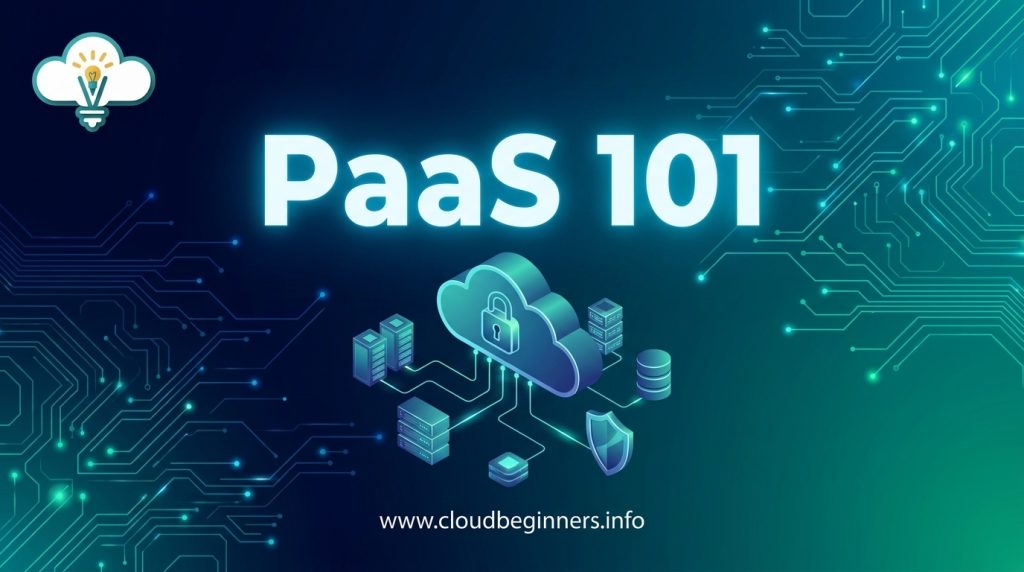
PaaS 101: How Developers Can Build Apps 10x Faster
Have you ever spent three weeks building a single app feature that should’ve taken days? You’re not alone. The average developer wastes 30% of their time wrestling with infrastructure instead of creating actual value. Pretty soul-crushing, right?
This guide will show you how Platform as a Service (PaaS) can transform your development workflow and help you ship features faster than your competitors.
PaaS solutions handle the boring stuff: servers, databases, middleware- so you can focus exclusively on writing code that matters. Think of it as having an elite DevOps team running 24/7 without the overhead.
But not all PaaS options are created equal. Some promise simplicity but lock you into rigid ecosystems that become painful later. Others offer flexibility but require arcane knowledge to configure properly. So how do you choose the right one?
Understanding PaaS: The Foundation for Rapid Development
What is Platform as a Service: Key Definitions and Components
PaaS gives you a ready-made environment to build, test, and deploy your applications without the headache of managing infrastructure. Think of it as your own personal development playground where all the boring stuff is handled for you.
At its core, PaaS includes:
- Runtime environments: Pre-configured systems where your code runs
- Development tools: IDEs, debugging tools, and version control systems
- Middleware: Database management, security features, and integrations
- Deployment services: Auto-scaling, load balancing, and monitoring
When you use PaaS, you focus on what matters: your code. The platform takes care of servers, storage, networking, and operating systems. You’re free to innovate without getting bogged down in infrastructure management.
How PaaS Differs from IaaS and SaaS
Confused about the cloud service models? Here’s how they stack up:
| Feature | PaaS | IaaS | SaaS |
|---|---|---|---|
| What you manage | Applications, data | Applications, data, runtime, middleware | Nothing |
| What provider manages | Runtime, middleware, OS, infrastructure | OS, infrastructure | Everything |
| Your control level | Medium | High | Low |
| Development focus | Yes | No | No |
| Examples | Heroku, Google App Engine | AWS EC2, Azure VMs | Salesforce, Google Workspace |
With PaaS, you get more control than SaaS but less maintenance than IaaS. It’s the sweet spot for developers who want to build without becoming system administrators.
The Evolution of PaaS in Modern Software Development
Remember when setting up a development environment took days? PaaS has come a long way since its early days.
The journey started with basic hosting platforms, then evolved through several phases:
- First-gen PaaS: Simple application hosting
- Specialized PaaS: Language or framework-specific platforms
- Enterprise PaaS: Integration with existing systems
- Cloud-native PaaS: Container-based, microservices-oriented solutions
Today’s PaaS offerings support DevOps practices, continuous integration/deployment, and serverless computing. They’ve become central to modern development approaches like microservices and API-first design.
Top PaaS Providers in Today’s Market
Looking to dive into PaaS? These major players dominate the market:
- Heroku: Perfect if you’re just starting out. Simple, elegant, and developer-friendly.
- Google App Engine: Great for scaling and Google service integration.
- Microsoft Azure App Service: Your go-to if you’re already in the Microsoft ecosystem.
- AWS Elastic Beanstalk: Offers deep integration with the AWS ecosystem.
- IBM Cloud Foundry: Enterprise-grade with strong support for Java applications.
- Platform.sh: Focuses on continuous deployment with git workflows.
- Red Hat OpenShift: Kubernetes-based for container orchestration.
Each platform has strengths for different use cases. Your choice depends on your tech stack, scaling needs, and budget constraints.
Core Benefits of PaaS for Development Speed
A. Eliminating Infrastructure Management Headaches
Gone are the days when you had to spend weeks setting up servers, configuring networks, and managing databases before writing a single line of code. With PaaS, you simply log in and start building. The platform handles all the low-level infrastructure tasks that used to eat up your time.
Think about it: no more wrestling with server configurations or staying up late troubleshooting network issues. Your provider manages the operating systems, middleware, and runtime environments. You focus on what you do best—creating amazing applications.
B. Built-in Tools and Services That Accelerate Coding
PaaS platforms come packed with pre-built components that slash your development time. Need authentication, payment processing, or data storage? They’re just a few clicks away.
These platforms offer ready-to-use APIs, SDKs, and libraries that handle common functions. Instead of coding everything from scratch, you’re essentially assembling high-quality building blocks. This modular approach can turn weeks of development into days or even hours.
C. Automated Scaling Capabilities
Remember the old days of capacity planning and manual scaling? PaaS makes that headache disappear. Your applications automatically scale up during traffic spikes and down during quiet periods.
This means you don’t need to worry about your app crashing during a sudden surge in users. The platform handles the heavy lifting, adding resources as needed without you lifting a finger. You get peace of mind knowing your app will perform well whether you have ten users or ten million.
D. Reduced Time Spent on DevOps Tasks
DevOps tasks can consume up to 30% of a developer’s time. PaaS platforms dramatically reduce this burden by automating deployment pipelines, monitoring, and updates.
With built-in CI/CD tools, you can push updates to production in minutes rather than days. Testing, staging, and deployment happen seamlessly. This automation frees you to focus on building features users will love instead of maintaining infrastructure.
E. Cost Efficiency Through Resource Optimization
PaaS doesn’t just save time—it saves money. You pay only for what you use, without the capital expenses of buying hardware or the ongoing costs of maintaining it.
The platform optimizes resource allocation automatically, ensuring you’re not wasting computing power or storage. This pay-as-you-go model means smaller upfront investments and better ROI for your development projects. Plus, with fewer specialized IT staff needed for infrastructure management, you can redirect those resources to innovation and growth.
Essential PaaS Features That Boost Developer Productivity
A. One-Click Deployments and Continuous Integration
Gone are the days of complex deployment processes. With modern PaaS solutions, you can deploy your applications with just a single click. This means no more wasting hours configuring servers or wrestling with deployment scripts. You simply push your code, and the platform handles the rest.
Many PaaS providers integrate seamlessly with your Git repositories, automatically deploying new code whenever you push changes. This tight integration with your development workflow means you can focus on writing great code instead of managing infrastructure.
The real magic happens when you combine one-click deployments with continuous integration pipelines. Your code gets automatically tested, built, and deployed whenever you make changes. This rapid feedback loop helps you catch bugs early and ship features faster than ever before.
B. Pre-built Templates and Frameworks
Why reinvent the wheel when you can start with a solid foundation? PaaS platforms offer pre-built templates and frameworks for nearly every type of application you might want to build.
Need to create a web API? There’s a template for that. Building a data processing pipeline? Grab a framework that handles the heavy lifting. These templates don’t just save you time; they incorporate best practices from experienced developers.
You can customize these templates to fit your specific needs while benefiting from their built-in structure. This approach dramatically cuts development time while ensuring your application follows industry standards.
C. Built-in Security and Compliance Controls
Security can be a massive headache when you’re trying to move fast. PaaS platforms take much of this burden off your shoulders by providing built-in security features.
Most platforms offer automatic encryption of data both in transit and at rest. They handle security patches for the underlying infrastructure without requiring any action from you. Many also provide tools for identity management, access control, and threat detection right out of the box.
For regulated industries, PaaS providers often include compliance controls that help you meet requirements like HIPAA, GDPR, or SOC 2. Instead of spending weeks implementing these controls yourself, you can leverage what the platform already offers.
D. Database Management and Integration Services
Data is the lifeblood of modern applications, and PaaS platforms make database management remarkably simple. You can provision databases in minutes without worrying about server specifications, replication, or backup strategies.
The integration capabilities really shine when you need to connect to other services. Whether you’re pulling data from third-party APIs, implementing OAuth for authentication, or setting up webhook connections, PaaS platforms typically offer pre-built connectors and integration tools.
These database and integration features eliminate countless hours of configuration and custom coding. You get enterprise-grade data management capabilities without needing a database administrator on your team.
Real-world Development Workflows with PaaS
Setting Up Your First PaaS Environment
Getting started with PaaS is easier than you might think. First, choose a platform that matches your tech stack and business needs. Popular options include Heroku, Google App Engine, and Azure App Service.
Sign up for your chosen platform and install any required CLI tools. For example, with Heroku:
# Install Heroku CLI
brew install heroku/brew/heroku  # For macOS
# Login to your account
heroku login
Next, prepare your application with a configuration file. Most PaaS platforms look for specific files:
- Heroku:
Procfile - Google App Engine:
app.yaml - Azure:
web.config
Then deploy your app with a simple command:
git push heroku main
Just like that, your application is live! No server configuration, no infrastructure headaches.
Implementing CI/CD Pipelines
Building a CI/CD pipeline with PaaS takes your development workflow to the next level. Start by connecting your Git repository to your PaaS platform.
Most platforms offer built-in CI/CD options, but you can also use tools like GitHub Actions, CircleCI, or Jenkins. Here’s a basic GitHub Actions workflow for a Node.js app on Heroku:
name: Deploy to Heroku
on:
push:
branches: [main]
jobs:
build:
runs-on: ubuntu-latest
steps:
- uses: actions/checkout@v2
- uses: actions/setup-node@v1
with:
node-version: '14'
- run: npm ci
- run: npm test
- uses: akhileshns/heroku-deploy@v3.12.12
with:
heroku_api_key: ${{secrets.HEROKU_API_KEY}}
heroku_app_name: "your-app-name"
heroku_email: "your-email@example.com"
This workflow automatically tests and deploys your code whenever you push to the main branch.
Collaborative Development Using PaaS Tools
PaaS platforms shine when you’re working in teams. They provide shared environments that everyone can access without complex setup procedures.
Take advantage of review apps – temporary deployments of your feature branches. On Heroku, enable them with:
heroku pipelines:create my-pipeline
heroku reviews:enable -a my-app
Now when someone creates a pull request, a complete isolated environment is automatically created for testing.
Collaboration features to leverage:
- Environment variables management (share configs without sharing secrets)
- Add-on provisioning (everyone gets the same database version)
- Access controls (grant appropriate permissions to team members)
- Activity logs (see who deployed what and when)
Testing and Quality Assurance in PaaS Environments
Testing in PaaS environments means you can focus on your code, not on maintaining testing infrastructure.
Create staging environments that mirror production:
heroku create my-app-staging --remote staging
git push staging main
Run automated tests against these environments using the same CI/CD pipeline you set up earlier. Many platforms offer built-in test runners:
# Azure DevOps pipeline snippet
- task: DotNetCoreCLI@2
inputs:
command: test
projects: '**/*Tests/*.csproj'
arguments: '--configuration $(buildConfiguration)'
Monitor your application’s performance and errors with the integrated logging and monitoring tools. On most platforms, you can access logs with:
heroku logs --tail
Moving from Development to Production Seamlessly
The real power of PaaS becomes clear when it’s time to go to production. With a properly configured pipeline, moving to production is just a button click away.
Set up promotion paths between environments:
heroku pipelines:add my-pipeline -a my-app-staging -s staging
heroku pipelines:add my-pipeline -a my-app-production -s production
Before promoting, use built-in features to ensure a smooth transition:
- Database backups
- Blue-green deployments to avoid downtime
- Traffic management for gradual rollouts
When you’re ready:
heroku pipelines:promote -a my-app-staging
Your application moves to production with the exact same configuration, dependencies, and environment, eliminating the “works on my machine” problem once and for all.
Overcoming Common PaaS Implementation Challenges
A. Managing Vendor Lock-in Concerns
Worried about getting stuck with a single PaaS provider? You’re not alone. Vendor lock-in is one of the biggest concerns when adopting a PaaS solution. To avoid this trap, design your applications with portability in mind from day one.
Use container technologies like Docker to package your applications in a standardized way. This makes it much easier to move between providers if needed.
Consider building with multi-cloud strategies in your architecture. By using abstraction layers and avoiding proprietary APIs, you maintain control over your destiny.
Many teams now use open-source PaaS options like Cloud Foundry or OpenShift that run on multiple cloud environments, giving you flexibility to switch providers without massive rewrites.
B. Handling Legacy Code and Systems
Got a mountain of legacy code? No problem. You don’t need to do a complete rewrite to benefit from PaaS. Start with a strangler pattern approach – gradually migrate components while keeping your legacy systems running. This reduces risk and lets you move at your own pace.
API gateways can bridge your legacy systems with new PaaS-based microservices. This way, you modernize incrementally without disrupting business operations. Many PaaS platforms also offer specific tools for legacy integration, helping you connect old databases or mainframe systems to your new cloud-native applications.
C. Security Considerations in Multi-tenant Environments
Sharing infrastructure with other tenants makes security a top priority. To keep your applications safe in a PaaS environment, implement security at every layer. Start with proper authentication and authorization using OAuth or SAML for identity management.
Data encryption is non-negotiable – both in transit and at rest. Make sure your PaaS provider supports these capabilities and verify their compliance certifications (SOC 2, HIPAA, GDPR).
Regular security scanning should become part of your CI/CD pipeline. Most modern PaaS platforms include tools to scan dependencies and containers for vulnerabilities. Take advantage of these features and set up automated policies to prevent deployments with critical security issues.
D. Cost Management Strategies
PaaS can save money, but costs can spiral if you’re not careful. Set up monitoring dashboards to track your resource usage and spending. Most providers offer tools that alert you when costs exceed predefined thresholds.
Right-sizing your instances is crucial – many developers waste money by overprovisioning. Start small and scale up only when needed. Auto-scaling capabilities can help balance performance with cost by automatically adjusting resources based on actual demand.
Consider reserved instances or commitment plans for stable workloads to get significant discounts. For development and testing environments, implement automated shutdown during off-hours. There’s no need to pay for resources when your team isn’t working.
Future-proofing Your Development with PaaS
Embracing Containerization and Kubernetes
Feeling stuck with monolithic apps that are tough to scale? Containerization might just be your ticket to the future. With containers, you can package your code and dependencies into lightweight, portable units that run consistently across any environment. Think of them as shipping containers for your code – standardized, stackable, and super efficient.
Kubernetes takes this a step further by managing your containers at scale. When you build on a PaaS that supports Kubernetes, you’re basically future-proofing your development pipeline. You can:
- Deploy across multiple clouds without getting locked in
- Scale individual components instead of entire applications
- Roll out updates with zero downtime
- Recover automatically from failures
Most modern PaaS offerings now bake in Kubernetes support, so you don’t need to be a container expert to reap the benefits.
Leveraging Serverless Computing Within PaaS
Tired of paying for idle server time? Serverless computing within your PaaS can change that game completely. Your code runs only when needed, and you pay only for what you use – down to the millisecond in many cases.
The magic happens when you combine serverless with your existing PaaS workflows. You can:
- Add serverless functions for specific high-traffic endpoints
- Process background jobs without maintaining worker servers
- Handle spiky workloads without overprovisioning
- Reduce operational overhead dramatically
Your PaaS provider handles all the scaling, patching, and infrastructure management. You just write code and watch it run.
AI and Machine Learning Integration Options
AI isn’t just for the tech giants anymore. Modern PaaS platforms now offer pre-built AI and ML services you can plug directly into your apps. No PhD required!
Want to add image recognition? There’s an API for that. Need natural language processing? Just a few lines of code away. The best part? These services keep improving over time without you lifting a finger.
Some practical ways to add AI to your PaaS apps:
- Embed chatbots that actually understand your customers
- Implement recommendation engines that boost engagement
- Add voice interfaces for hands-free interaction
- Detect anomalies in your data automatically
By building on a PaaS with strong AI capabilities, you’re essentially getting a future-proof foundation that evolves as AI technology advances.
Edge Computing Capabilities in Modern PaaS
Why make your users wait for data to travel halfway around the world? Edge computing brings processing power closer to your users, and modern PaaS platforms are making this easier than ever.
When you deploy to the edge through your PaaS:
- Your app loads lightning-fast for users worldwide
- You reduce bandwidth costs significantly
- Real-time applications become truly real-time
- You can process data locally to meet compliance requirements
The best PaaS providers now offer one-click deployment to edge locations globally. This means your app runs closer to users without you managing complex global infrastructure.
Edge capabilities are particularly game-changing for IoT applications, mobile backends, and content delivery. By embracing edge computing through your PaaS now, you’re preparing for a world where latency matters more than ever.
PaaS platforms have revolutionized the app development landscape, enabling developers to build and deploy applications at unprecedented speeds.
By abstracting away infrastructure concerns and providing robust development tools, PaaS solutions empower teams to focus on what matters most: creating value through code.
The efficiency gains are substantial, with features like automated scaling, integrated CI/CD pipelines, and pre-configured environments eliminating time-consuming manual tasks.
As you embark on your PaaS journey, remember that choosing the right platform for your specific needs is crucial.
Whether you’re building enterprise applications or consumer-facing products, implementing PaaS strategically can dramatically accelerate your development cycles while maintaining quality and security.
Start small, measure the impact, and gradually expand your PaaS footprint to build a sustainable competitive advantage in today’s fast-paced digital economy.
I’ve also built a platform that shows you how to build the right hands-on cybersecurity skills to help businesses achieve their cloud security goals while you build the career you love for a better, higher-paying reward. Check it out here and start working on projects that will help you get hired.
The Author